Getting Started10
Getting Started
1
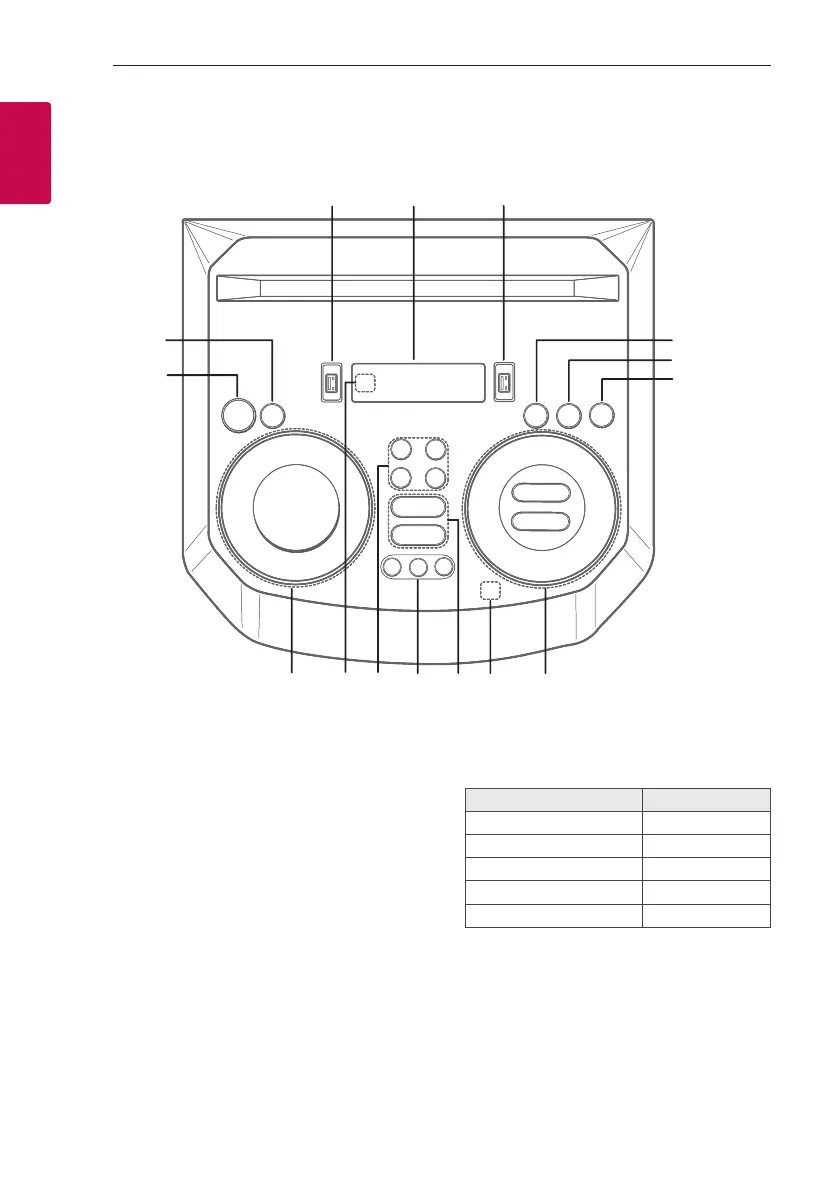
Top panel
h
o
l
k
f
g
i
j
a
b
c
de
m
n
a 1 (Standby)
Turns the power on or off.
b USB REC / DEMO
- Records to USB.
- Stops recording.
- In power off status, if you press USB REC /
DEMO, show demo mode.
c USB 1 Port
You can play sound les by connecting the USB
device.
d Display window
e USB 2 Port
You can play sound les by connecting the USB
device.
f F (Function)
Selects the function and input source.
Input source / Function Display
Disc CD
USB USB1 / USB2
Bluetooth BT
LG Sound Sync (Wireless) LG TV
Radio FM



 To Next Page