Operating50
Operating
4
WIRELESS PARTY LINK
Connection
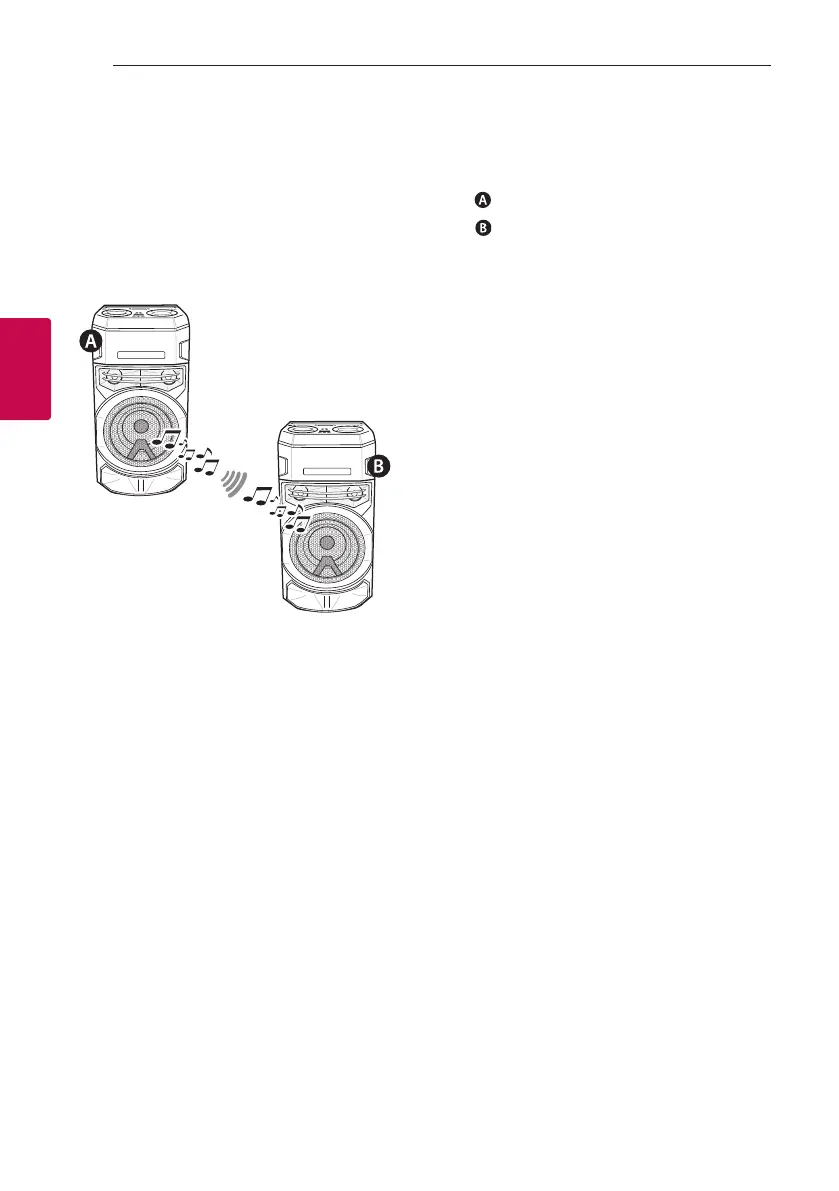
You can enjoy the sound by using two speakers.
For enjoying WIRELESS PARTY LINK, you need to
purchase another speaker.
It is compatible with unit that supports WIRELESS
PARTY LINK.
1. Press
3
TWIN on the unit.
ROLE SELECT appears in the display window.
2. Press
3
TWIN on the unit to select MAIN or
OTHER.
-
unit: Selects MAIN.
-
unit: Selects OTHER.
Two units try to connect with each other.
3. When these units are successfully connected
to each other, each of connected device names
appears in the each unit.



 To Next Page