EasyManua.ls Logo

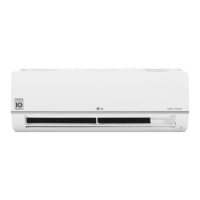
LG PC24SQ - User Manual

LG PC24SQ
39 pages
Print Icon
To Next Page IconTo Next Page
Loading...
www.lg.com
OWNER’S MANUAL
Copyright © 2018 - 2022 LG Electronics Inc. All Rights Reserved
TYPE: WALL MOUNTED
Original instruction
MFL69780807
Rev.05_041122
Read this owner's manual thoroughly before operating the
appliance and keep it handy for reference at all times.
AIR CONDITIONER
EN ENGLISH
DE DEUTSCH
IT ITALIANO
PT PORTUGUÊS
ES ESPAÑOL
LG Electronics Inc. Single Point of Contact (EU/UK) :
LG Electronics European Shared Service Center B.V.
Krijgsman 1, 1186 DM Amstelveen, The Netherlands

Questions and Answers

  • M
    Molly HolmesAug 15, 2025
    Why is my LG Air Conditioner not emitting cool air?
    • A
      Audrey ArmstrongAug 15, 2025
      Several factors can cause your LG Air Conditioner to not emit cool air. Ensure that curtains, blinds, or furniture aren't blocking the unit. Clean the air filter every 2 weeks. If the room temperature is too high, select Jet Mode for faster cooling. Ensure no cold air escapes through ventilation points. Set the desired temperature lower than the current temperature. Avoid using heat generators nearby and make sure Fan Mode is not selected. If the outside temperature is too high, the cooling effect may be insufficient.
  • G
    garciarobertAug 18, 2025
    What to do if my LG PC24SQ does not work?
    • J
      jamesabigailAug 18, 2025
      If your LG Air Conditioner isn't working, first check if it's plugged in and the power isolators are on. Replace the fuse or check the circuit breaker if it has tripped. If there was a power failure, wait 3 minutes after power is restored before turning the unit back on. Also, verify that the batteries in the remote controller are correctly inserted or replace them. Lastly, ensure the unit wasn't turned off automatically by a preset timer; if so, turn it back on.
  • M
    Mr. Mark GordonAug 21, 2025
    Why won't my LG Air Conditioner connect to Wi-Fi?
    • L
      Linda ThomasAug 21, 2025
      If your LG appliance and smartphone won't connect to Wi-Fi, ensure you're using the correct Wi-Fi password. Remove the Wi-Fi network from your smartphone and register your appliance on LG ThinQ again. Turn off mobile data on your smartphone and use Wi-Fi to register the appliance. The wireless network name (SSID) should only contain English letters and numbers, without special characters. Ensure your router frequency is set to 2.4 GHz, as this is the only supported frequency. Finally, reduce the distance between the appliance and the router to improve signal strength.
  • J
    Jessica WrightAug 25, 2025
    What to do if my LG PC24SQ does not work normally?
    • K
      ksmithAug 25, 2025
      If your LG Air Conditioner isn't working normally, and you notice burning smells, strange sounds, water leaks even at low humidity, a damaged or overheating power cable, issues with the circuit breaker, or error codes, immediately turn off the air conditioner, disconnect the power supply, and contact a service center.
  • T
    Traci DukeAug 28, 2025
    Why does my LG PC24SQ Air Conditioner stop during operation?
    • R
      Robert BrownAug 28, 2025
      Your LG Air Conditioner might stop during operation because the Timer Function has timed out, which turns the unit off automatically. Check the timer settings. Also, if a power failure occurred during operation, wait for the power to come back. If you have the Auto Restart function enabled, your unit will resume its last operation several minutes after power is restored.
  • R
    Rhonda DavisAug 31, 2025
    Why is my LG Air Conditioner still operating after I turned it off?
    • J
      John WoodardAug 31, 2025
      The indoor unit might still be operating because the Auto Clean function is active. This function removes remaining moisture inside the unit. If you prefer to disable this feature, you can manually turn the unit off.
  • A
    Angela PayneSep 4, 2025
    Why can't I adjust the fan speed on my LG PC24SQ Air Conditioner?
    • A
      Andrew HumphreySep 4, 2025
      If you can't adjust the fan speed on your LG Air Conditioner, it might be because you've selected Jet Mode or Auto Operation Mode. In these modes, fan speed adjustment is often disabled. Try selecting a different operation mode that allows you to manually adjust the fan speed.
  • J
    James PattersonSep 7, 2025
    Why does my LG PC24SQ Air Conditioner smell?
    • J
      Jeremy McclainSep 7, 2025
      Odors, such as cigarette smoke, can be absorbed into the indoor unit and discharged with the airflow. If the smell persists, wash the filter. If the smell still doesn't disappear after washing the filter, contact the service center to clean your heat exchanger.
  • B
    Brenda HudsonSep 12, 2025
    Why can't I adjust the temperature on my LG Air Conditioner?
    • J
      Jeffrey EdwardsSep 12, 2025
      If you can't adjust the temperature on your LG Air Conditioner, it is possible that the Fan Mode or Jet Mode is selected. In some operation modes, you cannot adjust the temperature, so select an operation mode in which you can adjust the temperature.

LG PC24SQ Specifications

General IconGeneral
RefrigerantR32
Weight (Indoor Unit)8.1 kg
Weight (Outdoor Unit)22.4 kg
Noise Level (Indoor)31 dB
Noise Level (Outdoor)48 dB
Power Supply220-240V, 50Hz
TypeSplit AC
Star Rating3 Star
Operating Temperature (Heating)5 ~ 24 °C

Related product manuals