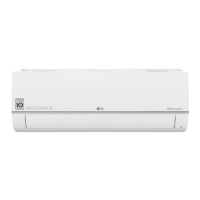
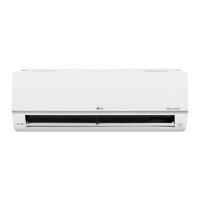
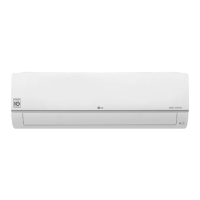
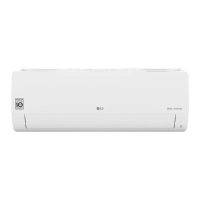
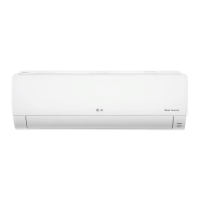
This document is an owner's manual for an LG wall-mounted air conditioner, providing instructions for operation, maintenance, and troubleshooting.
Function Description
The LG air conditioner is designed to provide cooling, heating, dehumidification, and fan-only operation for indoor spaces. It includes various smart features and functions to enhance user comfort and convenience, as well as energy-saving capabilities. The unit can be controlled via a wireless remote control or an ON/OFF button on the indoor unit itself.
Important Technical Specifications
- Refrigerant: The appliance uses a flammable refrigerant (R32).
- Power Supply: Requires a dedicated electric outlet and circuit breaker.
- Wiring: Indoor/outdoor wiring connections must be secured tightly and routed properly to prevent heat generation or fire.
- Wi-Fi: Supports 2.4 GHz Wi-Fi networks for LG ThinQ application connectivity.
- UV-C Lamp: Contains a UV-C lamp for the UVnano function, which reduces bacteria inside the air conditioner.
- Temperature Range (Emergency ON/OFF): For cooling and heating models, the temperature is set from 22 °C to 24 °C when using the emergency ON/OFF button.
Usage Features
General Operation:
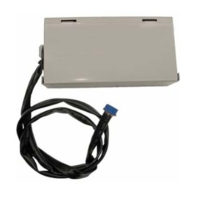
- Wireless Remote Control: Used to operate the air conditioner by pointing it towards the signal receiver on the indoor unit. Batteries (AAA 1.5 V) need to be inserted. An optional holder can be installed for the remote control.
- Operating without Remote Control: The ON/OFF button on the indoor unit allows basic operation (on/off) if the remote control is unavailable.
- Current Time Setting: The remote control allows setting the current time, which is necessary for the On/Off Timer function.
- °C/°F Conversion: An optional function to switch the temperature unit between Celsius and Fahrenheit by pressing and holding the Swing button for 5 seconds.
- Auto Restart: Restores previous settings after a power failure. This function can be enabled or disabled.
Mode Functions:
- Cooling Mode: Provides cooling.
- Auto Changeover Mode / Auto Operation (AI) Mode: Automatically adjusts the mode to maintain a set temperature (±2 °C for Auto Changeover) or operates based on electronic controls (Artificial Intelligence).
- Dehumidification Mode: Removes excess moisture, automatically adjusting room temperature and fan speed to maintain optimal humidity. Room temperature cannot be manually adjusted in this mode.
- Heating Mode: Provides heating.
- Fan Mode: Circulates indoor air without changing the room temperature. Fan speed can be adjusted.
Specialized Functions:
- Jet Mode: Quickly changes room temperature (cooling or heating) for 30 minutes. After 30 minutes, the setting temperature maintains 18 °C for cooling or 30 °C for heating. Available with Cooling, Heating, and Dehumidification modes.
- Fan Speed Function: Adjusts the fan speed (High, Medium-High, Medium, Medium-Low, Low, Natural Wind). Natural Wind adjusts automatically.
- Air Flow Direction Function: Adjusts the vertical (and sometimes horizontal) air flow direction.
- On/Off Timer: Sets the air conditioner to turn on/off automatically at a desired time.
- Sleep Function (Optional): Automatically turns off the air conditioner after a set period (up to 7 hours) for comfortable sleep. In Cooling and Dehumidification modes, the temperature increases by 1 °C after 30 minutes and an additional 1 °C after another 30 minutes, up to 2 °C from the preset temperature.
- Simple Timer Function (Optional): Similar to the Sleep function, automatically turns off the air conditioner after a set period (up to 7 hours).
- Energy Display Function (Optional): Displays the instantaneous power consumption (in kW) on the indoor unit display.
- Light Off Function (Optional): Adjusts the brightness of the indoor unit display screen.
- Comfort Air Function (Optional): Directs supply air away from occupants by setting the vane to a preset position.
- Energy Control Function (Optional): Decreases power input by 20%, 40%, or 60% compared to rated power input to save energy. Available with Cooling Mode.
- UVnano Function (Optional): Reduces bacteria inside the air conditioner using a UV-C lamp. Operates at regular intervals to keep the fan clean and works with Auto Clean.
- Air Purification Function (Optional):
- Ionizer: Uses ion particles to reduce surface bacteria and harmful substances.
- Plasma: Removes microscopic contaminants from intake air to supply clean and fresh air. Can be used without turning on the air conditioner.
- Silent Function: Reduces noise from outdoor units. Available with Cooling, Heating, Auto Changeover, and Auto Operation modes.
- Auto Clean Function: Removes moisture generated inside the indoor unit in Cooling and Dehumidification modes. The fan continues to run for 30 minutes after the unit is turned off to clean the interior. Works with UVnano function.
Smart Functions (LG ThinQ Application):
- LG ThinQ Application: Allows communication with the appliance via a smartphone. Requires a 2.4 GHz Wi-Fi network.
- Smart Diagnosis: Helps diagnose problems with the appliance. Can be performed via the LG ThinQ application or by audible diagnosis (holding the smartphone mouthpiece to the logo while pressing the Diagnosis button).
Maintenance Features
Regular maintenance is crucial for optimal performance and to prevent breakdowns.
- Air Filter: Clean every 2 weeks with a vacuum or hand wash.
- Allergy Filter (Optional): Clean every 6 months with a vacuum or brush. Do not wash with water.
- Ionizer (Optional): Use a dry cotton bud to remove any dust every 6 months.
- Indoor Unit Surface: Clean regularly with a soft, dry cloth.
- Condensate Drain Pan (Indoor Unit): Professional cleaning once a year.
- Condensate Drain Pipe (Indoor Unit): Professional cleaning every 4 months.
- Remote Control Batteries: Replace when the display fades.
- Heat Exchanger Coils and Panel Vents (Indoor Unit): Professional cleaning once a year.
- Fan (Indoor Unit): Professional cleaning once a year.
- Condensate Drain Pan (Outdoor Unit): Professional cleaning once a year.
- Fan Assembly (Outdoor Unit): Professional verification of firm tightening once a year.
- Electric Components (Outdoor Unit): Clean with air once a year.
Important Maintenance Notes:
- Always disconnect power and wait for the fan to stop before cleaning or maintenance.
- Do not use water hotter than 40 °C or volatile substances to clean filters.
- If the air conditioner will not be used for an extended period, dry it in Fan mode for 3 to 4 hours and then disconnect the power.
- For interior cleaning, contact an authorized service center or dealer.
- Any work on the refrigerant circuit must be performed by industry-accredited personnel.

 Need help?
 General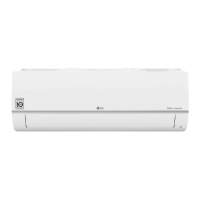

 To Next Page