1
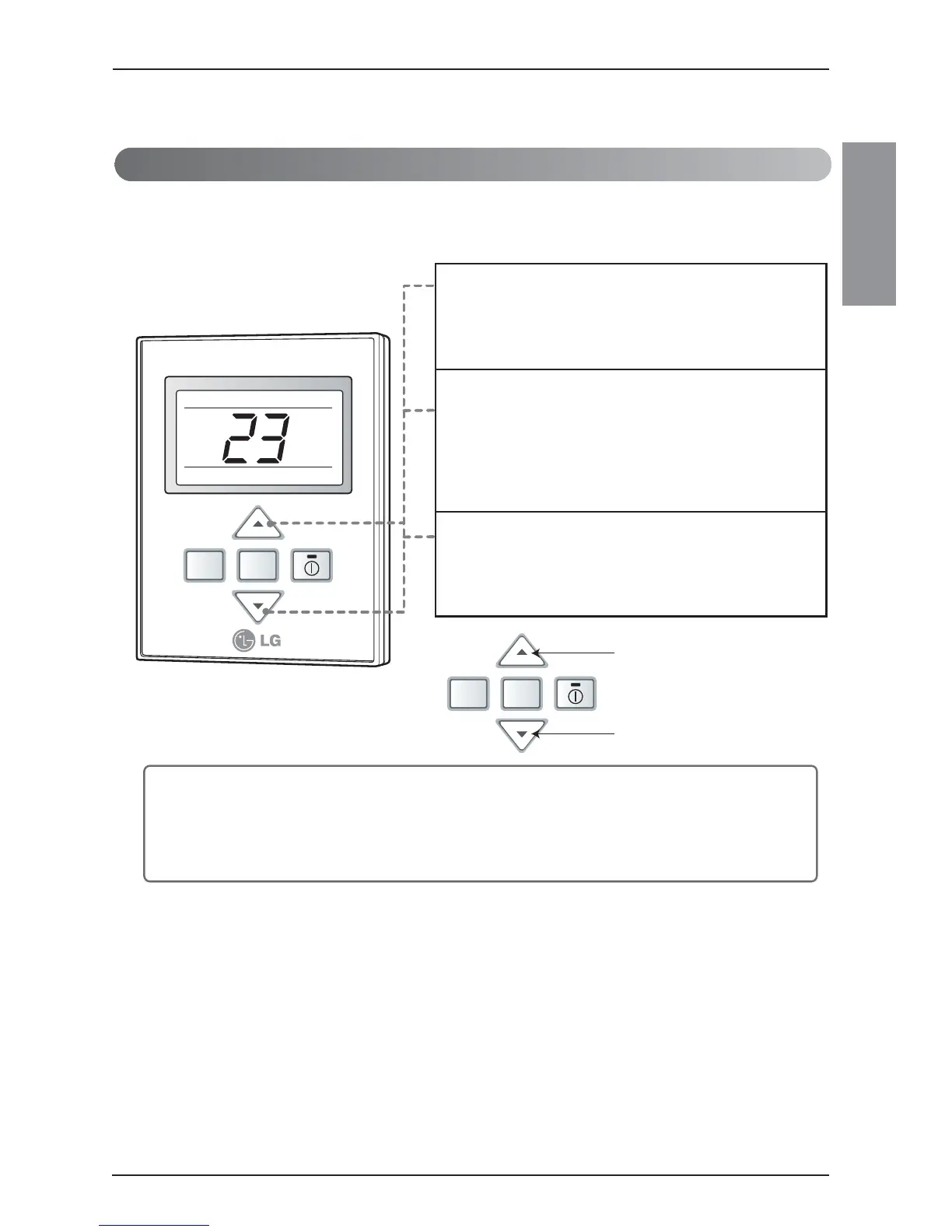
If you want to set the address on the display panle,
press both temperature control buttons (▲/▼) same
time for three seconds.
2
Press the temperature-increasing button to change the
group number. Press the temperature-decreasing
button to change the indoor unit number.
e.g. As shown on the left side panel, it displays 23.
Group No. : 2
Indoor Unit No. : 3
3
Set the address by pressing both temperature control
buttons again (▲/▼) same time for three seconds.
• If you connect the indoor unit to the central controller, you should set the network
address of the indoor unit so that the central controller could recognize it.
• The center-control address is composed of the group number and the indoor-unit
number.
Setting the Central-Control Address
Please set the address while using the central controller.
You don't need to set address if you don't use central controller.
❈ If you set the control status of the group, that you canʼt the central control and wireless remote control.



 To Next Page