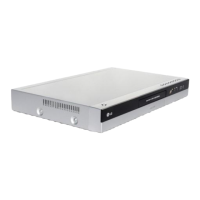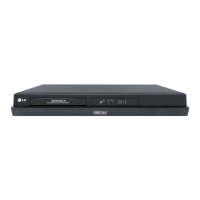

 To Next Page
J
Jason RandolphAug 20, 2025
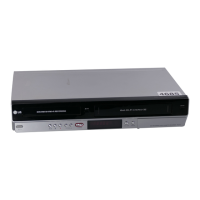
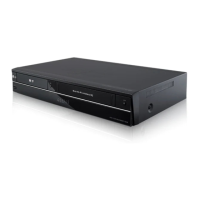
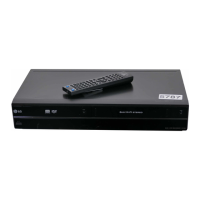
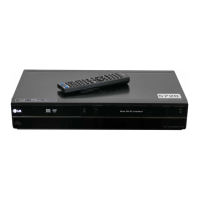
Why won't my LG RC278-P1 DVD Recorder turn on (no power)?
- MMr. Edward LeeAug 20, 2025
If your LG DVD Recorder has no power, the power cord might be disconnected. Plug the power cord securely into the wall outlet.

Why won't my LG RC278-P1 DVD Recorder turn on (no power)?
If your LG DVD Recorder has no power, the power cord might be disconnected. Plug the power cord securely into the wall outlet.
What to do if my LG RC278-P1 DVD Recorder remote control does not work properly?
If your LG DVD Recorder remote control isn't working, ensure you're pointing it directly at the recorder's remote sensor and are within 7 meters. Remove any obstacles between the remote and the recorder. If it still doesn't work, replace the remote's batteries with new ones.
Why is there no picture on my LG RC278-P1?
If you're not seeing a picture from your LG DVD Recorder, make sure your TV is set to the correct video input mode to receive the recorder's signal. Also, check that the video cable is securely connected and that your TV is powered on.
What to do if my LG RC278-P1 does not start playback?
If your LG DVD Recorder won't start playback, make sure a disc is inserted correctly with the playback side down and placed within the guide. Ensure it's a playable disc, considering the disc type, color system, and regional code. Also, verify the disc is clean and that the Rating level is not set.
Why is there no sound from my LG RC278-P1?
If you're experiencing no sound from your LG DVD Recorder, ensure the equipment connected with the audio cable is set to receive the recorder's signal output and that the audio cables are securely connected. Also, verify that the connected equipment is powered on and that the audio connecting cord is not damaged (replace if necessary).
How to fix timer recording if it is not possible on LG DVD Recorder?
If timer recording isn't working on your LG DVD Recorder, ensure the clock is set to the correct time. If the clock is correct, reprogram the timer. If the timer record indicator light does not appear after programming, reprogram the timer again.
What to do if my LG RC278-P1 DVD Recorder cannot record or did not record successfully?
If your LG DVD Recorder cannot record, it might be due to several reasons. Ensure there's sufficient blank space on the disc. The source you are trying to record may be copy protected, which prevents recording. If setting the recording channel, make sure the channel is tuned on the recorder’s built-in TV tuner, not the TV’s own tuner. Also, if recording to a Video mode disc, copy-once protected programs cannot be recorded; use a VR mode formatted disc instead.
How to troubleshoot weak or missing broadcast channel picture or sound on LG RC278-P1 DVD Recorder?
If the picture or sound of a broadcasting channel is weak or missing on your LG DVD Recorder, check that the aerial or cables are not loose. Tighten the connections or replace the cable if necessary.
How to fix poor playback picture on LG DVD Recorder?
If the playback picture on your LG DVD Recorder is poor, the disc may be dirty. Clean the disc to resolve this issue.
Why can’t I play a disc recorded on my LG RC278-P1 DVD Recorder on another player?
If you can’t play a disc recorded on your LG DVD Recorder on another player, it might be because the disc was recorded in Video mode. Finalize the disc. If the disc was recorded in VR mode, the other player must be RW compatible to play it.
 General
| Brand | LG |
|---|---|
| Model | RC278-P1 |
| Category | DVD Recorder |
| Language | English |