EasyManua.ls Logo

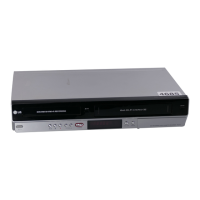
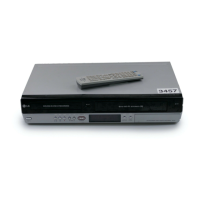
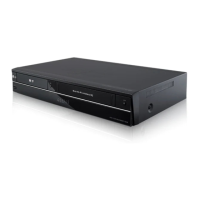
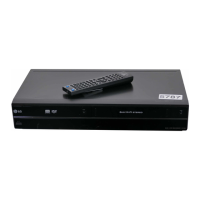
LG RC299 - User Manual

LG RC299
61 pages
Print Icon
To Next Page IconTo Next Page
Loading...
DVD RECORDER/
VIDEO CASSETTE
RECORDER
OWNER’S MANUAL
MODEL : RC299
Before connecting, operating or adjusting this product,
please read this instruction booklet carefully and completely.
PAL
RC299-W_NA2ALLB_ENG

Table of Contents

Questions and Answers

  • L
    lgriffinAug 20, 2025
    How to fix LG DVD Recorder remote control not working?
    • J
      Juan RiddleAug 20, 2025
      If your LG DVD Recorder's remote control isn't working, ensure you're pointing it directly at the recorder's remote sensor. Try operating the remote within 7 meters of the recorder and remove any obstacles between them. If it still doesn't work, replace the batteries with new ones.
  • D
    Diane HughesAug 22, 2025
    Why is there no picture on my LG DVD Recorder?
    • S
      Shawn RoseAug 22, 2025
      If your LG DVD Recorder isn't displaying a picture, make sure your TV is set to the correct video input mode to receive the recorder's signal. Also, check that the video cable is securely connected and that your TV is powered on.
  • L
    Linda MullinsAug 25, 2025
    Why no sound from my LG DVD Recorder?
    • R
      Robert KellyAug 25, 2025
      If your LG DVD Recorder isn't producing sound, ensure that the equipment connected with the audio cable is set to the correct input mode to receive the recorder's signal. Verify that the audio cables are securely connected and that the connected equipment is powered on. If the problem persists, the audio connecting cord may be damaged, and you should replace it.
  • F
    frederick95Aug 26, 2025
    What to do if my LG RC299 does not start playback?
    • A
      Aaron KelleyAug 27, 2025
      If your LG DVD Recorder isn't starting playback, first, insert a disc. Ensure it is a playable disc, checking the disc type, color system, and regional code. Place the disc with the playback side down, correctly within the guide on the disc tray. If the disc is dirty, clean it. Also, check if the Rating level is set and cancel the Rating function or change the rating level if needed.
  • J
    joel51Aug 28, 2025
    Why LG RC299 cannot record?
    • L
      Lucas PrattAug 28, 2025
      If your LG DVD Recorder isn't recording or the recording is unsuccessful, try these steps. If there's insufficient blank space on the disc, use another disc. Note that if the source is copy-protected, you cannot record it. When setting the recording channel, ensure the channel is tuned on the recorder’s built-in TV tuner. For Video mode discs, copy-once protected programs cannot be recorded; use a VR mode formatted disc for such material.
  • N
    Nicholas KingAug 30, 2025
    How to troubleshoot no power on LG RC299 DVD Recorder?
    • A
      Anthony PooleAug 30, 2025
      If your LG DVD Recorder has no power, plug the power cord into the wall outlet securely.
  • C
    Christina MullinsSep 1, 2025
    How to prevent moisture condensation in LG DVD Recorder?
    • M
      Michelle AdkinsSep 1, 2025
      To prevent moisture condensation in your LG DVD Recorder, keep it plugged into an AC power outlet with the power on. If condensation occurs, wait a few hours for the recorder to dry before using it.
  • K
    Kyle DonovanSep 3, 2025
    How to fix poor playback picture on LG DVD Recorder?
    • M
      melissa90Sep 3, 2025
      If the playback picture on your LG DVD Recorder is poor, clean the disc.
  • S
    Seth CharlesSep 4, 2025
    Why is the picture from external input distorted on my LG RC299?
    • J
      Jennifer HaasSep 5, 2025
      If the picture from the external input on your LG DVD Recorder is distorted, it may be due to the video signal from the external component being copy-protected. In this case, you cannot connect via this recorder; connect the component directly to your TV.
  • J
    Jennifer ThomasSep 7, 2025
    What to do if LG RC299 disc won't play on other players?
    • J
      Joe MillerSep 7, 2025
      If you can’t play a disc recorded using your LG DVD recorder on another player, finalize the disc. If the disc was recorded in VR mode, the other player must be RW compatible to play it.

LG RC299 Specifications

General IconGeneral
TypeDVD Recorder
Audio FormatDolby Digital
Recording ModesXP, SP, LP, EP, MLP
Recordable Media FormatDVD-R, DVD-RW, DVD+R, DVD+RW
Number of Discs1
Progressive ScanYes
Video Recording FormatMPEG-2
Video FormatNTSC
Input/OutputComposite, S-Video, Component
Playable Media FormatDVD-R, DVD-RW, DVD+R, DVD+RW, CD-R, CD-RW
Video Output SystemPAL
Remote Control TypeStandard
Recording FormatDVD-Video

Related product manuals