EasyManua.ls Logo

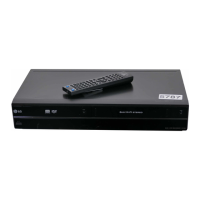
LG RC299 - User Manual

LG RC299
61 pages
Print Icon
To Next Page IconTo Next Page
Loading...
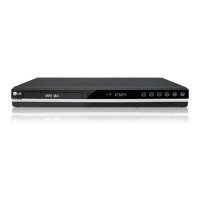
DVD RECORDER/
VIDEO CASSETTE
RECORDER
OWNER’S MANUAL
MODEL : RC299
Before connecting, operating or adjusting this product,
please read this instruction booklet carefully and completely.
PAL
RC299-W_NA2ALLB_ENG

Table of Contents

Questions and Answers

  • J
    jamiejohnsonSep 9, 2025
    Why is timer recording not working on my LG DVD Recorder?
    • M
      Matthew GreeneSep 9, 2025
      If timer recording is not possible on your LG DVD Recorder, there might be several reasons: 1. The clock in the recorder is not set to the correct time. 2. The timer has been programmed incorrectly. 3. The timer record indicator light does not appear after programming the timer. To solve these issues, set the clock to the correct time and reprogram the timer.
  • M
    Maxwell RomeroSep 12, 2025
    Why are some channels skipped on my LG RC299 DVD Recorder?
    • T
      Tara SchmidtSep 12, 2025
      If some channels are skipped over when using the channel up/down buttons on your LG DVD Recorder, it's because those channels are not stored in the recorder.
  • A
    Amy FloydSep 13, 2025
    Why is the broadcasting channel picture/sound weak on my LG RC299?
    • J
      Jessica JensenSep 13, 2025
      If the picture or sound of a broadcasting channel is weak or missing on your LG DVD Recorder, tighten connections or replace the cable.
  • K
    kylejohnstonSep 15, 2025
    Why is the camcorder image not showing on my LG RC299?
    • J
      Justin CooperSep 15, 2025
      If the camcorder image is not shown on your LG DVD Recorder, turn the camcorder on and operate it properly.
  • S
    Sara RussellSep 17, 2025
    Why is the camcorder image via A/V input not showing on my LG RC299?
    • A
      Andrew McdanielSep 17, 2025
      If the camcorder image via A/V input or DV IN to Recorder is not shown on the TV screen when using your LG DVD Recorder, use AV/INPUT to select the correct input channel (AV1, AV2, DV, etc.).

LG RC299 Specifications

General IconGeneral
TypeDVD Recorder
Audio FormatDolby Digital
Recording ModesXP, SP, LP, EP, MLP
Recordable Media FormatDVD-R, DVD-RW, DVD+R, DVD+RW
Number of Discs1
Progressive ScanYes
Video Recording FormatMPEG-2
Video FormatNTSC
Input/OutputComposite, S-Video, Component
Playable Media FormatDVD-R, DVD-RW, DVD+R, DVD+RW, CD-R, CD-RW
Video Output SystemPAL
Remote Control TypeStandard
Recording FormatDVD-Video

Related product manuals