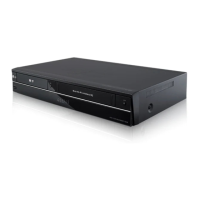
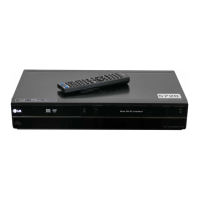
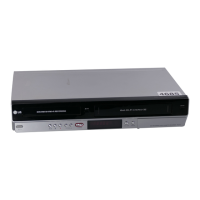
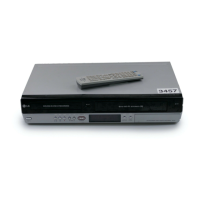
Need help?
Do you have a question about the LG RC388-W and is the answer not in the manual?
Details compatibility of various DVD types for recording and playback.
Lists file formats and media types supported for playback on the unit.
Guide to program the remote control to operate your TV using manufacturer codes.
Connects component video and audio cables to the unit and TV for enhanced quality.
Connects digital audio cables for enhanced sound to amplifiers or receivers.
Connects S-Video and audio cables for improved video and audio transmission.
Connects audio/video sources like VCRs or camcorders to the unit's input jacks.
Connects a digital camcorder to transfer DV tapes to DVD via the front DV IN jack.
Provides additional options for adjusting automatic setup settings.
Allows manual adjustment of programmed channels and their settings.
Accesses the main setup menu for various unit configurations.
Explains additional functions accessible through the Home Menu.
Covers settings like TV aspect ratio, VCR play system, and power save mode.
Offers further details on viewing disc information and playback menus.
Explains how to select and adjust items within the playback menu.
Provides additional controls and tips for playing video tapes.
Offers advanced playback options for discs.
Allows zooming and moving through the video image during playback for detailed viewing.
Allows users to mark up to six favorite scenes on a disc for easy recall.
Displays the title menu or disc menu for navigation and selection of content.
Remembers and recalls the last viewed scene from a disc.
Details how to navigate and select files from the Movie List menu.
Troubleshooting for DivX subtitle display issues.
Specifies the resolution, extensions, and codec requirements for DivX files.
Explains navigation and selection of music files from the Music List.
Shows ID3-Tag information for MP3/WMA files.
Enables random playback of music files from the Music List.
Details how to navigate and select photos from the Photo List.
Guides on setting up and starting a photo slideshow.
Allows navigation between photos displayed in full screen.
Adjusts the TV audio channel for stereo and bilingual broadcasts before recording.
Allows easy recording of a preset length without manual setup.
Allows cancellation of a programmed timer recording before it starts.
Offers extended options for editing video titles.
Removes titles or chapters from the playlist or original recording.
Provides additional options and notes for performing dubbing operations.
Covers common issues like no power, no picture, or no sound.
Addresses problems related to disc playback not starting or not working.
Details issues with recording failures or timer recording problems.
Provides general information on power, dimensions, and operating conditions.
Details laser, video head system, and signal system specifications.
Lists formats, media, time, sampling frequency, and compression for recording.
Specifies frequency response, signal-to-noise ratio, and harmonic distortion for playback.
 Power
Power| power requirements | AC 200-240V, 50/60 Hz |
|---|---|
| power consumption | 23W |
 Operating Environment
| operating temperature | 5˚C to 35˚C |
|---|---|
| operating humidity | 5 % to 90 % |
Recording| recordable media | DVD-RW, DVD-R, DVD+RW, DVD+R |
|---|---|
| recordable time DVD (4.7GB) | Approx. 1 hour (XP mode), 2 hours (SP mode), 4 hours (LP mode), 6 hours (EP mode), 14 hours (MLP mode) |
| video recording format | MPEG2 (VBR supported) |
| audio recording format | Dolby Digital |
 Weight and Dimensions
| dimensions | 430 X 78.5 X 260 mm |
|---|---|
| net weight | 4.2 kg |

 To Next Page