Need help?
Do you have a question about the LG RK3 and is the answer not in the manual?
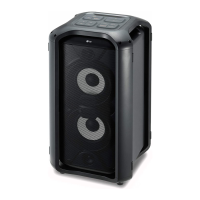
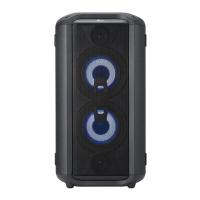
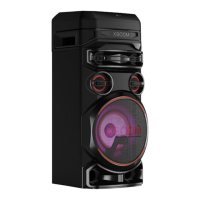
This document is an owner's manual for an LG High Power Speaker System, model RK3. It provides comprehensive information on the device's functions, usage, and maintenance.
The speaker system is designed for portable use, featuring wheels and a handle for easy transportation. It includes a built-in valve-regulated lead-acid rechargeable battery (12 V / 7.0 Ah), allowing for wireless operation. The battery charging indicator shows red when charging and green when fully charged. It's recommended to fully charge the device for about 11 hours before first use and to charge it at least once every three months during storage to maintain battery life. The operating time is approximately 13 hours on a full charge at 50% volume.
The unit supports various audio sources. It features Bluetooth® wireless technology for streaming music from compatible devices like smartphones, MP3 players, and notebooks. The Bluetooth connection has a range and can be affected by electronic interference or obstacles. The device supports multi-pairing, allowing connection to up to two Bluetooth devices simultaneously, though only one can play music at a time. A "BT LOCK" function is available to limit Bluetooth connections to prevent unintended access. The unit can also automatically turn on and connect to a previously paired Bluetooth device when an input signal is detected.
For wired connections, the speaker system includes a PORT IN. connector (3.5 mm stereo jack) for portable devices such as MP3 players or PMPs. It also has a USB port for playing sound files from USB flash drives or MP3 players. The USB function supports FAT(16/32) file systems and recognizes up to 999 files and 99 folders. It's important to safely remove USB devices by first selecting a different function.
The speaker system offers several audio enhancement features. The SOUND EFFECT/BASS BLAST button allows users to choose different sound impressions, including a direct BASS BLAST effect by pressing and holding. Pre-set sound modes like POP, CLASSIC, ROCK, JAZZ, and STANDARD are available to optimize the listening experience.
For karaoke enthusiasts, the unit includes a MIC IN. jack for connecting a microphone. Users can adjust the microphone volume with the MIC VOL. knob. The ECHO / DEMO button activates an echo effect for the microphone. In power-off status, pressing ECHO / DEMO will activate a DEMO mode, showcasing the unit's functions. The VOCAL EFFECTS feature allows users to change their voice to various effects like BASS, SOPRANO, HELIUM, ROBOT, and DUET (MAN/WOMAN), with multiple echo variations. The VOICE CANCELLER function reduces the singer's vocal in music, making it easier to sing along. The #/b (KEY CHANGER) buttons allow for adjusting the key of the music by up to 4 steps higher or lower to suit the user's vocal range. These microphone-related functions are available in USB or Bluetooth modes and require a microphone to be connected.
The unit also features an FM tuner for listening to radio stations. Users can auto-tune or manually tune to desired frequencies and preset up to 10 FM stations. The FM antenna should be pulled out and adjusted for better reception.
For power management, the unit has a Power ON/OFF switch on the rear panel. It also includes an Auto power down feature, which turns the unit off after 15 minutes of inactivity if no external device is connected, or after six hours if connected via analog inputs but not in use. The Auto function change feature automatically switches the unit to the appropriate function (Bluetooth or PORT IN.) when an input signal is detected.
Maintenance instructions emphasize saving the original shipping carton and packing materials for future shipping. For cleaning, a soft, dry cloth should be used. If surfaces are very dirty, a soft cloth lightly moistened with a mild detergent solution can be used, but strong solvents like alcohol, benzine, or thinner should be avoided. The manual also advises against using volatile liquids or placing rubber/plastic products in contact with the unit for extended periods.
 General
| Brand | LG |
|---|---|
| Model | RK3 |
| Type | Speaker System |
| Output Power | 20W |
| Impedance | 4Ω |
| Sensitivity | 80dB |
| Bluetooth | Yes |
| USB | Yes |
| FM Radio | Yes |
| Audio Input | 3.5mm AUX |
| Karaoke Function | Yes |
| Audio Playback | MP3, WAV |
| Battery Life | Up to 10 hours |
| Water Resistance | No |


 To Next Page