EasyManua.ls Logo

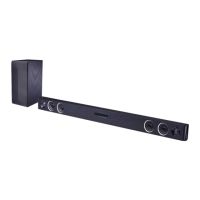
LG S45A1-D - User Manual

LG S45A1-D
38 pages
Print Icon
To Next Page IconTo Next Page
Loading...
Please read this manual carefully before operating
your set and retain it for future reference.
LAS450H (LAS450H, S45A1-D)
OWNER’S MANUAL
Wireless
Sound Bar
www.lg.com

Questions and Answers

  • C
    cgonzalezAug 20, 2025
    How to increase the sound output of my LG S45A1-D Speaker System?
    • J
      Jennifer WilliamsAug 20, 2025
      If you find the output sound of your LG Speaker System is low, you can try the following: turn off the DRC function using the remote controller. Also, if the sound bar is connected to a TV, change the AUDIO DIGITAL OUT setting on the TV Setup Menu from PCM to AUTO or BITSTREAM. If connected to a Player, change the AUDIO DIGITAL OUT setting on the Player Setup Menu from PCM to PRIMARY PASS-THROUGH or BITSTREAM. You can also try changing the Audio DRC setting on the Player setup menu to the OFF state.
  • S
    Sharon JonesAug 22, 2025
    What to do if there is no woofer sound from my LG Speaker System?
    • E
      Elizabeth RileyAug 22, 2025
      If you're not getting any sound from the woofer of your LG Speaker System, make sure the woofer's power cord is securely plugged into the wall outlet. Also, check if the pairing between the main unit and the woofer has been disconnected and, if so, reconnect them.
  • W
    William SilvaAug 25, 2025
    How to fix LG S45A1-D Speaker System remote control not working?
    • J
      Jasmine OrtegaAug 25, 2025
      If your LG Speaker System remote control isn't working properly, consider these solutions: * Make sure you are operating the remote within a 7-meter range of the unit. * Remove any obstacles that might be blocking the path between the remote and the unit. * Try replacing the batteries in the remote with new ones.
  • T
    Tiffany RogersAug 27, 2025
    What to do if my LG S45A1-D woofer has no sound?
    • W
      William JacksonAug 27, 2025
      If your LG Speaker System woofer isn't producing sound, check the following: * Confirm that the woofer's power cord is securely plugged into the wall outlet. * Ensure that the unit and woofer are properly connected.
  • D
    Daniel PowellAug 28, 2025
    Why is the sound output low on my LG Speaker System?
    • K
      Kathy DavidsonAug 28, 2025
      If the sound output of your LG Speaker System seems low, try the following: * Turn off the DRC (Dynamic Range Control) function using the remote controller. * If the sound bar is connected to a TV, change the AUDIO DIGITAL OUT setting in the TV's Setup Menu from PCM to AUTO or BITSTREAM. * If connected to a Player, change the AUDIO DIGITAL OUT setting in the Player Setup Menu from PCM to PRIMARY PASS-THROUGH or BITSTREAM. * Change the Audio DRC setting on the Player setup menu to the OFF state.
  • R
    Renee Nguyen MDAug 30, 2025
    Why doesn't the AUTO POWER function work on my LG S45A1-D?
    • C
      Corey AustinAug 30, 2025
      If the AUTO POWER function isn't working on your LG Speaker System: * Check the connection of the external device, such as a TV, DVD/Blu-Ray player, or Bluetooth device. * Be aware that this function may not operate depending on the connected device.
  • A
    Alan GentrySep 1, 2025
    What to do if my LG S45A1-D has no sound?
    • M
      Matthew OdonnellSep 1, 2025
      If your LG Speaker System is producing no sound, first ensure that the correct input source is selected. If the mute function is activated, press the Mute button or adjust the volume to cancel it. Also, if you're using an external device like a set-top box or Bluetooth device, check and adjust its volume level as well.
  • M
    Maria HarrisSep 3, 2025
    How to fix an LG S45A1-D remote control that is not working?
    • M
      Mariah GutierrezSep 3, 2025
      If the remote control for your LG Speaker System isn't working properly, make sure you're within about 7 meters of the unit and that there are no obstacles blocking the path between the remote and the unit. If it still doesn't work, try replacing the batteries with new ones.
  • M
    macdonaldchadSep 5, 2025
    What to do if my LG Speaker System has no power?
    • H
      Henry BakerSep 5, 2025
      If your LG Speaker System isn't powering on, begin by checking if the power cord is securely plugged in. If it is, verify the outlet's functionality by testing it with another electronic device.
  • C
    catherinehaasSep 7, 2025
    Why does my LG S45A1-D Speaker System have wireless interference?
    • E
      Elizabeth ArellanoSep 7, 2025
      If you're experiencing wireless interference with your LG Speaker System, ensure the device is installed close enough to the wireless subwoofer, especially in areas with weak signal strength. Also, avoid placing the device on metal furniture to ensure optimal performance.

Summary

Safety Information

Electric Shock and Opening Warning

Warning against opening the unit to avoid electric shock.

Fire and Moisture Hazard Warning

Protect product from rain or moisture to prevent fire or shock.

Water Exposure Caution

Avoid exposing the apparatus to water or liquids.

Installation Environment Caution

Do not install in confined spaces without proper ventilation.

Power Cord Safety Guidelines

Safe use and inspection of the power cord to prevent hazards.

Battery Safety Information

Remote Control Guide

Remote Control Functions

Detailed explanation of each button on the remote for operation.

Sound Bar Installation

Wall Mounting the Unit

Wireless Subwoofer Setup

Connecting to Your Television

HDMI Cable Considerations

ARC Functionality Details

Advanced HDMI Information

Connecting External Devices

Optical and Portable Connections

USB Device Connection Guide

USB File Playback Compatibility

Basic Operating Procedures

USB Operation and Controls

Controls for playback, pause, skip, search, and repeat on USB devices.

Timer and Display Settings

Auto Power Management Features

Automatic Input Switching

LG Sound Sync Operation

Bluetooth Technology Basics

Bluetooth Device Pairing Procedure

Music Flow Bluetooth App Guide

App Installation and Activation

Sound Adjustment Options

Troubleshooting Common Issues

Unit and Power Problems

Solutions for issues like no power, sound, or display.

Remote Control and Auto Power Issues

Troubleshooting for remote control and auto power function failures.

LG Sound Sync Connectivity

Checks for LG Sound Sync connection and setup problems.

Sound Output Troubleshooting

LG S45A1-D Specifications

General IconGeneral
BrandLG
ModelS45A1-D
CategorySpeaker System
LanguageEnglish

Related product manuals