EasyManua.ls Logo

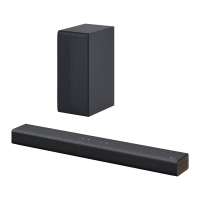
LG S44A1-D - User Manual

LG S44A1-D
30 pages
Print Icon
To Next Page IconTo Next Page
Loading...
Please read this manual carefully before operating
your set and retain it for future reference.
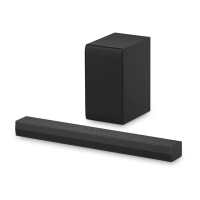
NB5540 (NB5540, S54A1-D)
NB4540 (NB4540, S44A1-D)
OWNER’S MANUAL
4.1 ch Hi-Fi
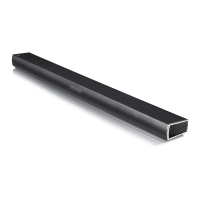
Sound Bar
www.lg.com
ENGLISH
NB5540-NE_DSGPLLK_ENG.indd 1 2014-01-15  2:53:18

Table of Contents

Questions and Answers

  • F
    fjohnsonAug 12, 2025
    Why is there no sound coming from my LG S44A1-D?
    • Z
      zpierceAug 12, 2025
      If your LG Speaker System isn't producing any sound, first ensure that the correct input source is selected. If the mute function is activated, press the MUTE button or adjust the volume. If you're using an external device like a set-top box or Bluetooth device, also check and adjust the volume level on that device.
  • D
    Daniel FosterAug 16, 2025
    What to do if my LG S44A1-D Speaker System has no power?
    • S
      Shannon CannonAug 16, 2025
      If your LG Speaker System isn't powering on, ensure the power cord is securely plugged in. Also, test other electronic devices on the same power outlet to rule out any power issues.
  • S
    Steven ArmstrongAug 19, 2025
    How to fix LG S44A1-D remote control that is not working?
    • G
      Gregory TylerAug 19, 2025
      If the LG Speaker System remote control isn't working, make sure you're within 7 meters of the unit and that there are no obstacles blocking the signal path. If problems persist, replace the batteries with new ones.
  • J
    Jacqueline LeeAug 25, 2025
    Why is the AUTO POWER function not working on my LG S44A1-D Speaker System?
    • Y
      yramirezAug 25, 2025
      If the AUTO POWER function isn't working on your LG Speaker System, verify the connection of the external device, such as a TV, DVD/Blu-Ray player, or Bluetooth device. Also, check the state of SIMPLINK and try turning SIMPLINK off. Note that depending on the connected device, this function may not operate.
  • W
    William EstradaAug 27, 2025
    What to do if there is no woofer sound from my LG S44A1-D?
    • E
      Elizabeth MercerAug 27, 2025
      If you're not getting any sound from the woofer of your LG Speaker System, first ensure that the subwoofer's power cord is securely connected to the wall outlet. If it is, the pairing between the main unit and the subwoofer might be disconnected. Connect the unit and the subwoofer.
  • M
    Morgan ParkerAug 31, 2025
    How to troubleshoot an LG Speaker System that does not work properly?
    • R
      Richard CoxAug 31, 2025
      If the LG Speaker System unit isn't working correctly, turn off the power to both the unit and any connected external devices like TVs, woofers, DVD players, or amplifiers. Then, turn them back on. If that doesn't work, disconnect the power cords of the unit and connected devices before reconnecting them.
  • P
    Phillip SullivanSep 4, 2025
    What to do if there is no display on my LG S44A1-D Speaker System?
    • Q
      qvillaSep 4, 2025
      If the display on your LG Speaker System is not showing, the DISPLAY OFF function may be activated. Press the SLEEP button repeatedly to cancel this function.
  • G
    garciacrystalSep 7, 2025
    Why is the output sound of my LG S44A1-D Speaker System low?
    • J
      jerrycarrollSep 7, 2025
      If you find the output sound of your LG Speaker System is low, switch the DRC (Dynamic Range Control) function to OFF using the remote controller. If the sound bar is connected to a TV, change the AUDIO DIGITAL OUT setting on the TV Setup Menu from PCM to AUTO or BITSTREAM. If connected to a Player, change the AUDIO DIGITAL OUT setting on the Player Setup Menu from PCM to PRIMARY PASS-THROUGH or BITSTREAM. You can also try changing the Audio DRC setting on the Player setup menu to the OFF state.

LG S44A1-D Specifications

General IconGeneral
BrandLG
ModelS44A1-D
CategorySpeaker System
LanguageEnglish

Related product manuals