Getting Started 7
Getting Started
1
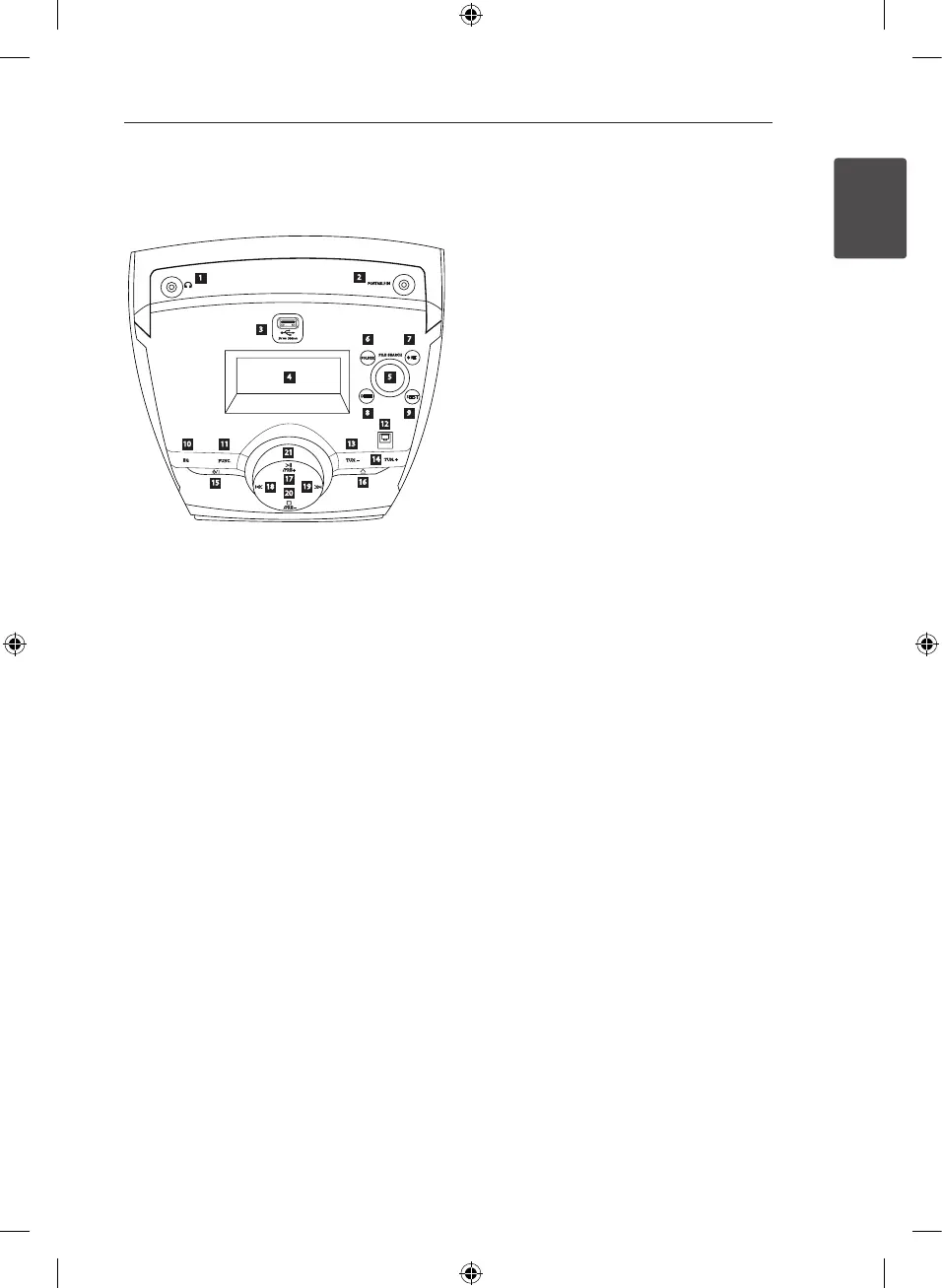
Front panel
1
2
20
3
4
5
6
7
8 9
10 11
12
13
14
15
16
17
18
19
21
a
PHONES
Headphone jack
A warning that excessive sound pressure from
earphones and headphones can cause hearing
loss.
b
PORTABLE IN
For connecting a portable device and playing it
through this unit’s speakers.
c
USB PORT
You can play or recoding sound files by
connecting the USB device.
d
DISPLAY WINDOW
Shows the current status of the unit.
e
FILE SEARCH
Moves to the another file/ track or you can
select the tuning range.
f
FOLDER
Moves to folder and file selection mode.
g X
REC
Recording.
h
DELETE
Deletes MP3/ WMA files.
i
SELECT
When You can delete files, select yes or no.
j
EQ
You can choose fixed sound impression.
k
FUNC.
Changes the function.
l
REMOTE CONTROL SENSOR
m
TUN -
selects the radio station.
n
TUN +
selects the radio station.
o 1
/
!
(Power)
Turn ON/ OFF.
p R
Open or close your CD door.
q
T
/PRE +
Play/ pause.
Chooses a preset number for a radio station.
r
Y
skip/search.
s U
skip/search.
t I
/PRE -
STOP.
Chooses a preset number for a radio station.
u
VOLUME CONTROL
Adjusts speaker volume.
SB156-F0U_ADEULLK_ENG.indd 7 2013-03-29 �� 10:26:30



 To Next Page