EasyManua.ls Logo

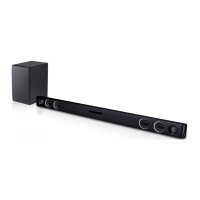
LG SJ1 - User Manual

LG SJ1
26 pages
Print Icon
To Next Page IconTo Next Page
Loading...
OWNER’S MANUAL
Sound Bar
Please read this manual carefully before operating
your set and retain it for future reference.
MODEL
SJ1
*MFL69847101*
Copyright © 2017 LG Electronics. All Rights Reserved
www.lg.com

Other manuals for LG SJ1

Questions and Answers

  • I
    illoydAug 13, 2025
    What to do if my LG Speaker System has no sound?
    • J
      janet27Aug 13, 2025
      If your LG Speaker System isn't producing any sound, there might be a few reasons: * Ensure the correct input source is selected. * Check if the mute function is activated. If it is, press the mute button or adjust the volume. * When using an external device, adjust the volume level of that device.
  • C
    Cindy MitchellAug 16, 2025
    Why is my LG Speaker System remote control not working?
    • J
      jasonfullerAug 16, 2025
      If the remote control for your LG Speaker System isn't working correctly, here are a few things to check: * Make sure you're within about 7 meters of the unit. * Ensure there are no obstacles between the remote and the unit. * Try replacing the batteries with new ones.
  • J
    Jeffrey DelgadoAug 20, 2025
    Why does my LG SJ1 Speaker System have no power?
    • D
      Daniel KrauseAug 20, 2025
      If your LG Speaker System isn't turning on, check these possible causes: * Ensure the power cord is properly plugged in. * Verify that there isn't a power outage by testing other electronic devices.
  • J
    Jasmine MckeeAug 25, 2025
    Why is the output sound of my LG SJ1 Speaker System low?
    • P
      Patrick ButlerAug 25, 2025
      If the sound output from your LG speaker system seems low, consider the following: * Use the remote controller to switch the DRC function to OFF. * Change the Audio DRC setting on the connected device's setup menu to the OFF state. * If the sound bar is connected to a TV, change the AUDIO DIGITAL OUT setting on the TV's Setup Menu from PCM to AUTO or BITSTREAM. * If the sound bar is connected to a Player, change the AUDIO DIGITAL OUT setting on the Player's Setup Menu from PCM to PRIMARY PASS-THROUGH or BITSTREAM.
  • A
    Anthony VargasAug 28, 2025
    Why is the AUTO POWER function not working on my LG SJ1 Speaker System?
    • M
      Michael RuizAug 28, 2025
      If the AUTO POWER function on your LG Speaker System isn't working, try the following: * Check the connection of the external device, such as a TV, DVD/Blu-Ray player, or Bluetooth device. * Be aware that depending on the connected device, this function might not operate.
  • F
    floydtonyaAug 31, 2025
    Why might my LG SJ1 have wireless interference?
    • L
      Laura FullerAug 31, 2025
      Your LG Speaker System might experience wireless interference due to: * Weak signal areas, where wireless operation may not be normal. * Placement on metal furniture, which can impede optimal performance. Avoid installing the device on metal furniture.
  • J
    Jonathan MunozSep 4, 2025
    What to do if my LG Speaker System does not work properly?
    • D
      Deborah CantrellSep 4, 2025
      If your LG Speaker System isn't working as expected, try these steps: * Turn off the power to both the unit and any connected external devices (TV, Woofer, DVD-player, Amplifier, etc.), then turn them back on. * Disconnect the power cord of the unit and connected external devices, and then reconnect them. * Note that previous settings may not be saved when the device is powered off.
  • A
    Alyssa RoblesSep 8, 2025
    Why does my LG Speaker System's Bluetooth device malfunction or make noise?
    • T
      Tracey FloresSep 8, 2025
      Bluetooth device may malfunction or make noise in the following cases: * When any part of your body contacts the transceiver of the Bluetooth device or sound bar. * When there is an obstacle or wall or the device is installed in a secluded spot. * When there is a device (a wireless LAN, a medical equipment or a microwave) using the same frequency, make the distance between the products as far away as possible from each other. * When connecting the device to the Bluetooth device, make the distance between the products as close as possible to each other. * When the device gets too far from the Bluetooth device, the connection is disconnected and also malfunction may occur.

Summary

Safety Information

General Safety Warnings

Crucial warnings about electric shock, fire hazards, and proper usage to ensure safety.

Environmental Precautions

Warnings regarding exposure to moisture, liquids, and ventilation requirements.

Power Cord and Battery Safety

Power Cord Precautions

Safety guidelines for power cord usage, accessibility, and protection from damage.

Battery Removal and Handling

Safe procedures for removing batteries and handling the device with a battery.

Remote Control Functions

Button Descriptions

Detailed explanation of each button's function on the remote control.

Sound Bar Panel Overview

Basic Sound Bar Installation

Installation Cautions

Important cautions for installation, focusing on wireless connection and handling.

Wall Mounting Procedures

Safe Wall Mounting Cautions

Critical safety warnings against improper mounting, hanging, or securing the unit.

Connecting Audio Sources

Advanced Operations

Bluetooth Technology

Pairing with Bluetooth Devices

Step-by-step guide to pair the unit with a Bluetooth device.

Bluetooth Connection Details

Troubleshooting Guide

Unit Operation and Power Issues

Solutions for when the unit does not work properly or has no power.

Audio and Remote Control Problems

Solutions for no sound, remote control issues, and AUTO POWER function errors.

Bluetooth Connectivity Troubleshooting

Steps to resolve problems when the unit fails to connect with a Bluetooth device.

Wireless Connectivity Troubleshooting

Low Output Sound and Wireless Interference

Solutions for low output sound and wireless interference issues.

Bluetooth Malfunction and Noise

Troubleshooting for Bluetooth device malfunction or noise from interference or placement.

LG SJ1 Specifications

General IconGeneral
BrandLG
ModelSJ1
CategorySpeaker System
LanguageEnglish

Related product manuals