EasyManua.ls Logo

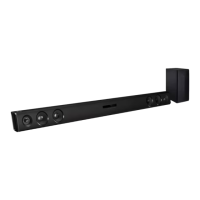
LG SK3E - User Manual

LG SK3E
32 pages
Print Icon
To Next Page IconTo Next Page
Loading...
MODEL
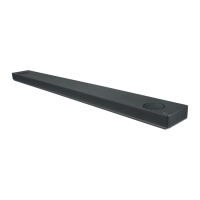
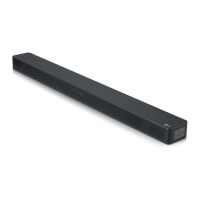
SK3E (SK3E, SPH4B-W)
Please read this manual carefully before operating
your set and retain it for future reference.
OWNER’S MANUAL
Wireless
Sound Bar
www.lg.com
Copyright © 2019 LG Electronics Inc. All Rights Reserved.
1808_Rev01

Questions and Answers

  • A
    alawrenceSep 7, 2025
    What to do if my LG SK3E is not working properly?
    • A
      Allison PerkinsSep 7, 2025
      If your LG Speaker System isn't working properly, try turning off the power to both the unit and any connected external devices like TVs, woofers, DVD players, or amplifiers, and then turn them back on. If that doesn't work, disconnect and then reconnect the power cords of all devices. Keep in mind that previous settings may not be saved when the device is powered off.
  • R
    Robert WardAug 22, 2025
    What to do if my LG SK3E has no power?
    • L
      Lisa WallsAug 22, 2025
      If your LG Speaker System has no power, ensure the power cord is securely plugged in. Also, check if there is a power outage by testing other electronic devices.
  • K
    Katherine RobinsonSep 4, 2025
    Why is there no sound coming from my LG Speaker System?
    • R
      Robert CooperSep 4, 2025
      If your LG Speaker System has no sound, first, ensure the correct input source is selected. If the sound is still absent, check if the mute function is activated and deactivate it by pressing the Mute button or adjusting the volume. If you are using an external device, make sure the volume level on that device is also properly adjusted.
  • E
    Edward HouseSep 3, 2025
    What to do if the LG SK3E remote control does not work?
    • M
      Melinda ScottSep 3, 2025
      If the remote control for your LG Speaker System isn't working, ensure you're within 7 meters (23 feet) of the unit and that there are no obstacles blocking the path between the remote and the unit. If it still doesn't work, replace the batteries with new ones.
  • C
    cassidypalmerSep 2, 2025
    Why is there no woofer sound from my LG Speaker System?
    • H
      huntchristopherSep 2, 2025
      If you're not getting any sound from the woofer, first ensure that the subwoofer's power cord is securely plugged into the wall outlet. Also, the pairing between the main unit and the subwoofer may have been disconnected; in this case, you should connect the unit and the subwoofer again.
  • M
    michaeltaylorAug 31, 2025
    What to do if the output sound of the LG Speaker System is low?
    • R
      Richard SimmonsAug 31, 2025
      To increase the output sound of your LG Speaker System: 1. Turn the DRC function to OFF using the remote controller. 2. Change the AUDIO DIGITAL OUT setting on your TV Setup Menu from [PCM] to [AUTO] or [BITSTREAM]. 3. Change the AUDIO DIGITAL OUT setting on your Player Setup Menu from [PCM] to [PRIMARY PASS-THROUGH] or [BITSTREAM]. 4. Change Audio DRC setting on Player setup menu to [OFF] state.
  • C
    campbelldevonAug 30, 2025
    What to do if my LG Speaker System has no woofer sound?
    • A
      armstrongwendyAug 30, 2025
      If you're not getting any sound from the woofer of your LG Speaker System, first ensure that the woofer's power cord is securely plugged into the wall outlet. If it is, it's possible the pairing between the main unit and the woofer has been disconnected. In that case, reconnect the unit and woofer.
  • T
    Tracy BrooksAug 29, 2025
    What to do if my LG SK3E Speaker System remote control does not work?
    • A
      Adam AdamsAug 29, 2025
      If the remote control for your LG Speaker System isn't working, make sure you're within 7 meters (23 feet) of the unit and that there are no obstacles blocking the path between the remote and the unit. If it still doesn't work, try replacing the batteries with new ones.
  • J
    jsinghAug 27, 2025
    Why is there no woofer sound coming from my LG SK3E Speaker System?
    • G
      Garrett JohnsonAug 28, 2025
      If you're not getting any sound from the woofer, first check that the subwoofer's power cord is securely plugged into the wall outlet. Also, verify that the pairing between the main unit and the subwoofer is correctly established; if disconnected, reconnect them.
  • N
    Nathan RobinsonAug 27, 2025
    What to do if my LG SK3E Speaker System remote control does not work properly?
    • S
      Sean JacksonAug 27, 2025
      If the remote control isn't working, make sure you're within about 7 meters of the unit and that there are no obstacles blocking the path between the remote and the speaker system. Also, try replacing the batteries in the remote with new ones.

LG SK3E Specifications

General IconGeneral
Speaker TypeSoundbar
Audio Channels2.1
SubwooferWireless
BluetoothYes
HDMI Input1
HDMI Output1
Optical Input1
USB PlaybackYes
Bluetooth Version4.0
HDMIYes
Aux InputYes
Wall MountableYes

Related product manuals