Need help?
Do you have a question about the LG SL10Y and is the answer not in the manual?
Overview of the sound bar's front panel buttons for power, function selection, volume, and Wi-Fi.
Description of the sound bar's rear panel connectivity ports for various devices.
Steps for automatically connecting the wireless subwoofer to the sound bar.
Instructions for manually pairing the wireless subwoofer if automatic connection fails.
Guides for connecting the sound bar to your TV via Optical or HDMI ARC.
Instructions for connecting external devices like set-top boxes or players.
Steps for network connection and setting up Wi-Fi using the Google Home app.
Steps to connect your smart device to the sound bar using Bluetooth.
Explanation of the remote control buttons and their various functions.
Instructions on how to replace the battery in the remote control unit.
Guide to downloading and using the LG Wi-Fi Speaker application for control.
Detailed technical specifications and dimensions of the sound bar.
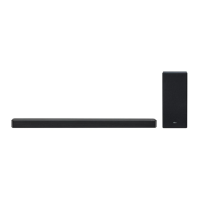
This document is a simple manual for the LG Wi-Fi Sound Bar, model SL10Y, providing essential information for setup and operation. It guides users through connecting the sound bar to a TV, setting up Wi-Fi, and connecting other devices, as well as basic remote control functions.
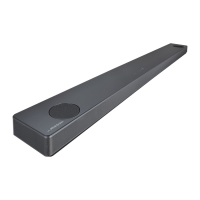
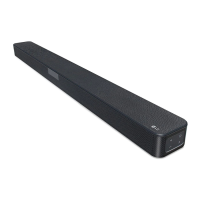
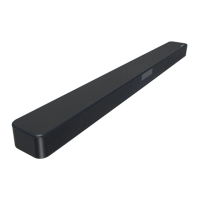
The LG Wi-Fi Sound Bar is designed to enhance your audio experience, offering a powerful sound output and versatile connectivity options. It functions as a central audio hub for your entertainment system, capable of connecting to your TV, external devices, and home network.
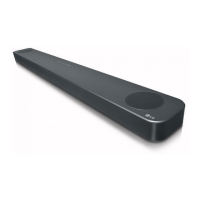
The sound bar features a front panel with basic controls:
The rear panel provides various ports for connectivity:
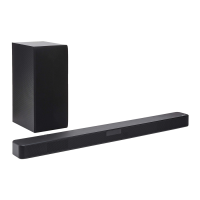
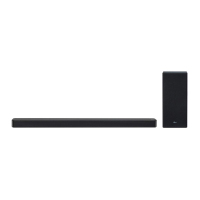
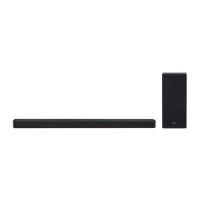
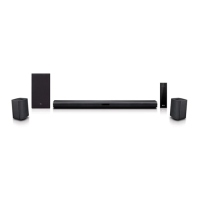
The sound bar also includes a wireless subwoofer for enhanced bass, which automatically connects to the main unit upon power-up. If the connection is not automatic, a manual pairing process is available.
The sound bar offers multiple ways to connect and enjoy audio:
The wireless subwoofer automatically pairs with the sound bar. Simply connect both units to power outlets and turn on the sound bar. A green LED on the subwoofer indicates a successful connection. If the subwoofer doesn't produce sound, you can manually pair it by pressing the "Pairing" button on the subwoofer's rear panel until the green LED blinks quickly, then turn on the sound bar. It's recommended to keep the sound bar and subwoofer at least 1 meter away from other wireless devices (like routers or microwave ovens) to prevent interference.
External devices like set-top boxes or media players can be connected via HDMI IN (1) or HDMI IN (2). Once connected, use the "F" button on the sound bar or remote to select the correct input source.
The included remote control provides comprehensive control over the sound bar:
While the manual primarily focuses on setup and usage, it implicitly suggests some maintenance practices:
The LG Wi-Fi Sound Bar is designed for ease of use and integration into a modern home entertainment system, offering a robust audio solution with smart connectivity.
 General
| Audio decoders | Dolby Digital |
|---|---|
| RMS rated power | 570 W |
| Audio output channels | 5.1.2 channels |
| Audio Return Channel (ARC) | Yes |
| Subwoofer type | Active subwoofer |
| Subwoofer location | Separate |
| Subwoofer connectivity | Wireless |
| HDMI in | 2 |
| HDMI ports quantity | 3 |
| Number of HDMI outputs | 1 |
| Connectivity technology | Wired & Wireless |
| Digital audio coaxial in | - |
| Near Field Communication (NFC) | No |
| Product color | Black |
| Audio formats supported | AAC, FLAC, MP3, OGG, WAV |
| Consumer Electronics Control (CEC) | SimpLink |
| Package depth | 284 mm |
| Package width | 1516 mm |
| Package height | 472 mm |
| Package weight | 19300 g |
| Power source | AC |
| Power consumption (typical) | 103 W |
| Power consumption (off) | 1 W |
| Soundbar speaker RMS power | - W |
 Weight and Dimensions
| Depth | 63 mm |
|---|---|
| Width | 1443 mm |
| Height | 146 mm |
| Soundbar weight | - g |
| Subwoofer depth | 390 mm |
| Subwoofer width | 221 mm |
| Subwoofer height | 313 mm |

 To Next Page