EasyManua.ls Logo

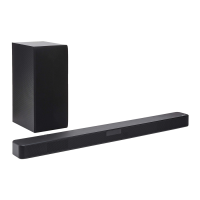
LG SL4F - User Manual

LG SL4F
38 pages
Print Icon
To Next Page IconTo Next Page
Loading...
OWNER’S MANUAL
Wireless
Sound Bar
2105_Rev01
www.lg.com
Copyright © 2021 LG Electronics Inc. All Rights Reserved.
Please read this manual carefully before operating your set and retain it for future
reference.
MODEL
SL4F (SL4F, SPH4BM-W)

Questions and Answers

  • V
    Victoria GeorgeAug 6, 2025
    Why is there no sound coming from my LG SL4F Speaker System?
    • J
      Jared WashingtonAug 6, 2025
      There might be several reasons for the lack of sound. First, ensure that the correct input source is selected. Second, check if the mute function is activated and, if so, deactivate it by pressing the Mute button and adjusting the volume. Also, if you're using an external device like a set-top box or Bluetooth device, check and adjust the volume level on that device as well.
  • O
    ojohnsonAug 10, 2025
    What to do if my LG SL4F has no power?
    • M
      matthew20Aug 11, 2025
      If your device has no power, start by plugging in the power cord securely. If it is already plugged in, check whether there is a power outage by testing other electronic devices.
  • H
    hsinghAug 14, 2025
    What to do if my LG SL4F Speaker System remote control does not work?
    • J
      Jennifer CarterAug 14, 2025
      If the remote isn't working, make sure you're operating it within 7 meters of the unit and that there are no obstacles blocking the path between the remote and the unit. Also, replace the batteries with new ones.
  • B
    Billy RoyAug 19, 2025
    Why is there no woofer sound from my LG SL4F?
    • B
      Brooke CarterAug 19, 2025
      If you're not getting any sound from the woofer, first ensure that the subwoofer's power cord is securely plugged into the wall outlet. Also, the pairing between the main unit and the subwoofer may have been disconnected; in this case, you should connect the unit and the subwoofer again.
  • C
    Charles KellerAug 23, 2025
    How to fix an LG Speaker System that does not work properly?
    • A
      adrianmurphyAug 23, 2025
      If your device isn't working correctly, try these steps: First, turn off the power to both the unit and any connected external devices like your TV, Woofer, DVD player, or Amplifier, and then turn them back on. If that doesn't work, disconnect the power cord from both the unit and the connected devices, and then reconnect them. Keep in mind that previous settings may not be saved when the device is turned off.
  • D
    Darlene CummingsAug 27, 2025
    Why doesn't the AUTO POWER function work on my LG SL4F?
    • N
      Nicole GordonAug 27, 2025
      If the AUTO POWER function isn't working, check the connection of the external device, such as a TV, DVD/Blu-Ray player, or Bluetooth device. Note that depending on the connected device, this function may not operate.
  • K
    Kevin MontgomerySep 1, 2025
    Why LG Sound Sync is not working with my LG Speaker System?
    • K
      kathrynhudsonSep 1, 2025
      If LG Sound Sync isn't working, first check whether your LG TV supports LG Sound Sync. Next, verify the connection of LG Sound Sync (Optical or wireless). Finally, check the sound settings on both your TV and this unit.

Summary

Safety Information

General Safety Precautions

Covers warnings about shock, fire, moisture, installation, and ventilation.

Power Cord Safety Guidelines

Specific instructions for handling the power cord safely to prevent damage or shock.

Symbols and AC Adapter Guidance

AC Adapter Usage Warning

Caution regarding using only the supplied AC adapter to prevent device damage.

Remote Control Usage

Remote Button Functions

Details the primary operations of the remote control buttons.

Sound Settings and Modes

Sound Effect Mode Selection

Explains different sound effect options like ASC, BASS BLAST, STANDARD, and CINEMA.

Installation Procedures

Sound Bar Placement Advice

Advice on positioning the unit for optimal sound and wireless performance.

Wall Mounting Instructions

Mounting Preparation and Steps

Guides for preparing the wall and attaching the unit using brackets.

Connection Setup Procedures

Wireless Subwoofer Pairing

Connecting to Your TV

Optical Cable Connection Method

How to connect the sound bar to your TV using an optical cable.

LG Sound Sync Overview

General explanation of using TV remote control for sound bar functions.

LG Sound Sync Configuration

USB Device Operations

USB Playback Control

Advanced Operations

TV Remote Control Integration

Using the TV remote to control the soundbar's volume and mute functions.

Power Management Features

Bluetooth Wireless Technology

Bluetooth Music Playback Procedure

Steps for pairing a device and listening to music via Bluetooth.

Bluetooth Device Management

LG Sound Bar App Integration

Troubleshooting Common Issues

General Unit Malfunctions

Solutions for common problems like no power, no sound, or remote issues.

Wireless Connectivity Issues

Bluetooth Interference and Malfunctions

Addressing problems related to wireless interference and Bluetooth device issues.

LG SL4F Specifications

General IconGeneral
TypeSoundbar
Channels2.1
Total Power Output300W
SubwooferWireless
BluetoothYes
Optical InputYes
USB PlaybackYes
Frequency Response40Hz - 20kHz
Bluetooth Version4.0
Wall MountableYes
Remote ControlYes
HDMI Ports1

Related product manuals