EasyManua.ls Logo

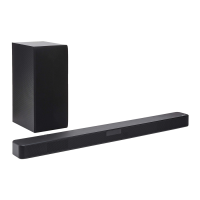
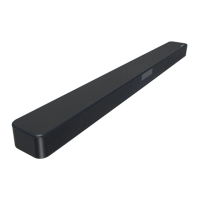
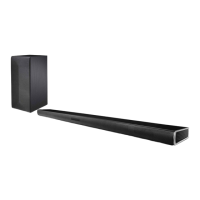
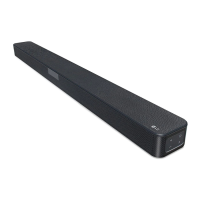
LG SL4Y - User Manual

LG SL4Y
40 pages
Print Icon
To Next Page IconTo Next Page
Loading...
OWNER’S MANUAL
Wireless
Sound Bar
1904_Rev02
www.lg.com
Copyright © 2019 LG Electronics Inc. All Rights Reserved.
Please read this manual carefully before operating your set and retain it for future
reference.
MODEL
SL4Y (SL4Y, SPH4B-W)

Other manuals for LG SL4Y

Questions and Answers

  • R
    rhonda90Jul 25, 2025
    Why is there no sound coming from my LG SL4Y Speaker System?
    • K
      Kristy NortonJul 26, 2025
      There might be several reasons for the lack of sound. First, ensure that the correct input source is selected. Also, check if the mute function is activated and deactivate it by pressing the Mute button or adjusting the volume. If you're using an external device like a set-top box or Bluetooth device, adjust the volume level on that device as well.
  • J
    Jordan WilliamsJul 29, 2025
    What to do if my LG SL4Y Speaker System remote control does not work properly?
    • A
      Ashley KramerJul 29, 2025
      If the remote control isn't working, make sure you're within about 7 meters of the unit and that there are no obstacles blocking the path between the remote and the speaker system. Also, try replacing the batteries in the remote with new ones.
  • A
    Alejandro MarshallAug 2, 2025
    What to do if my LG Speaker System has no power?
    • S
      Shannon CarrAug 2, 2025
      First, make sure the power cord is securely plugged into the outlet. If it is, check whether there's a power outage by testing other electronic devices.
  • V
    Vanessa TaylorAug 7, 2025
    Why is there no woofer sound coming from my LG SL4Y?
    • K
      Kathy NelsonAug 7, 2025
      If you're not getting any sound from the woofer, first check that the subwoofer's power cord is securely plugged into the wall outlet. Also, verify that the pairing between the main unit and the subwoofer is correctly established; if disconnected, reconnect them.
  • G
    graveschristinaAug 11, 2025
    What to do if my LG Speaker System does not work properly?
    • M
      Michael MartinezAug 12, 2025
      If your unit isn't working correctly, try turning off the power to both the unit and any connected external devices like your TV, woofer, DVD player, or amplifier, and then turn them back on. If that doesn't work, disconnect the power cord of the unit and connected devices before reconnecting them. Also, the previous setting may not be saved when device power is shut off.
  • K
    Kenneth GarrettAug 16, 2025
    Why doesn't LG Sound Sync work on my LG Speaker System?
    • D
      dboyleAug 16, 2025
      First, ensure that your LG TV supports LG Sound Sync. Then, check the connection of LG Sound Sync, whether it's optical or wireless. Lastly, verify the sound settings on both your TV and the speaker system.
  • S
    Sandra BarrAug 20, 2025
    Why doesn't the AUTO POWER function work on my LG SL4Y?
    • B
      Barbara SantanaAug 20, 2025
      Check the connection of the external device such as a TV, DVD/Blu-Ray player, or Bluetooth device. Depending on the connected device, this function may not operate.

Summary

Getting Started

Safety Information

Key safety precautions and warnings for operating the soundbar.

Introduction

Overview of the manual, symbols used, and basic product introduction.

Front panel

Details of the soundbar's front panel controls and display window.

Rear panel

Identification and function of ports on the rear of the soundbar.

Remote control

Explanation of the remote control buttons and battery replacement.

Installing the sound bar

Instructions for physically setting up the soundbar unit.

Mounting the main unit on a wall

Step-by-step guide for wall-mounting the soundbar unit.

Connecting

Organizing cables (Optional)

Tips for managing cables neatly using ties.

Connecting the AC Adapter

Steps to connect the soundbar to a power source.

Wireless subwoofer connection

Instructions for connecting the wireless subwoofer to the soundbar.

Rear speakers connection

Instructions for connecting rear speakers to the wireless receiver.

How to Affix the Ferrite Core

Guide on attaching ferrite cores to speaker cables for interference reduction.

Connecting to your TV

Methods for connecting the soundbar to a television.

Optional equipment connection

Instructions for connecting other audio devices like optical or USB.

Operating

Basic operations

Fundamental controls and usage of the soundbar.

USB operation

How to play music or access files from a USB device.

Using your TV remote control

Controlling the soundbar with your TV remote.

AUTO POWER On;Off

Functionality for automatic power management based on input signals.

Auto function change

How the unit automatically switches input sources.

Using Bluetooth Wireless Technology

Instructions for connecting and using Bluetooth devices.

Controls connected Bluetooth device

Managing playback and volume of connected Bluetooth devices.

Bluetooth connection lock (BT LOCK)

Restricting Bluetooth connections to specific functions.

Using BLUETOOTH App

Instructions for using the companion mobile app for enhanced features.

Troubleshooting

General

Common issues and their solutions for the soundbar.

NOTES to use wireless

Tips for resolving wireless interference and Bluetooth issues.

Appendix

Trademarks and licenses

Information on product trademarks, logos, and licensing.

Specifications

Detailed technical specifications of the soundbar and its components.

Handling the Speaker

Guidelines for shipping, cleaning, and maintaining the speaker.

LG SL4Y Specifications

General IconGeneral
Colorblack
Audio Channels2.1
Subwooferincluded
Surround Sounddolby digital
Number of Drivers2
RMS Power300 watts
Inputstoslink optical, usb type a
Outputsusb type a
HDMI Inputs0
HDMI Outputs0
USB Ports1
Bluetoothyes
Wireless Connectivitybluetooth
Wireless Subwoofer Connectivityyes
Optical Audio Inputs1
Remote Controlyes
Weight and Dimensions IconWeight and Dimensions
Depth3.3 inches
Height2.2 inches
Width35 inches
Net Weight5 pounds
Subwoofer Depth10.3 inches
Subwoofer Height15.4 inches
Subwoofer Width6.7 inches
Subwoofer Weight11.7 pounds

Related product manuals