EasyManua.ls Logo

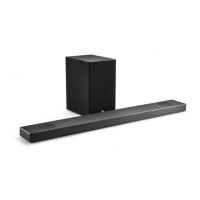
LG SL9YG - User Manual

LG SL9YG
60 pages
Print Icon
To Next Page IconTo Next Page
Loading...
MODEL
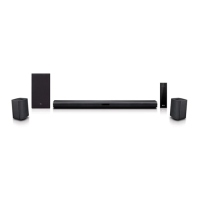
SL9YG (SL9YG, SPL8-W)
1903_Rev01
www.lge.com
Copyright © 2019 LG Electronics Inc. All Rights Reserved.
OWNER’S MANUAL
LG Wi-Fi
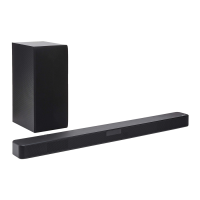
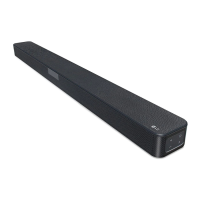
Sound Bar
Please read this manual carefully before operating your set and retain it for future
reference.

Table of Contents

Other manuals for LG SL9YG

Questions and Answers

  • T
    thomasjamesAug 20, 2025
    Why is there no sound coming from my LG Speaker System?
    • W
      wpattersonAug 20, 2025
      If your LG Speaker System isn't producing sound, first, make sure the volume isn't set to the minimum. If you're connected to an external device, check its volume level too. Also, verify that the mute function isn't activated by pressing [ or adjusting the volume. Finally, ensure the correct input source is selected.
  • L
    Lori HallAug 22, 2025
    How to fix LG Speaker System remote control not working?
    • J
      Julie EvansAug 22, 2025
      If the remote control for your LG Speaker System isn't working, make sure you're within 7 meters (23 feet) of the unit and that there are no obstacles blocking the path between the remote and the unit. If it still doesn't work, replace the batteries with new ones.
  • B
    Brian VangAug 25, 2025
    What to do if my LG SL9YG Speaker System power does not turn on?
    • P
      porteraaronAug 25, 2025
      If your LG Speaker System isn't turning on, ensure the power cord is securely plugged into the outlet.
  • K
    Katherine MckeeAug 26, 2025
    Why is Bluetooth pairing not working on my LG SL9YG Speaker System?
    • S
      Susan NunezAug 26, 2025
      If Bluetooth pairing isn't working well with your LG Speaker System, ensure your Bluetooth device is turned on. Try switching Bluetooth off and on again on your device, then attempt pairing again. Also, remove any obstacles between the Bluetooth device and the unit. Keep in mind that depending on the device type or surrounding environment, pairing might not always be successful.
  • A
    Amanda VincentAug 27, 2025
    What to do if there is no woofer sound from my LG Speaker System?
    • A
      Amber BarrettAug 28, 2025
      If you're not getting any sound from the woofer on your LG Speaker System, ensure the subwoofer's power cord is securely plugged into the wall outlet. Also, verify that the unit and the subwoofer are properly connected.
  • J
    Jessica PrestonAug 30, 2025
    What to do if the sound output is too low on my LG SL9YG Speaker System?
    • M
      michaelarcherAug 30, 2025
      If the output sound of your LG Speaker System seems low, try the following: 1. Switch the DRC function to OFF using the “LG Wi-Fi Speaker” app. 2. If connected to a TV, change the AUDIO DIGITAL OUT setting on the TV Setup Menu from PCM to AUTO or BITSTREAM. 3. If connected to a Player, change the AUDIO DIGITAL OUT setting on the Player Setup Menu from PCM to PRIMARY PASS-THROUGH or BITSTREAM. 4. Change the Audio DRC setting on the connected device setup menu to the OFF state. 5. Make sure that Night Time mode is not On. 6. Turn off Night Time mode.
  • N
    Nicole RodriguezAug 31, 2025
    How to troubleshoot an LG Speaker System that does not work properly?
    • V
      Vanessa GarciaSep 1, 2025
      If your LG Speaker System isn't working correctly, try turning off the power of both the unit and any connected external devices like TVs, woofers, DVD players, or amplifiers, and then turn them back on. If that doesn't work, disconnect the power cord of the unit and connected devices before reconnecting them. Also, be aware that previous settings may not be saved when the device is powered off.
  • C
    Christian HayesSep 2, 2025
    Why can't my LG SL9YG connect to the home network?
    • K
      Kaitlyn OrtizSep 2, 2025
      If you can't connect your LG speaker to your home network, move the speaker away from household devices that use radio frequencies, as they may interrupt the wireless communication. Check your router by turning it off and back on. Ensure that Wi-Fi is turned on in your smart device, and that both the speaker and your smart device are connected to the same Wi-Fi network.
  • J
    Julie CooperSep 4, 2025
    Why doesn't the AUTO POWER function work on my LG SL9YG?
    • K
      Kimberly BurkeSep 4, 2025
      If the AUTO POWER function on your LG Speaker System isn't working, check the connection of any external devices like TVs or DVD/Blu-Ray players. Also, check the SIMPLINK settings on your LG TV and try turning SIMPLINK off. Note that this function may not operate depending on the connected device.
  • R
    rebecca34Sep 6, 2025
    How to fix Wi-Fi connection issues on my LG Speaker System?
    • J
      jacksonchristopherSep 6, 2025
      If the Wi-Fi connection on your LG Speaker System isn't working well, turning the speaker’s power off and on again may resolve the issue if you restarted the router. If you installed a new router, you need to perform a factory reset and set up the network connection for the speaker again.

Summary

Safety Information

CAUTION concerning the Power Cord

Warns about handling the power cord to prevent electric shock or fire hazards.

Front Panel Overview

Google Assistant Controls

Activates and mutes the Google Assistant.

Rear Panel Connections

Sound Settings and Effects

Remote Control Functions

Voice Command and Information

Features related to Google Assistant and information display.

Installing the Sound Bar

Wall Mounting Instructions

Network Connectivity

Installing the Google Home App

Steps to download and install the Google Home app for network setup.

Connecting to Wi-Fi via Google Home App

Guides on launching the app and connecting the speaker to Wi-Fi.

Wireless Subwoofer Setup

Surround Sound Configuration

Enabling Surround Sound

How to turn on and off the surround sound feature.

Connecting to TV

LG Sound Sync (Wired)

Using LG Sound Sync for TV remote control of the sound bar.

LG Sound Sync Wired Setup

Detailed steps for setting up LG Sound Sync using a wired connection.

HDMI Connectivity and Features

ARC and SIMPLINK Functions

Explains Audio Return Channel and SIMPLINK for TV integration.

USB Connectivity

Google Assistant Integration

Talking to the Google Assistant

Instructions on how to interact with the Google Assistant using voice commands.

Smart Home Control

Using Google Assistant to control compatible smart home devices.

Voice Command Examples and Volume Control

Provides examples of voice commands and how volume is controlled.

Voice Recognition Tips and Troubleshooting

Advice for accurate voice recognition and common issues.

TV Voice Control

Voice Commands for LG TV

Lists voice commands to control LG TV functions like power, channel, and volume.

Sound Bar Voice Commands

Controlling Sound Bar Functions

Voice commands for turning off, switching functions, and setting sound effects.

Voice Commands for Features

Voice commands for auto volume, auto power, night time, DRC, and surround sound.

LG Wi-Fi Speaker App

Installing the LG Wi-Fi Speaker App

Guide for downloading and installing the LG Wi-Fi Speaker application.

Bluetooth Connectivity

Understanding Bluetooth Technology

Overview of Bluetooth, its features, and supported devices.

Listening to Music via Bluetooth

Steps for pairing a Bluetooth device and playing music.

Bluetooth Pairing and Connection

Details on successful connection, auto-pairing, and disconnection.

Voice Control for Bluetooth Connection

Using voice commands to connect or disconnect Bluetooth devices.

General Operations

Auto Power On;Off Function

How the sound bar automatically turns on and off based on input signals.

Standby Modes and Reset

Resetting the Speaker

Procedure to reset the speaker to factory settings.

Troubleshooting Common Issues

General Unit Malfunctions

Solutions for common problems like the unit not working or no sound.

Remote Control and Auto Power Issues

Troubleshooting steps for remote control and auto power function problems.

Woofer and LG Sound Sync Issues

Solutions for no woofer sound and LG Sound Sync connectivity problems.

Bluetooth and Voice Recognition Issues

Solutions for Bluetooth pairing and voice recognition problems.

Network and Application Troubleshooting

Network Connection Problems

Solutions for issues connecting to the home network and Wi-Fi.

Wireless and Demo Mode Troubleshooting

Wireless Interference and Bluetooth Issues

Addresses wireless interference and Bluetooth device problems.

LG SL9YG Specifications

General IconGeneral
Audio decodersDTS Digital Surround, DTS-HD HR, DTS-HD Master Audio, DTS:X, Dolby Atmos, Dolby Digital, Dolby Digital Plus, Dolby TrueHD
RMS rated power500 W
Audio output channels4.1.2 channels
Audio Return Channel (ARC)Yes
HDMI in1
HDCP version2.2
Bluetooth version4.2
USB 2.0 ports quantityUSB 2.0 ports have a data transmission speed of 480 Mbps, and are backwards compatible with USB 1.1 ports. You can connect all kinds of peripheral devices to them.
Connectivity technologyWired & Wireless
Digital audio coaxial in-
Package depth467 mm
Package width1286 mm
Package height284 mm
Package weight18200 g
Display typeLCD
Product colorBlack, Grey
TV stand usageNo
Audio formats supportedAAC, AAC+, FLAC, MP3, OGG, WAV
Consumer Electronics Control (CEC)SimpLink
Subwoofer locationSeparate
Subwoofer sensitivity85 dB
Subwoofer connectivityWireless
Impedance4 Ω
Soundbar speaker RMS power50 W
Woofer diameter (imperial)2.4 \
Apple docking compatibilityNot supported
AC input voltage100 - 240 V
AC input frequency50 / 60 Hz
Soundbar power consumption60 W
Power consumption (standby)0.5 W
Mobile operating systems supportedAndroid, iOS
Weight and Dimensions IconWeight and Dimensions
Depth145 mm
Width1200 mm
Height57 mm
Soundbar weight6300 g
Subwoofer depth312.8 mm
Subwoofer width221 mm
Subwoofer height390 mm
Subwoofer weight7800 g

Related product manuals