EasyManua.ls Logo

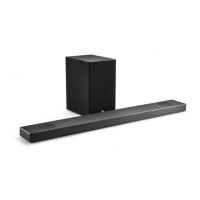
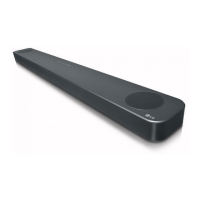
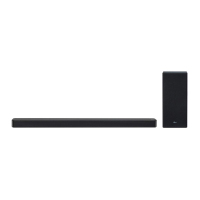
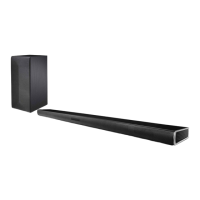
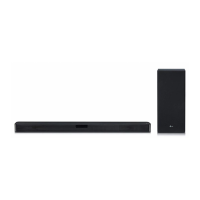
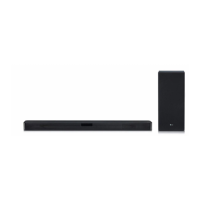
LG SL9Y - User Manual

LG SL9Y
56 pages
Print Icon
To Next Page IconTo Next Page
Loading...
2009_Rev02
MODEL
SL9Y (SL9Y, SPL8-W)
OWNER’S MANUAL
LG Wi-Fi
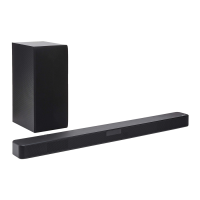
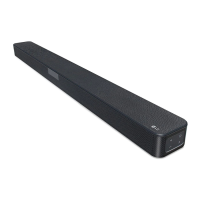
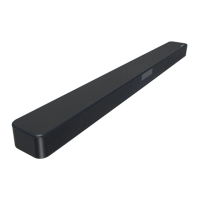
Sound Bar
Please read this manual carefully before operating your set and retain it for future
reference.
www.lg.com
Copyright © 2019-2020 LG Electronics Inc. All Rights Reserved.

Questions and Answers

  • G
    Gina AndersonSep 22, 2025
    How to troubleshoot an LG SL9Y that is not working properly?
    • C
      christinarubioSep 22, 2025
      If your LG Speaker System isn't working properly, try turning off the power to both the unit and any connected external devices like TVs, woofers, DVD players, or amplifiers, and then turn them back on. If that doesn't work, disconnect the power cord of the unit and the connected external devices, and then reconnect them. Note that previous settings may not be saved when the device is powered off.
  • M
    Megan DavisAug 23, 2025
    How to fix LG SL9Y remote control not working?
    • G
      glennalexanderAug 23, 2025
      If the remote control for your LG Speaker System isn't working, make sure you're within 7 meters (23 feet) of the unit and that there are no obstacles blocking the path between the remote and the unit. If it still doesn't work, replace the batteries with new ones.
  • S
    sandra84Aug 25, 2025
    What to do if my LG Speaker System power does not turn on?
    • M
      Michele FloresAug 25, 2025
      If your LG Speaker System isn't turning on, ensure the power cord is securely plugged into the outlet.
  • B
    brandonbrowningAug 27, 2025
    Why is Bluetooth pairing not working on my LG SL9Y?
    • A
      Audrey WhiteAug 27, 2025
      If Bluetooth pairing isn't working well with your LG Speaker System, ensure your Bluetooth device is turned on. Try switching Bluetooth off and on again on your device, then attempt pairing again. Also, remove any obstacles between the Bluetooth device and the unit. Keep in mind that depending on the device type or surrounding environment, pairing might not always be successful.
  • N
    Nathan AyalaAug 27, 2025
    What to do if there is no woofer sound from my LG SL9Y?
    • N
      navarrokristenAug 27, 2025
      If you're not getting any sound from the woofer on your LG Speaker System, ensure the subwoofer's power cord is securely plugged into the wall outlet. Also, verify that the unit and the subwoofer are properly connected.
  • R
    Randy MataSep 18, 2025
    What to do if my LG Speaker System has no sound?
    • K
      Kristy FaulknerSep 18, 2025
      If there is no sound coming from your LG Speaker System, first ensure that the volume isn't set to the minimum. If it is, simply adjust the volume. Also, if you're using an external device like a set-top box or Bluetooth device, check and adjust its volume level. Make sure the mute function isn't activated by pressing the mute button or adjusting the volume. Lastly, verify that the correct input source is selected.
  • A
    Anthony TaylorSep 15, 2025
    What causes wireless interference with my LG SL9Y Speaker System?
    • M
      Mario BriggsSep 15, 2025
      Wireless operation may be abnormal in weak signal areas. Please install the LG Speaker System close enough to the wireless subwoofer. For optimum performance, do not install the device on metal furniture.
  • J
    Jennifer GomezSep 16, 2025
    What to do if my LG SL9Y is stuck in DEMO mode?
    • X
      xmontoyaSep 16, 2025
      If you can't change the input source on your LG Speaker System and only see [DEMO] on the display, unplug the power cord and plug it back in. If that doesn’t work, press and hold the F button (for about 5 seconds) on the main unit until the display indicates the currently selected function.
  • J
    Jill HeathSep 6, 2025
    Why doesn't the AUTO POWER function work on my LG SL9Y Speaker System?
    • M
      Michelle RubioSep 6, 2025
      If the AUTO POWER function on your LG Speaker System isn't working, check the connection of any external devices like TVs or DVD/Blu-Ray players. Also, check the SIMPLINK settings on your LG TV and try turning SIMPLINK off. Note that this function may not operate depending on the connected device.
  • C
    Christopher HartSep 3, 2025
    How to troubleshoot an LG SL9Y that does not work properly?
    • J
      Jessica BradfordSep 3, 2025
      If your LG Speaker System isn't working correctly, try turning off the power of both the unit and any connected external devices like TVs, woofers, DVD players, or amplifiers, and then turn them back on. If that doesn't work, disconnect the power cord of the unit and connected devices before reconnecting them. Also, be aware that previous settings may not be saved when the device is powered off.

LG SL9Y Specifications

General IconGeneral
TypeSoundbar
Total Power Output440W
SubwooferWireless
Dolby AtmosYes
BluetoothYes
HDMI Inputs2
Wi-FiYes
Voice Assistant IntegrationGoogle Assistant
Meridian Audio TechnologyYes
DTS:XYes
High Resolution AudioYes
Wireless Surround Sound ReadyYes
Optical Input1
Chromecast Built-inYes
HDMI Output1 (with ARC)

Related product manuals