EasyManua.ls Logo

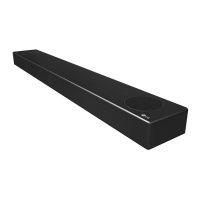
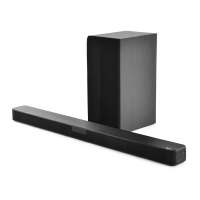
LG SN7Y - User Manual

LG SN7Y
47 pages
Print Icon
To Next Page IconTo Next Page
Loading...
OWNER’S MANUAL
Wireless
Sound Bar
Please read this manual carefully before operating your set and retain it for future
reference.
MODEL
SN7Y (SN7Y, SPN5B-W)
2004_Rev02
www.lg.com
Copyright © 2020 LG Electronics Inc. All Rights Reserved.

Other manuals for LG SN7Y

Questions and Answers

  • D
    Douglas ValdezJul 28, 2025
    What to do if my LG Speaker System remote control is not working?
    • N
      Nancy GallegosJul 28, 2025
      If the remote control for your LG Speaker System isn't working properly, make sure you're within about 7 meters of the unit. Also, check for any obstacles between the remote and the unit and remove them. If it still doesn't work, the batteries in the remote might be dead, so try replacing them with new ones.
  • B
    bethanychaseAug 1, 2025
    Why is there no woofer sound on my LG Speaker System?
    • J
      jenniferarcherAug 2, 2025
      If you are not getting any sound from the woofer of your LG Speaker System, ensure that the subwoofer's power cord is securely plugged into the wall outlet. If it is, the pairing between the unit and the subwoofer may have been disconnected. In this case, you should connect the unit and the subwoofer. (Page 18)
  • L
    Lori GeorgeAug 7, 2025
    Why is there no sound coming from my LG SN7Y Speaker System?
    • K
      Kelly OwensAug 7, 2025
      If your LG Speaker System isn't producing any sound, there could be a few reasons. First, ensure that you've selected the correct input source. If the input source is correct, the mute function may be activated. Press the (Mute) button or adjust the volume to cancel it. If you're connected to an external device like a set-top box or Bluetooth device, also check and adjust the volume level on that device.
  • N
    Nicole RamirezAug 12, 2025
    How to troubleshoot no power on my LG SN7Y Speaker System?
    • A
      Adam LyonsAug 12, 2025
      If your LG Speaker System isn't powering on, begin by checking the power cord to ensure it's securely plugged into the outlet. If it is, verify that there isn't a power outage by testing other electronic devices.
  • V
    Vanessa ClayAug 17, 2025
    Why is the AUTO POWER function not working on my LG Speaker System?
    • V
      virginiadavisAug 17, 2025
      If the AUTO POWER function on your LG Speaker System isn't working, begin by checking the connection of the external device, such as a TV, DVD/Blu-Ray player, or Bluetooth device. If the connection is correct, check the SIMPLINK settings on your LG TV and turn off SIMPLINK. Depending on the connected device, this function may not operate.
  • M
    Michael SimpsonAug 22, 2025
    What to do if my LG SN7Y does not work properly?
    • S
      Sarah HooperAug 22, 2025
      If your LG Speaker System isn't working correctly, try turning off the power to both the unit and any connected external devices like your TV, woofer, DVD player, or amplifier, and then turn them back on. If that doesn't work, disconnect the power cord of the unit and the connected external devices, and then reconnect them. Also, previous settings may not be saved when device power is shut off.

Summary

Safety Information

Power Cord Safety Precautions

Safety precautions related to the power cord and its proper handling.

Symbols Guide

Introduction to the Sound Bar

Symbols Used in the Manual

Explains symbols used in the manual for notes and cautions.

Front Panel Overview

Rear Panel Connections

Remote Control Guide

Battery Replacement

Instructions for replacing the battery in the remote control.

Speaker Placement

Installing the Sound Bar

Installation Safety and Notes

Safety advice regarding installation and clarifications on placement.

Mounting the Unit on a Wall

Wall Mounting Precautions and Materials

Warnings, preparation materials, and notes for wall mounting.

Cable Management

Connecting the AC Adapter

AC Adapter Usage Warning

Warning about using only the supplied AC adapter for the device.

Wireless Subwoofer and Rear Speaker Setup

Wireless Subwoofer Connection and Pairing

Details LED indicators, pairing steps, and initial setup for the subwoofer.

Rear Speakers Connection

Connecting Rear Speakers and Kit Note

Instructions for connecting rear speakers and a note about the kit.

Wireless Receiver Pairing and Setup

Wireless Receiver Pairing and Setup

Details LED indicators, pairing steps, and initial setup for the wireless receiver.

Surround Sound Setup

Notes on Surround Sound Performance

Important notes regarding wireless interference and speaker setup distance.

Connecting the Sound Bar to Your TV

Using an Optical Cable

Steps to connect the soundbar to a TV using an optical cable.

LG Sound Sync Function

Notes on using LG Sound Sync for TV remote control and connectivity.

HDMI and ARC Connectivity

Using an HDMI Cable

Notes on enjoying TV audio via HDMI and SIMPLINK function.

ARC Functionality

Explanation of the Audio Return Channel function.

Understanding SIMPLINK

Notes on SIMPLINK operation variations and TV control.

Additional HDMI Information

HDMI Connection Notes

Notes on HDMI connection issues, resolution settings, and cable quality.

HDMI Cable Checklist

Guidance on selecting appropriate HDMI cables for optimal performance.

HDMI Cable Connection

Information on connecting through HDMI and required TV features.

Optional Equipment and Audio Formats

DOLBY ATMOS Explained

Explanation of Dolby Atmos technology and its features.

DTS:X Explained

Conditions for using Dolby Atmos and DTS:X features.

Dolby Atmos;DTS:X Notes

Notes on supported channels and HDMI cable issues for advanced audio.

Audio Input Connections

HDMI IN Connection

Instructions for connecting external devices via HDMI IN.

OPTICAL IN Connection and Notes

Instructions for optical connection and notes on cable handling.

USB Connectivity

USB Connection and Notes

Instructions for USB connection and recommendations for USB devices.

USB Device Requirements

Details on compatible USB devices and requirements.

Playable File Formats

File Recognition Notes

Notes on how folders and files are recognized and displayed on the unit.

Basic Operating Procedures

USB Operation Guide

Detailed guide on operating the unit via USB connection.

USB Operation Notes

Notes on resume points and repeat/random playback for USB.

Advanced Operations

Using Your TV Remote Control

How to control the unit using a TV remote control.

TV Remote Control Notes

Notes on TV remote control compatibility and settings.

Automatic Power Functions

AUTO POWER On;Off Notes

Notes on AUTO POWER function behavior and Bluetooth connection.

Function Change and Quick Start

Auto Function Change Notes

Notes on function changes based on input signals and SIMPLINK.

Quick Start Function Notes

Notes on Quick Start function behavior and power consumption.

Bluetooth Wireless Technology

About Bluetooth Technology

General information about Bluetooth technology and its use.

Bluetooth Profiles Supported

Information on Bluetooth profiles supported by the unit.

Listening to Music via Bluetooth

Steps for pairing and playing music from a Bluetooth device.

Bluetooth Device Control and Locking

Controlling Connected Bluetooth Devices

Notes on controlling Bluetooth devices and compatibility.

Bluetooth Connection Lock (BT LOCK)

Note on BT LOCK function and interaction with Auto Power.

Using the BLUETOOTH App

Information about the Music Flow Bluetooth app features and installation.

Bluetooth App Installation and Activation

Installing App via Google Play Store

Notes on internet connection and scanning software for app installation.

Activating Bluetooth with the App

Notes on app operation, differences from remote control, and Bluetooth connection.

Troubleshooting Common Issues

General Troubleshooting Guide

Addresses common problems like unit malfunction, power, sound, remote control, and LG Sound Sync.

Wireless Connectivity Troubleshooting

Bluetooth Interference and USB Issues

Solutions for Bluetooth interference, device malfunction, and USB recognition problems.

Demo Mode and Remote Control Issues

Releasing Demo Mode and Remote Control Fixes

Steps to exit demo mode and resolve unresponsive remote control issues.

Trademarks and Licenses

Product Specifications

General and Connectivity Details

Covers power, adapter, dimensions, operating conditions, and input/output ports.

Amplifier Performance

Details RMS output power for different speaker channels.

Wireless Component Specifications

Subwoofer and Receiver Details

Specifications for wireless subwoofer and wireless receiver.

Rear Speaker Specifications

Specifications for the rear speakers.

Handling and Cleaning the Unit

Shipping and Surface Care

Instructions for packing, shipping, and cleaning exterior surfaces.

Detailed Cleaning Instructions

Instructions for cleaning the unit with cloths and mild solutions.

LG SN7Y Specifications

General IconGeneral
Audio decodersDTS Digital Surround, DTS-HD HR, DTS-HD Master Audio, DTS:X, Dolby Atmos, Dolby Digital, Dolby Digital Plus, Dolby TrueHD
RMS rated power380 W
Audio output channels3.1.2 channels
Audio Return Channel (ARC)Yes
Soundbar speaker RMS power160 W
Subwoofer connectivityWireless
Power source-
Wi-FiNo
Bluetooth version4.0
Connectivity technologyWired & Wireless
Digital audio optical out1
Product colorSilver
Audio formats supportedAAC, AAC+, FLAC, LPCM, MP3, OGG, WAV, WMA
Consumer Electronics Control (CEC)EasyLink
High Dynamic Range (HDR) technologyDolby Vision, High Dynamic Range 10 (HDR10)
Weight and Dimensions IconWeight and Dimensions
Depth119 mm
Width890 mm
Height65 mm
Soundbar weight3700 g
Subwoofer depth290 mm
Subwoofer width180 mm
Subwoofer height394 mm
Subwoofer weight5800 g

Related product manuals