EasyManua.ls Logo

LG SNC75 - User Manual

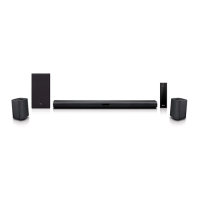
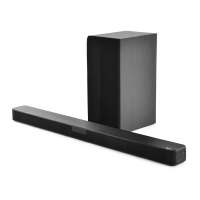
LG SNC75
57 pages
Print Icon
To Next Page IconTo Next Page
Loading...
OWNER’S MANUAL
LG Wi-Fi
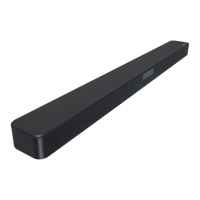
Sound Bar
Please read this manual carefully before operating your set and retain it for future
reference.
MODEL
SNC75 (SNC75, SPN8-W)
2104_Rev04
www.lg.com
Copyright © 2021 LG Electronics Inc. All Rights Reserved.

Questions and Answers

  • T
    Thomas TaylorJul 28, 2025
    What to do if the LG SNC75 remote control does not work properly?
    • D
      Danielle PierceJul 28, 2025
      If the LG Speaker System's remote control isn't working, make sure you're within 7 m (23 ft) of the unit and that there are no obstacles blocking the path between the remote and the unit. Also, check the batteries and replace them if they are exhausted.
  • M
    Maria HamiltonJul 31, 2025
    What to do if my LG SNC75 has no sound?
    • J
      John CooperAug 1, 2025
      If your LG Speaker System isn't producing sound, first ensure the volume isn't set to the minimum. If you're using an external device, check its volume level as well. Also, verify that the mute function isn't activated by pressing the mute button or adjusting the volume. Finally, confirm that the correct input source is selected.
  • R
    robertsmithAug 5, 2025
    Why does my LG Speaker System not turn on?
    • J
      Jacqueline StevensAug 5, 2025
      If your LG Speaker System isn't turning on, ensure that the power plug is securely connected to the outlet.
  • M
    Mary SummersAug 9, 2025
    Why is there no woofer sound from my LG SNC75?
    • M
      Ms. Stephanie Holland PhDAug 10, 2025
      If there's no woofer sound from your LG Speaker System, first check if the subwoofer is properly plugged into the wall outlet. If it is, ensure that the unit and the subwoofer are correctly paired.
  • P
    Paul SanchezAug 14, 2025
    Why LG Sound Sync does not work?
    • S
      Stephanie HuertaAug 14, 2025
      If LG Sound Sync isn't working, verify that your LG TV supports LG Sound Sync (Wired). Also, check the connection of LG Sound Sync (Wired) and the sound settings on both your TV and the LG Speaker System.
  • C
    Christian FordAug 18, 2025
    What to do if the AUTO POWER function on my LG SNC75 Speaker System doesn't work?
    • J
      James KelleyAug 18, 2025
      If the AUTO POWER function on your LG Speaker System isn't working, check the connection of the external device, such as a TV or DVD/Blu-Ray player. Also, check the SIMPLINK settings on your LG TV and try turning SIMPLINK off. Note that this function may not operate depending on the connected device.
  • E
    Elizabeth CookeAug 22, 2025
    What to do if my LG SNC75 Speaker System is not working properly?
    • S
      Sarah RoweAug 22, 2025
      If your LG Speaker System isn't working properly, try turning off the power of both the unit and any connected external devices like your TV, Woofer, DVD-player, or Amplifier, and then turn them back on. If that doesn't work, disconnect the power cord of the unit and connected devices, and then reconnect them. Keep in mind that previous settings may not be saved when the device power is shut off.

Summary

Safety Information

CAUTION concerning the Power Cord

Important safety precautions regarding the power cord and plug.

Front panel

Rear panel

Remote control

Installing the sound bar

Mounting the unit on a wall

Network connection

Installing Google Home App

Guide to downloading and installing the Google Home app for setup.

Launch the app to connect Wi-Fi

Connecting the AC Adapter

Wireless subwoofer and rear speaker (Sold Separately) connection

Wireless subwoofer connection

Specific steps for pairing and connecting the wireless subwoofer.

Rear speakers connection (Sold Separately)

Manually pairing wireless receiver

Surround sound

Surround function ON

Surround function OFF

Connecting to your TV

LG Sound Sync with wired connection

Using an HDMI cable

ARC (Audio Return Channel) function

eARC (Enhanced Audio Return Channel) function

Additional information for HDMI

HDMI cable Checklist

Connection through HDMI Cable*

Optional equipment connection

HDMI IN connection

OPTICAL IN connection

USB operation

How to use the Google Assistant

Talk to the Google Assistant

How to activate and use voice commands with Google Assistant.

Comfortable Function

Using Google Assistant to control compatible smart home devices.

Voice command

Reference site for Google Assistant Help

Control your TV and Sound Bar with Voice command

Available voice commands

Lists commands for controlling LG TV functions via voice.

Sound Bar

LG Sound Bar

Installing LG Sound Bar App

Steps to download and install the LG Sound Bar mobile app.

Using a BLUETOOTH Wireless Technology

Listening to Music of a BLUETOOTH Device

Using Voice command to connect BLUETOOTH

Controls connected BLUETOOTH device

Auto function change

Standby mode

Reset the Speaker

Troubleshooting

General

Solutions for common operational problems like unit not working or no sound.

Network

Application

NOTES to use wireless

Specifications

LG SNC75 Specifications

General IconGeneral
BrandLG
ModelSNC75
Audio DecodingDolby Digital, DTS
ConnectivityHDMI, Optical, USB, Bluetooth
Wall MountableYes
Channels5.1

Related product manuals