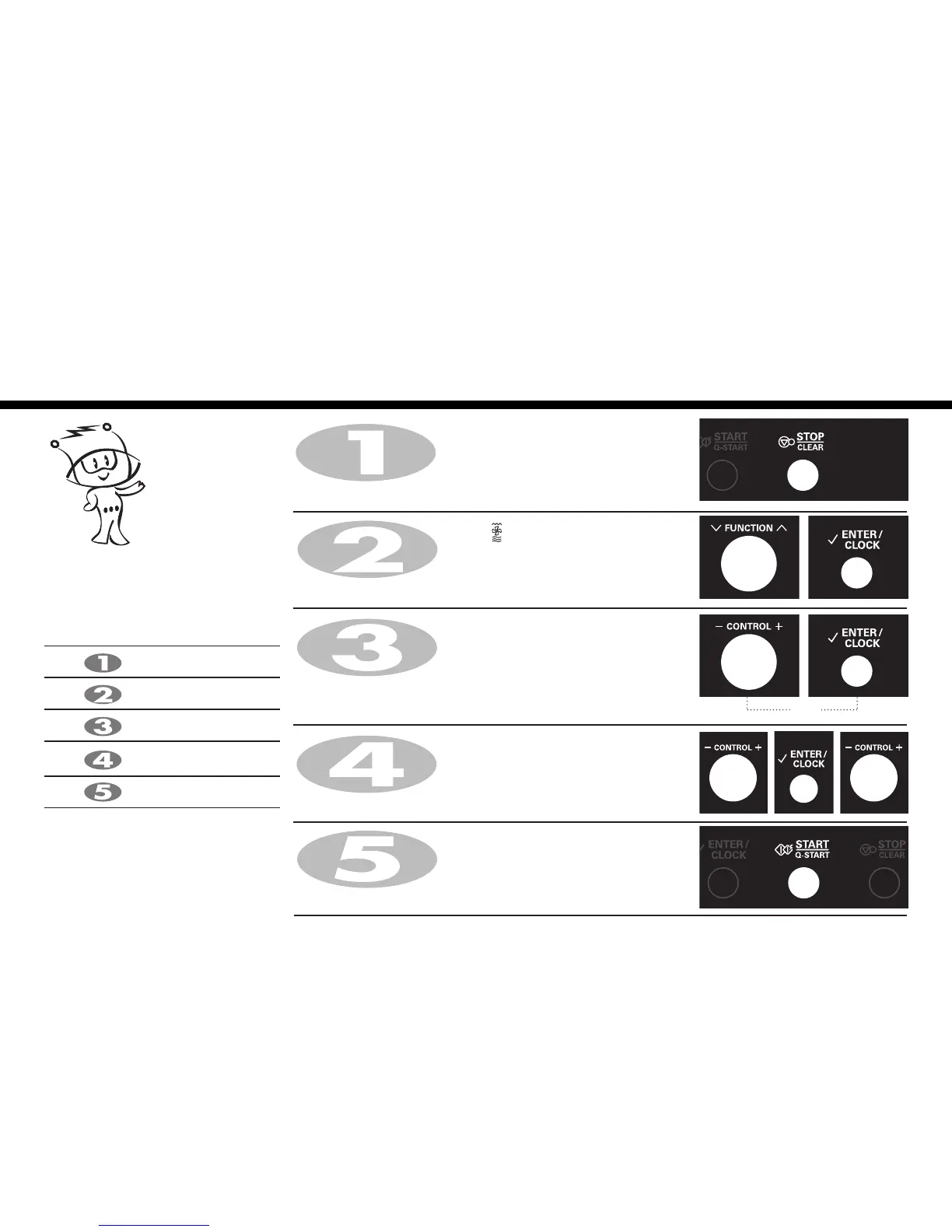
Press STOP/CLEAR.
Press START/Q-START.
When cooking you can increase or decrease cooking time by turning
CONTROL dial.
After cooking you must wear gloves to take metal tray /
container out of oven since its hot.
Turn FUNCTION
dial speed combi
()to select speed
combination mode (Co-4).
Press ENTER/CLOCK for speed combi confirmation.
Turn CONTROL
dial
knob until display shows “Co-4”.
Press ENTER/CLOCK for speed combi confirmation.
Turn CONTROL
dial
knob until display shows “200°C”.
Press ENTER/CLOCK for temp. confirmation.
Turn CONTROL
dial
knob until display shows “360W”.
Press ENTER/CLOCK for power confirmation.
Turn CONTROL
dial
knob until display shows “25:00”.
You can set four kinds of micro power
level(0W, 180W, 360W, 600W) in
speed combi mode(Co-4).
Speed Combi
(Co-4)
* Speed Combi Category
Co-1
Co-2
Co-3
Co-4
Co-5
Grill-1 + Microwave power
Grill-2 + Microwave power
Grill-3 + Microwave power
(Upper + Lower heater)
+ Microwave power
Convection + Microwave power
16
Speed combi
Cooking
In the following example I will show you how to programme your oven with micro power 360W and at a
temperature 200°C for a cooking time of 25 minutes.
(X2)





 To Next Page