Getting Started8
Getting Started
1
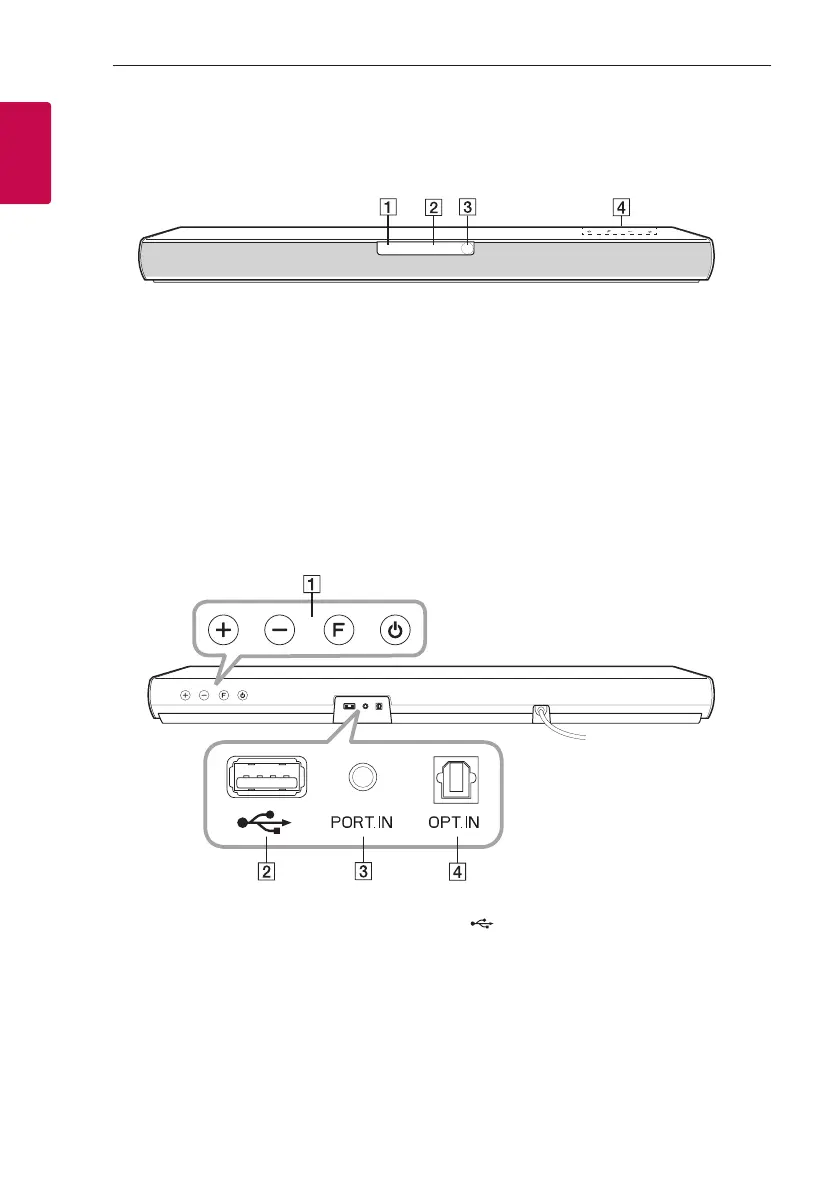
A
Standby LED (Red)
B
Function LED (White)
C
Remote sensor
D
The buttons are located on the rear.
Front panel
Rear panel
A
o/p
(Volume) : Adjusts volume level
F (Function) : Selects the function.
1
(Standby)
B
(USB) : Connect to a USB device.
C
PORT.IN (Portable) : Connect to a Portable device.
D OPT. IN (Optical) : Connect to an Optical device.



 To Next Page