Getting Started 9
Getting Started
1
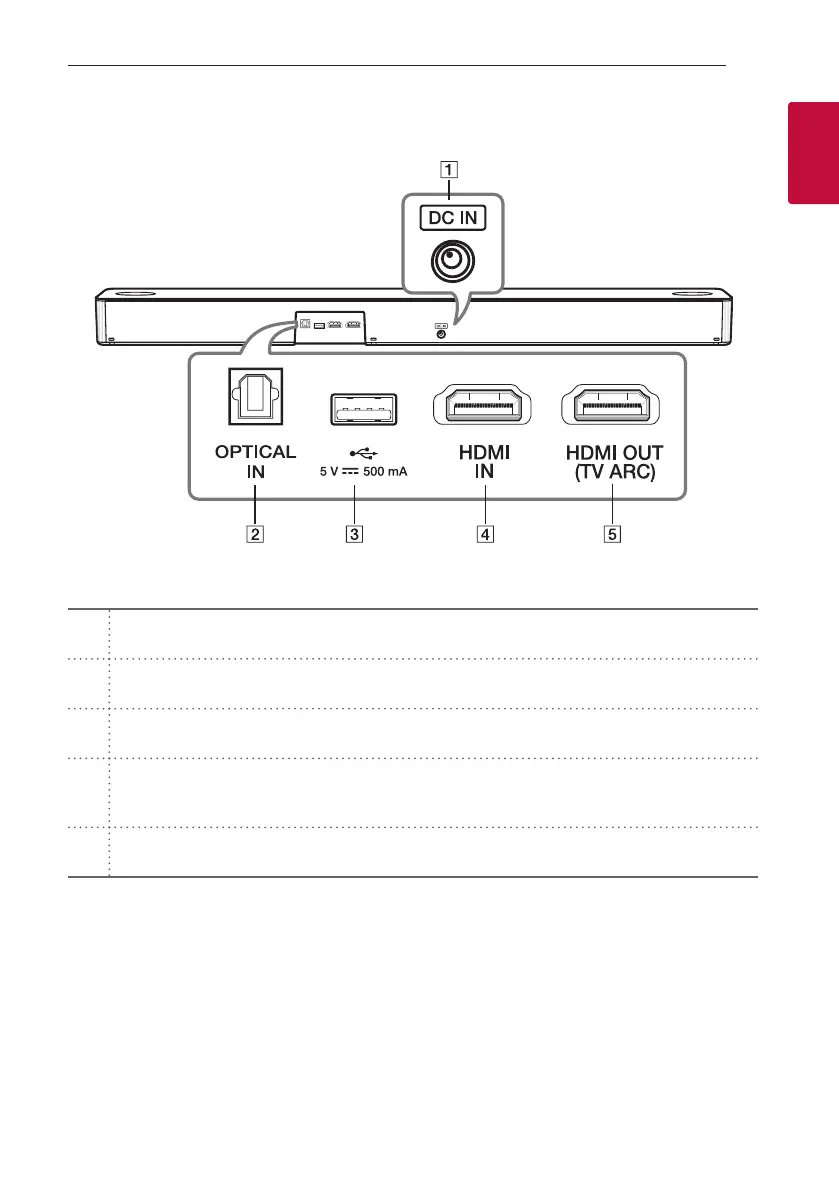
Rear panel
A
DC IN
- Connect to the AC adapter.
B
OPTICAL IN
- Connect the OPTICAL IN jack on the back of the unit to OPTICAL OUT jack on the TV.
C
USB Port
- Connect USB memory device to the USB port on the back of the unit.
D
HDMI IN
- Connect HDMI IN jack on the back of the unit to HDMI OUT jack on the external device.
You can enjoy the sound and picture from HDMI connection on an external device.
E
HDMI OUT (TV ARC)
- Connect the HDMI OUT (TV ARC) jack on the back of the unit to ARC jack on the TV.


 To Next Page