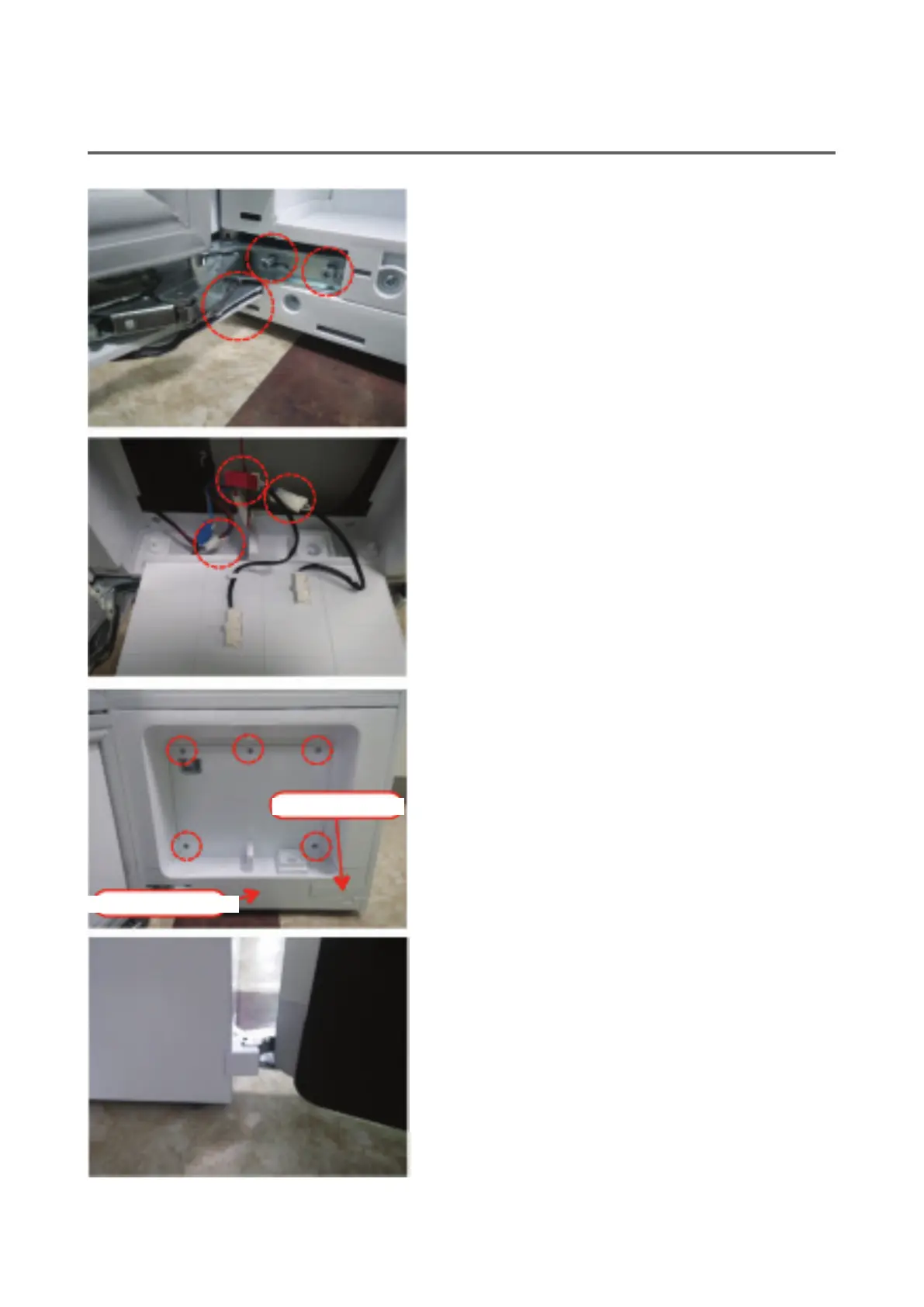
110
28. Insert the wire xing slider to the hole below the
hinge and x the top/bottom hinge screws.
※
Caution: When you do this, be sure to hold the
door rmly. Check if the wiring is pinched
or bent when attaching the door.
29. Connect the connector connected to the display
PCB and the red and white connectors con-
nected to the reed switch.
※
Caution: Be sure to check the color of the con-
nector before assembly so that you can
properly assemble the connector.
30. Use 5 screws to tighten the cover.
31. Assemble the door decoration and 'L' cap cover.
32. Assemble the cap cover.
Cap cover (L)
Door decoration


 To Next Page