EasyManua.ls Logo

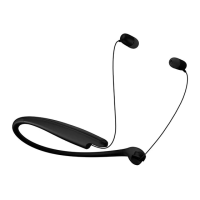
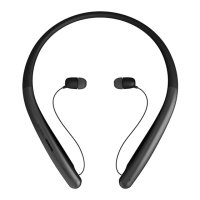
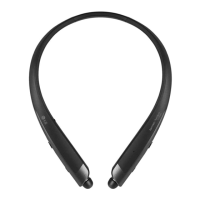
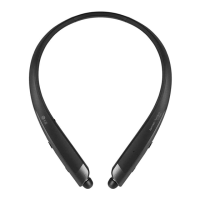
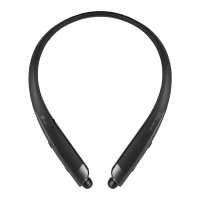
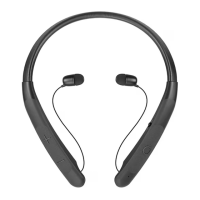
LG TONE Style TONE-NP3C - User Manual

LG TONE Style TONE-NP3C
64 pages
Print Icon
To Next Page IconTo Next Page
Loading...
ENGLISH ESPAÑOL
Please read the Important Safety Information for the proper
use of this product. After reading, store this Owner's Manual
in an easily accessible place for all users.
NOTE: Please read all information carefully prior to using
the headset in order to enjoy the best performance and
prevent damage to the product.
www.lg.com
OWNER'S MANUAL
Bluetooth® LG Stereo Headset
Rev 2.0 US
TONE-NP3 / TONE-NP3C
Copyright © 2021-2022 LG Electronics Inc. All rights reserved.

Questions and Answers

  • M
    Mitchell RuizAug 7, 2025
    What to do if I cannot pair LG TONE Style TONE-NP3C Headsets with my smartphone?
    • M
      Michele RobinsonAug 7, 2025
      If you cannot pair your LG Headsets with your smartphone, ensure that the headset is powered on and in discovery mode. To enter discovery mode, slide the Power switch to ON while pressing the Call/Play button on the headset until the blue status indicator turns on.
  • A
    Aaron CruzAug 14, 2025
    How to fix if LG TONE Style TONE-NP3C Headsets power does not turn on?
    • X
      xsmithAug 14, 2025
      If your LG Headsets do not turn on, check the battery level and charge it.
  • D
    David WeaverAug 22, 2025
    How to fix low sound on LG TONE Style TONE-NP3C?
    • S
      Sarah MurphyAug 22, 2025
      To increase the sound volume on your LG Headsets, briefly press the Volume button (or) on the headset. Alternatively, adjust the volume from the paired device.
  • C
    Chelsea JacksonAug 29, 2025
    Why I cannot transfer calls to LG TONE Style TONE-NP3C Headsets?
    • E
      Elizabeth EvansAug 29, 2025
      If you cannot transfer calls to your LG Headsets, it may be because your smartphone does not support headset and hands-free functions. Also, check the battery level and charge it.

Summary

1. Overview

2. Power On;Off

3. How to pair

Multiple Connections

Automatic Reconnection

Details how the headset automatically reconnects to the last used device.

4. Playing Music

Switching Music Players

Explains how to switch playback between multiple connected devices.

5. Placing a Call

6. Charging

7. Enabling vibration Alert

8. Winding up the Cables

Safety Precautions

LG TONE Free App

Troubleshooting

Specifications and Features

Declaration of Confirmation

Additional Information

Radio frequency exposure

Information regarding the headset's radio transmitter and receiver operations.

Bluetooth connection precautions

Factors affecting Bluetooth signal range and reception.

Important Safety Information

Avoiding hearing damage

Guidance on preventing permanent hearing loss from high volume usage.

Using headsets safely

Recommendations for safe and attentive use of headsets, especially while driving.

OSS Notice Information

Symbols

Explanation of various symbols used in the manual and on the product.

LIMITED WARRANTY- U.S.A. ONLY

LG TONE Style TONE-NP3C Specifications

General IconGeneral
Product NameLG TONE Style TONE-NP3C
CategoryHeadsets
TypeNeckband
Bluetooth Version5.0
Charging Time2 hours
Water ResistanceIPX4
Speaker TypeDynamic
CompatibilityBluetooth-enabled devices

Related product manuals