3
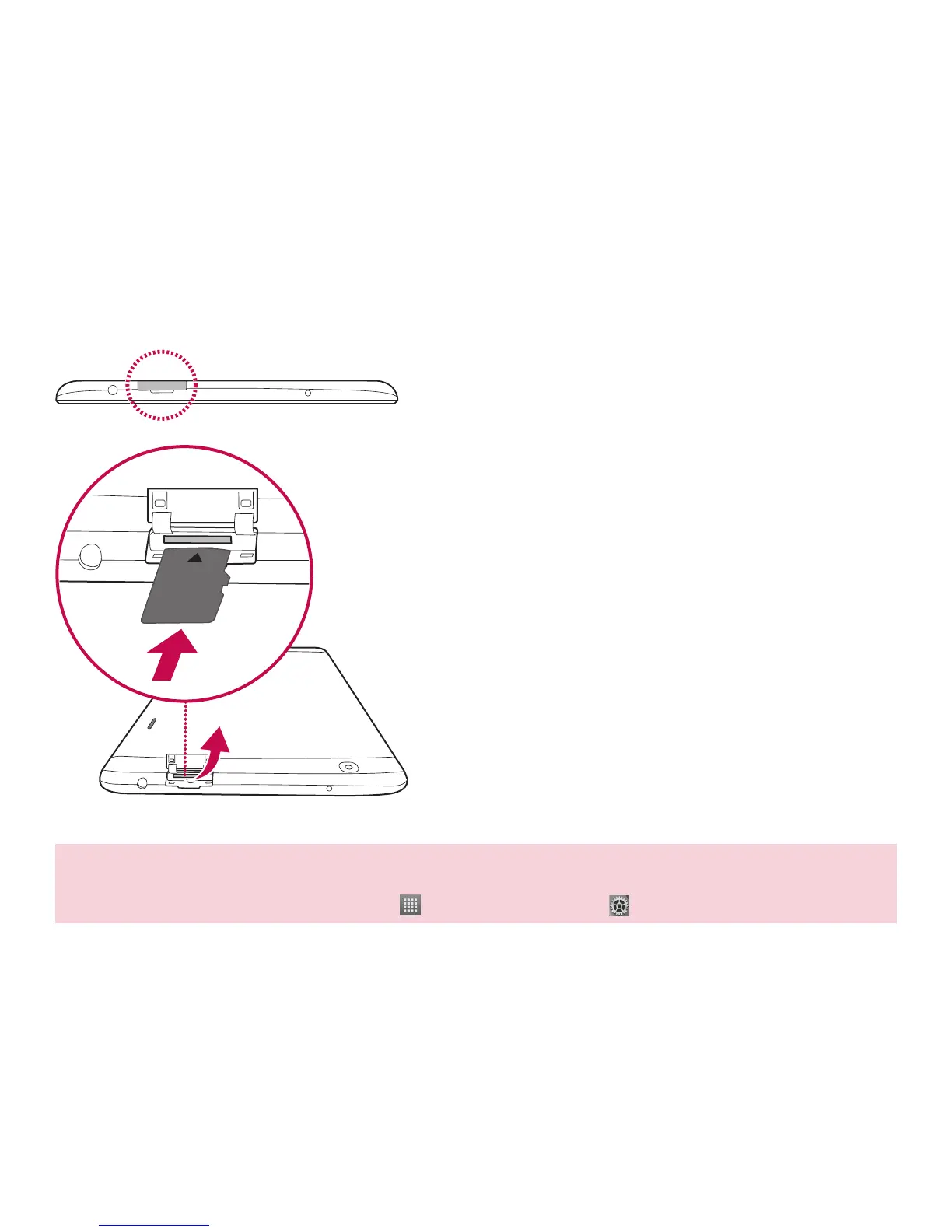
The memory card slot is located at the top of the tablet.
a
Place your fingernail in the cutout and pull the
memory card tray out.
b
Insert the memory card into the slot with the
contacts facing down. Carefully push the tray gently
into the tablet.
NOTE: Do not remove the memory card before unmounting it first. Otherwise, the memory card, as well
as your tablet, may become damaged and the data stored on the memory card may get corrupted. To
remove the memory card safely, tap Apps > Apps tab > Settings > Storage > Unmount SD card.
Installing the memory card



 To Next Page