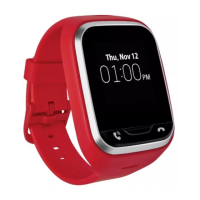
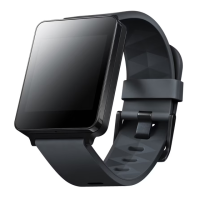
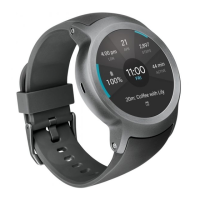
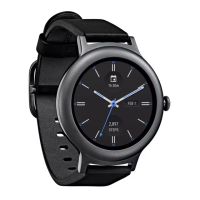
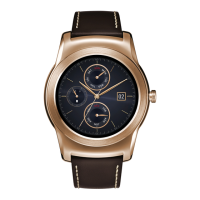
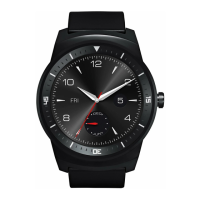
The device described in this manual is the GizmoPal 2, a wearable device designed for children, primarily for communication and location tracking, with a focus on safety and parental control. It is manufactured by LG and offered by Verizon.
Function Description
The GizmoPal 2 serves as a communication and safety device for children, allowing them to make and receive calls from a limited set of approved contacts. It integrates with a smartphone app called GizmoHub, which allows caregivers to manage the device, track its location, and configure settings. Key functions include:
- Two-way Communication: Children can make calls to and receive calls from up to 3 additional phone numbers registered as caregivers or contacts.
- Location Tracking: Caregivers can check the device's current location via the GizmoHub app, with features like "Find" to locate the device on a map and "Naming Places" to set up geofenced areas (e.g., home, school).
- Safety Features: Includes an auto-answer calls feature, location alerts, and the ability for caregivers to remotely manage contacts and settings.
- Play Button: A dedicated button for playing sounds or initiating calls.
Important Technical Specifications
While specific technical specifications like processor, RAM, or internal storage are not detailed, the manual provides information on connectivity and environmental compliance:
- Connectivity: The device uses a wireless connection for communication and location services. It supports GPS for location tracking and Wi-Fi for improved location accuracy indoors.
- Battery: The device has a rechargeable battery. Charging is done via a USB/charger port. The battery charging light blinks red when charging and turns green when fully charged.
- Water Resistance: The product is water resistant in compliance with the Ingress Protection rating IPX7. This means it can be submerged in a tank of still tap water at room temperature to a depth of 1 meter for about 30 minutes.
- RF Exposure: The device complies with FCC RF exposure guidelines. It is designed for typical body-worn (Wrist) operations, with a minimum separation distance of 0cm between the user's body and the back of the device, and 1cm from the user's mouth to the front of the device. The SAR (Specific Absorption Rate) for wrist worn use is 1.6 watts/kg (W/kg) averaged over one gram of tissue or 4.0 watts/kg (W/kg) averaged over ten grams of tissue.
- Environmental Compliance: The device is made from 90% post-consumer recycled paper, and the booklet is printed with soy ink.
Usage Features
The GizmoPal 2 is designed for ease of use by children and comprehensive control by caregivers:
- Turning On/Off: Pressing and holding the Play button turns the device on ("Hello") or off (voice prompts to press the Play button again).
- Making/Answering Calls: Pressing the Call button initiates a call. Incoming calls can be answered by pressing the Call button or Play button. The device can be set to auto-answer calls after 10 seconds.
- Playing Sounds: The Play button can be used to play fun sounds or to play the next sound in a sequence.
- GizmoHub App: The primary interface for caregivers. It allows:
- Registration: Caregivers register the GizmoPal 2 to their smartphone (Android™ 5.0 or higher, or iOS 9.0 or higher).
- Caregiver Management: Add, delete, and manage primary and other caregivers/contacts.
- Location Monitoring: View the device's current location on a map, check location history, and set up "Place Alerts" for specific locations.
- Security PIN: Set a security PIN for the GizmoHub app.
- Settings: Customize device settings such as sounds (ringtone, volume), auto-answer calls, battery life, contacts, and turning off the Gizmo.
- Feedback: Send feedback to Gizmo Support.
- Adding Another Gizmo: Link multiple Gizmos to the same GizmoHub app.
- Alarm: Make the Gizmo ring if it is misplaced.
- LED Colors and Status: Different LED light patterns indicate various device statuses (e.g., in service, no service, battery level, charging, call status, software updates, communication with GizmoHub app).
Maintenance Features
The manual outlines several aspects related to device care and safety:
- Charging: Charge the battery using the provided USB/charger port and charging cord. Ensure the USB/charger port cover is completely closed to keep out dirt and water.
- Wearing: The GizmoPal 2 should fit snugly, but not too tightly, around the child's wrist. Do not pull or bend the GizmoPal 2 to force it if it doesn't fit or use force to take it off.
- Cleaning: The band is made of polyurethane and can be faded by light or discolored if it gets dirty. Clean the band using a soft cloth and baking powder dissolved in water.
- Battery Care:
- Do not disassemble or open, crush, bend, deform, puncture, or shred the battery.
- Do not modify or remanufacture, attempt to insert foreign objects into the battery, immerse or expose to water or other liquids, expose to fire, explosion, or other hazard.
- Only use the battery for which it is specified.
- Only use the battery with a charging system that has been qualified with the system per CTIA Certification Requirements for Battery System Compliance to IEEE1725.
- Use of an unqualified battery or charger may present a risk of fire, explosion, leakage, or other hazard.
- Do not short circuit a battery or allow metallic conductive objects to contact battery terminals.
- Replace the battery only with another battery that has been qualified with the system per this standard, IEEE-Std-1725.
- Battery usage by children should be supervised.
- Avoid dropping the phone. If the phone is dropped, especially on a hard surface, and the user suspects damage, take it to a service center for inspection.
- Improper battery use may result in a fire, explosion, or other hazard.
- Charger and Adapter Safety:
- The charger and adapter are intended for indoor use only.
- Insert the battery charger horizontally into the wall power socket.
- Only use the LG approved battery charger. Use of an unauthorized battery charger may cause serious damage to your wireless device and void the warranty.
- Use the correct adapter for your wireless device when using the battery pack charger abroad.
- Water Proof Properties: Do not immerse the product in any liquid chemicals (soap, etc.) other than water, in salt water, hot spring water. Do not place the product directly on sand or small particles. Do not swim wearing this product or use it underwater. Do not leave the product in a humid place such as a bathroom or kitchen for an extended period of time.
- General Device Care:
- Do not use the product in places where it may be sprayed with high-pressure water or submerged in water for extended periods.
- Do not drop the product or subject it to shock.
- The cover for the USB port must be firmly closed while the product is being worked.
- Do not damage the power cord by bending, twisting, or heating.
- Do not place heavy items on the power cord.
- Unplug the power cord prior to cleaning your wireless device.
- Recharge the battery after long periods of non-use to maximize battery life.
- Use and store your phone in temperatures between 0°C/32°F and 40°C/104°F.
- Do not place items containing magnetic components such as credit cards, wireless device cards, bank books, or subway tickets near your wireless device.
- Do not immerse your wireless device in water, liquid, or expose to high humidity.
- Do not paint your wireless device.
- The data saved in your wireless device might be deleted due to careless use, repair of the wireless device, or upgrade of the software.
- Do not turn your wireless device on or off when putting it to your ear.
- Replacing the Wristband: Use both thumbs to press the back of the GizmoPal 2 forward and push it out of the strap. Then use both thumbs to press the front of the GizmoPal 2 forward and push it into the strap.

 Need help?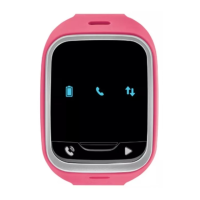

 To Next Page
 General