4
Charging the Battery
Charging the Battery
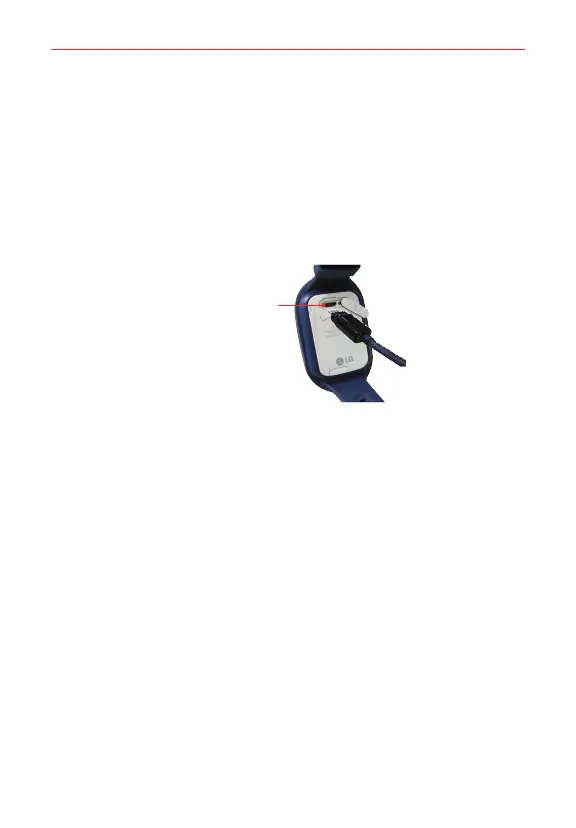
To charge the battery, open the USB/charger port cover and:
1. Plug the charging cord into the GizmoPal 2.
2. Plug the other end of the cord into the charging adapter.
3. Plug the charging adapter into an electrical outlet. The battery charging
light will blink red while your GizmoPal 2 is charging and turn green
when it is fully charged.
USB/Charger Port
NOTES • Don’t use the GizmoPal 2 while it’s being charged.
• Only use the charging cord and adapter included in the box to charge your GizmoPal 2.
• Make sure that you close the USB/charger port cover completely to keep out dirt and
water.


 To Next Page