21
Using GizmoPal 2
Playing Fun Sounds
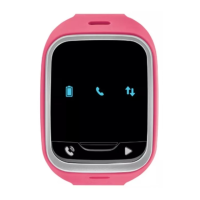
Your GizmoPal 2 can play fun sounds.
Press the Play button
once to play a sound. To play the next sound,
press the Play button
again.
Checking the Time
Your GizmoPal 2 can also tell you the time. Press and hold the Call button
until GizmoPal 2 starts speaking.
Checking the Battery Level
Your GizmoPal 2 will tell you its battery level when you plug it in to charge it
and when you unplug it.
You can also check the battery from the GizmoHub app by tapping
SETTINGS > Battery life.
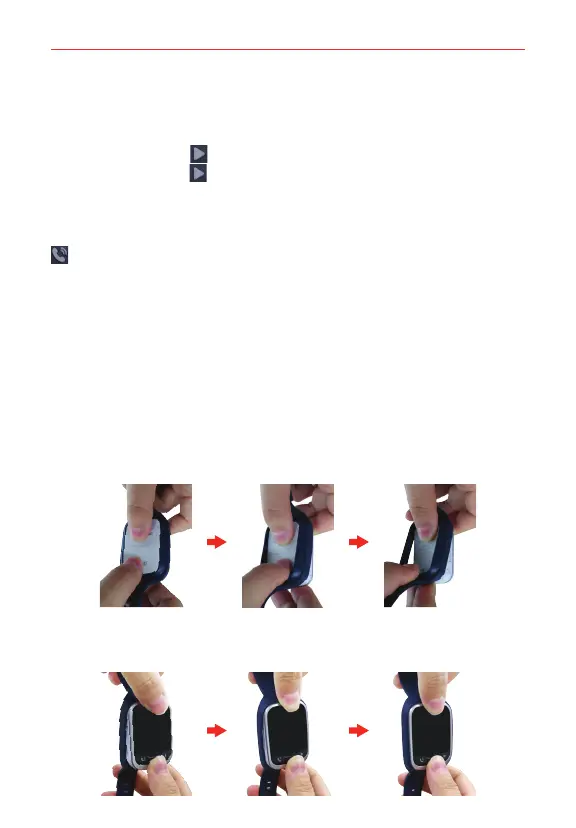
Replacing the GizmoPal 2 Wristband
Using both thumbs, press the back of the GizmoPal 2 forward and push it
out of the strap.
Make sure the GizmoPal 2 is correctly oriented with the strap. Then use
both thumbs to press the front of the GizmoPal 2 forward and push it into
the strap.


 To Next Page