EasyManua.ls Logo

LG W5-2 - User Manual

LG W5-2
78 pages
Print Icon
To Next Page IconTo Next Page
Loading...
Please read this manual carefully before operating
your set and retain it for future reference.
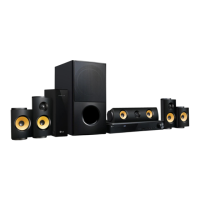
LHB755W (LHB755W, S75T1-S/W, S74T1-C, W5-2)
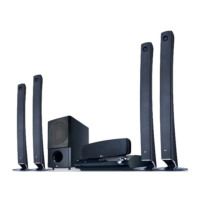
LHA855W (LHA855W, S75T1-S/W, S74T1-C, W5-2)
OWNER’S MANUAL
3D Blu-ray™ /
DVD Home
Cinema System

Table of Contents

Questions and Answers

  • P
    parkercourtneySep 12, 2025
    What to do if my LG W5-2 doesn't recognize the USB device?
    • S
      Sharon KellerSep 12, 2025
      If your LG Home Theater System isn't recognizing the USB device, try using a different USB cable, as some cables may not provide enough current. Avoid using a USB extension cable or USB hub, as these can prevent recognition. Note that the unit does not support USB devices requiring additional program installation on a computer. The unit supports only USB Flash Drives and USB External HDDs with FAT32 or NTFS format.
  • J
    jacksondwayneSep 13, 2025
    Why can't my LG W5-2 Home Theater System play certain video, photo, or audio files?
    • M
      Madeline SparksSep 13, 2025
      Your LG Home Theater System might not be able to play certain video, photo, or audio files if the files are not recorded in a format that the unit supports, or if the unit does not support the codec of the video file.
  • S
    Sarah HillSep 15, 2025
    How to change the angle on my LG W5-2?
    • M
      Michael DiazSep 15, 2025
      The angle cannot be changed because multi-angles are not recorded on the DVD Video being played.

LG W5-2 Specifications

General IconGeneral
BrandLG
ModelW5-2
CategoryHome Theater System
LanguageEnglish

Related product manuals