EasyManua.ls Logo

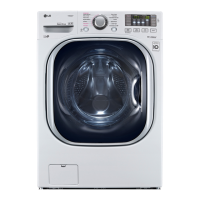
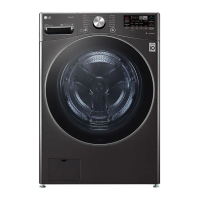
LG WM4100H A Series - User Manual

LG WM4100H A Series
92 pages
Print Icon
To Next Page IconTo Next Page
Loading...
OWNER'S MANUAL
WASHING MACHINE
Read this owner's manual thoroughly before operating the
appliance and keep it handy for reference at all times. The
complete owner’s manual can be found on the LG website at:
http://gscs-manual.lge.com/Total/DFZ/NA/FL/Victor/main.html
or by scanning the QR code.
ENGLISH
WM4100H*A
MFL71728960
Rev.01_112720
www.lg.com
Copyright © 2020 LG Electronics Inc. All Rights Reserved.

Questions and Answers

  • J
    Joseph MartinAug 16, 2025
    What to do if LG WM4100H A shows IE INLET ERROR?
    • D
      Dawn WernerAug 16, 2025
      If your LG washer displays an IE INLET ERROR, it could be due to several reasons. First, ensure that the water supply faucets are fully open. Check the water inlet hoses to make sure they are not kinked, pinched, or crushed. Also, the water inlet filters might be clogged, so you should clean them. Verify that your household water pressure is adequate by checking another faucet. If you are using leak-limiting hoses, consider that they may be falsely tripping and preventing the washer from filling.
  • H
    harpersusanAug 19, 2025
    What to do if my LG Washer won't turn on?
    • N
      Nicholas MoralesAug 19, 2025
      If your LG washer isn't turning on, start by ensuring the power cord is securely plugged into a grounded, 3-prong, 120-VAC, 60 Hz outlet. Also, check if a house fuse is blown, the circuit breaker has tripped, or a power outage has occurred. Reset the circuit breaker or replace the fuse, but do not increase the fuse capacity. If a circuit overload is the issue, have it corrected by a qualified electrician.
  • S
    Summer SchaeferAug 22, 2025
    Why is my LG WM4100H A not filling properly?
    • M
      Madison RochaAug 22, 2025
      If your LG washer isn't filling properly, several factors could be at play. Start by checking if the inlet filters on the fill valves are clogged. Also, inspect the inlet hoses for any kinks or clogs. Ensure that both hot and cold water faucets are fully turned on. Confirm that the washer door is completely closed, with nothing obstructing its closure. Keep in mind that this is a High-Efficiency (HE) washer, and the water level may not cover the clothes entirely, as the fill level is optimized for wash performance.
  • M
    Mrs. Megan HoganAug 25, 2025
    Why is detergent not dispensing properly in my LG WM4100H A Washer?
    • M
      Marilyn JohnsonAug 26, 2025
      If detergent isn't dispensing properly in your LG washer, it could be due to a few reasons. Make sure that detergent and additives are put into the correct dispenser compartments and that the dispenser drawer is fully closed before starting the cycle. Using too much detergent can also cause issues; use the manufacturer's recommended amount and consider diluting it with water to the maximum fill line. Ensure that both hot and cold water faucets are fully turned on. A small amount of detergent residue is normal, but if it builds up, refer to the cleaning instructions.
  • H
    hensleyrickyAug 28, 2025
    Why does my LG WM4100H A make loud banging noises while filling with water?
    • K
      Karen RodriguezAug 28, 2025
      Loud banging noises in your LG washer while filling with water can be attributed to a couple of plumbing issues. It may be a problem with your home's plumbing. For best results, install water hammer arrestors between the fill hose and the washer. Alternatively, your household water supply pressure might be very high. In this case, adjust the household water supply regulator to a lower pressure or contact a plumber.
  • N
    nicholsonandrewAug 31, 2025
    What to do if LG WM4100H A shows OE WATER OUTLET ERROR?
    • M
      Mrs. Kelly MooneyAug 31, 2025
      If your LG washer shows an OE WATER OUTLET ERROR, it means there's likely an issue with the drain hose. Ensure the drain hose is free of clogs or kinks and is not pinched behind or under the washer. Also, check that the end of the drain hose is not more than 96 inches (2.4 m) above the bottom of the washer; if it is, move it to a lower position.
  • V
    Vanessa AustinSep 3, 2025
    What to do if my LG WM4100H A shows LE MOTOR LOCKED ERROR?
    • E
      Evelyn FoxSep 3, 2025
      If your LG washer displays an LE MOTOR LOCKED ERROR, it indicates a motor error has occurred. Allow the washer to stand for 30 minutes and then restart the cycle. If the error code is still displayed, call for service.
  • M
    Michael ChavezSep 6, 2025
    What to do if my LG washer shows PF WATER LEVEL SENSOR ERROR?
    • M
      Mrs. Kathleen HowellSep 6, 2025
      If your LG washer displays a PF WATER LEVEL SENSOR ERROR, it means the water level is either too low or too high compared to the load. Unplug the washer and wait for 60 minutes. Reconnect power and try again. If the error code is still displayed, call for service.
  • H
    Holly FreemanSep 9, 2025
    What to do if my LG WM4100H A Washer shows tE TEMPERATURE SENSOR ERROR?
    • A
      Albert HansonSep 9, 2025
      If your LG washer displays a tE TEMPERATURE SENSOR ERROR, it indicates a control error. Unplug the washer and wait 60 minutes. Reconnect power and try again. If the error code is still displayed, call for service.
  • B
    Brenda SimpsonSep 12, 2025
    What to do if my LG WM4100H A Washer shows svd OVERSUDSING DETECTION?
    • M
      Michael JenkinsSep 12, 2025
      If your LG washer displays svd OVERSUDSING DETECTION, it means there is oversudsing of detergent. Do not add more detergent than the manufacturer’s recommended amount. To remove suds, turn the washer off then back on, then run the Rinse+Spin cycle. If too many suds are detected during spinning, the washer stops to help prevent leaking.

Summary

Important Safety Instructions

Warning Statements

Essential safety warnings to prevent death, fire, or electric shock.

Caution Statements

Safety precautions to prevent minor injuries or product damage.

Product Overview

Product Features

Detailed description of the washing machine's components and design.

Product Specifications

Key technical details including dimensions, weight, and electrical requirements.

Installation

Before Installing

Pre-installation checks, location selection, and required tools.

Connecting the Water Inlet Hoses

Step-by-step guide for attaching water supply hoses correctly.

Connecting the Drain Hose

Instructions for securing and connecting the appliance's drain hose.

Leveling the Washer

Method for adjusting leveling feet to ensure stability and reduce vibration.

Final Installation Check

Verification steps for power connection and overall installation integrity.

Operation

Before Use

Initial setup, sorting laundry, adding detergent, and selecting cycles.

Loading the Washer

Guidelines for properly loading laundry to ensure effective cleaning.

Smart Functions

Using LG ThinQ Application

How to connect and utilize the smartphone app for remote control and monitoring.

Smart Diagnosis Function

Methods for diagnosing and resolving appliance issues via app or audible tones.

Maintenance

Regular Cleaning

Procedures for routine cleaning of the exterior, door seal, and drum.

Periodic Maintenance

Essential maintenance tasks for long-term appliance care and performance.

Care in Cold Climates

Instructions for protecting the washer from freezing damage.

Troubleshooting

Before Calling for Service

Preliminary checks and common problem resolutions before contacting support.

Error Messages

Interpretation of error codes and corresponding solutions.

Noises

Identification and resolution of various operational sounds.

Limited Warranty

Terms and Conditions

Details of warranty coverage, limitations, and consumer rights.

Procedure for Resolving Disputes

Guidelines for arbitration, dispute resolution, and legal compliance.

LG WM4100H A Series Specifications

General IconGeneral
BrandLG
ModelWM4100H A Series
CategoryWasher
LanguageEnglish

Related product manuals