EasyManua.ls Logo

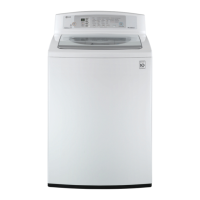
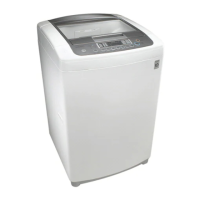
LG WT6100C Series - User Manual

LG WT6100C Series
52 pages
Print Icon
To Next Page IconTo Next Page
Loading...
OWNER'S MANUAL
WASHING MACHINE
Read this owner's manual thoroughly before operating the
appliance and keep it handy for reference at all times.
ENGLISH
WT6100C*
MFL71839421
Rev.00_120623
www.lg.com
Copyright © 2023 LG Electronics Inc. All Rights Reserved.
Scan to see the online manual.

Questions and Answers

  • M
    Mark CookAug 20, 2025
    Why is my LG WT6100C Washer not turning on?
    • J
      James Baker DVMAug 20, 2025
      If your LG washer isn't turning on, check if the power cord is securely plugged into a grounded, 3-prong, 120-VAC, 60 Hz outlet. Also, check your house fuse or circuit breaker and reset it or replace the fuse if necessary. Avoid increasing the fuse capacity.
  • A
    Anna CherryAug 22, 2025
    What to do if my LG WT6100C is leaking water?
    • K
      Kathryn MaddenAug 22, 2025
      If you notice water leaking from your LG washer, inspect the hoses and connectors for any leaks, cracks, or splits, and ensure they are tightly connected. Check if your house drain pipes are clogged by observing for water backing up during the drain cycle. Ensure the drain hose is properly secured to the inlet hose or standpipe, and that it's inserted sufficiently into the drain connector. Avoid washing large items above the tub's top without using the Bedding cycle, and only use HE (High-Efficiency) detergent to prevent excessive suds.
  • C
    Charles StevensAug 25, 2025
    What to do if my LG WT6100C won't operate?
    • E
      eserranoAug 25, 2025
      If your LG washer won't operate, first, press the Power button if the control panel has powered off due to inactivity. Ensure the washer is plugged in, the water supply is on, and the controls are correctly set. Close the lid and press Start/Pause. Check the circuit breaker/fuses, and ensure the Start/Pause button was pressed after setting the cycle. Also, verify adequate water pressure and that the inlet filters are not clogged, and the inlet hoses are not kinked. If the washer is too cold, allow it to warm up.
  • R
    Richard MartinezAug 26, 2025
    Why is my LG WT6100C Washer not filling properly?
    • D
      Daniel AndersonAug 26, 2025
      If your LG washer isn't filling properly, ensure both hot and cold water faucets are fully turned on. Also, make sure the washer lid is closed completely, ensuring nothing is caught underneath. Note that the water will not normally cover the clothes.
  • M
    Mr. Jorge JonesAug 28, 2025
    Why does my LG Washer have an UNBALANCE ERROR?
    • E
      Evan WrightAug 28, 2025
      The UNBALANCE ERROR on your LG washer may occur if the load is too small; add more items to balance it. It can also happen if heavy and light items are mixed; wash similar weight items together. If the load is tangled, redistribute it manually to allow proper rebalancing.
  • A
    Abigail GregoryAug 30, 2025
    Why is my LG Washer dispensing bleach prematurely?
    • M
      Michael MooreAug 30, 2025
      Premature dispensing of bleach in your LG washer happens because you cannot store bleach in the dispenser for future use. Also, avoid overfilling the bleach dispenser; always measure bleach and never fill above the max line.
  • D
    Dylan GarciaAug 31, 2025
    How to fix WATER OUTLET ERROR on my LG Washer?
    • S
      Seth RussellSep 1, 2025
      To fix the WATER OUTLET ERROR on your LG washer, ensure the drain hose is free of clogs or kinks and is not pinched. Also, make sure the end of the drain hose is not more than 96 inches (2.4 m) above the bottom of the washer.
  • J
    Johnathan HardingSep 2, 2025
    Why is my LG Washer having excessive sudsing?
    • A
      Ashley FrenchSep 3, 2025
      Excessive sudsing in your LG washer is due to using too much detergent or the incorrect detergent. Use only HE detergents, as they are specifically formulated for HE (High-Efficiency) washers and contain suds reducing agents.
  • S
    seanwilsonSep 4, 2025
    What does LID LOCK ERROR mean on my LG WT6100C Washer?
    • A
      Anthony ScottSep 4, 2025
      The LID LOCK ERROR on your LG washer indicates that the lid is not locked properly. Ensure the lid is closed correctly and press the Start/Pause button. Also, check for obstructions under the lid, such as shipping material or clothing, and ensure the latch mechanism is fully retracted.
  • S
    Sharon MatthewsSep 6, 2025
    How to fix an INLET ERROR on my LG Washer?
    • S
      Scott LongSep 6, 2025
      To fix an INLET ERROR on your LG washer, ensure the water supply faucets are fully open and that the water inlet hoses are not kinked, pinched, or crushed. Check the water inlet filters for clogs and clean them. Verify adequate water supply pressure and flow by checking another faucet in the house. Avoid using leak-limiting hoses.

Summary

IMPORTANT SAFETY INSTRUCTIONS

WARNING STATEMENTS

Crucial precautions for installation and operation to prevent severe risks.

CAUTION STATEMENTS

Precautions to reduce the risk of minor injury, malfunction, or product/property damage.

PRODUCT OVERVIEW

Product Features

Identifies key components of the washing machine through front and rear views.

Product Specifications

Details electrical requirements, dimensions, weight, and spin speed of the model.

INSTALLATION

Before Installing

Critical warnings and considerations before beginning the installation process.

Installation Overview

Provides a visual guide to the installation steps.

Choosing the Proper Location

Guidelines for selecting the best location to install the washer for optimal performance.

Connecting Hoses

Instructions for connecting water inlet and drain hoses securely.

Leveling the Washer

Instructions on how to adjust the washer's feet for stability and to minimize vibration.

Final Installation Check

Final checks to ensure the washer is correctly installed and ready for use.

OPERATION

Before Use

Initial setup and preparation steps before the first wash cycle.

Sorting and Loading Laundry

Guidance on sorting clothes and properly loading the washer.

Adding Cleaning Products

Guidance on using HE detergents, bleach, and fabric softener.

Control Panel

Control Panel Overview

Identifies buttons, knobs, indicators, and status displays on the control panel.

Wash Cycles

Cycle Selection Guide

Details for various wash cycles and how to select them.

Available Options and Modifiers

Explains optional settings, modifiers, and extra functions.

SMART FUNCTIONS

LG ThinQ Application

How to use the LG ThinQ app for smart features and diagnostics.

Smart Diagnosis Function

Using the audible diagnosis feature to troubleshoot appliance issues.

MAINTENANCE

Regular Cleaning

Steps for cleaning the washer after each use and the exterior.

Periodic Maintenance

Routine maintenance tasks like cleaning the tub, dispenser, and inlet filters.

Care in Cold Climates

Instructions for storing the washer to protect it from freezing temperatures.

Frozen Hoses Troubleshooting

Steps to thaw frozen water inlet and drain hoses.

TROUBLESHOOTING

Before Calling for Service

General advice and error message guide before contacting support.

Error Messages

Explains various error codes and their possible causes and solutions.

Noises and Operation Problems

Identifies common noises and troubleshoots operation issues like leaks and sudsing.

Performance Issues

Troubleshooting issues related to wrinkling, staining, and odors.

LIMITED WARRANTY

USA Warranty Information

Details the warranty terms, conditions, and exclusions for the US market.

Canada Warranty Information

Details the warranty terms, conditions, and exclusions for the Canadian market.

LG WT6100C Series Specifications

General IconGeneral
ColorWhite
Energy Star CertifiedYes
Number of Wash Cycles12
Noise Level50 dB
Smart FeaturesWi-Fi Enabled
Washer Interior FinishStainless Steel

Related product manuals