EasyManua.ls Logo

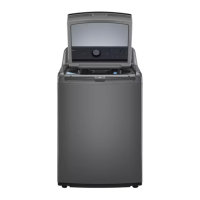
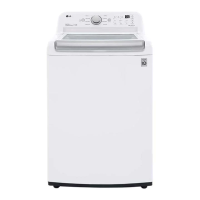
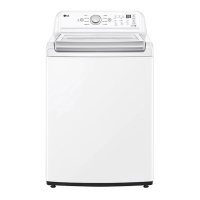
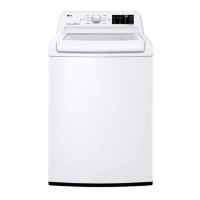
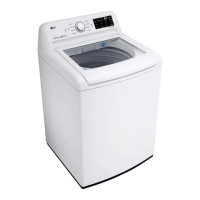
LG WT7150CW - User Manual

LG WT7150CW
52 pages
Print Icon
To Next Page IconTo Next Page
Loading...
OWNER'S MANUAL
WASHING MACHINE
Read this owner's manual thoroughly before operating the
appliance and keep it handy for reference at all times.
ENGLISH
WT7150C* / WT7000C* / WT7010C*
MFL68267084
Rev.02_112522
www.lg.com
Copyright © 2022 LG Electronics Inc. All Rights Reserved.
Scan to see the online manual.

Questions and Answers

  • R
    Robert WatsonAug 17, 2025
    Why does my LG Washer show UE UNBALANCE ERROR?
    • J
      Jared HoganAug 17, 2025
      The UE UNBALANCE ERROR on your LG washer can occur due to several reasons. It may appear if the load is too small; in this case, add additional items to balance the load. This error can also happen when heavy articles are mixed with lighter items; always try to wash items of similar weight to evenly distribute the load. Finally, the load might be out of balance because articles have become tangled. If this occurs, manually redistribute the load.
  • G
    Gregory CampbellAug 20, 2025
    What to do if my LG WT7150CW shows IE INLET ERROR?
    • K
      Kelli WilliamsAug 20, 2025
      If your LG washer displays an IE INLET ERROR, it could be due to several reasons related to the water supply. First, ensure that the water supply faucets are fully open. Check the water inlet hoses to make sure they are not kinked, pinched, or crushed. Also, the water supply pressure might be too low; check another faucet in the house to ensure adequate water pressure. Avoid using leak-limiting hoses, as they can falsely trip and prevent the washer from filling.
  • J
    jsandersAug 22, 2025
    Why does my LG WT7150CW Washer show a UE UNBALANCE ERROR?
    • J
      Joshua VaughanAug 22, 2025
      The UE UNBALANCE ERROR on your LG Washer typically indicates an issue with load distribution. This can occur if the load is too small; try adding more items to balance it. It can also happen when heavy items are mixed with lighter ones; try to wash similar-weight items together. If the load is tangled, manually redistribute the items in the drum.
  • I
    Isaac JamesAug 26, 2025
    What to do if my LG WT7150CW Washer shows an IE INLET ERROR?
    • C
      Charles Powell MDAug 26, 2025
      The IE INLET ERROR on your LG Washer indicates a problem with the water supply. First, ensure that the water supply faucets are fully open. Check the water inlet hoses for kinks, pinches, or crushing, especially behind or under the washer. The error could also be due to clogged water inlet filters, which may need cleaning. Low water supply pressure to the faucet or house, or leak-limiting hoses can also cause this issue. Finally, the end of the drain hose should be higher than 29.5 inches (75 cm) above the bottom of the washer.
  • B
    Brian MunozAug 28, 2025
    Why does my LG WT7150CW Washer show IE Inlet Error?
    • J
      juliejonesAug 28, 2025
      The IE Inlet Error on your LG Washer can occur for several reasons. First, ensure that the water supply faucets are fully open. Check for any kinks, pinches, or crushing in the water inlet hoses behind or under the washer. The water inlet filters might be clogged, so cleaning them is advisable. Low water supply pressure to the faucet or house could also be the cause; check other faucets and flush the hoses. Finally, the use of leak-limiting hoses is not recommended as they can falsely trip and prevent the washer from filling.
  • M
    Matthew SmithAug 30, 2025
    How to fix UE Unbalance Error on LG WT7150CW Washer?
    • K
      Karen SolomonAug 30, 2025
      The UE UNBALANCE ERROR on your LG Washer typically means the load is unbalanced. This can happen if the load is too small, in which case you should add additional items. It can also occur if heavy articles are mixed with lighter items; try to wash items of similar weight together. If the load is severely out of balance, manually redistribute the items, especially if they are tangled.
  • T
    Terry ChavezSep 2, 2025
    Why does my LG Washer show an IE Inlet Error?
    • D
      Donna WrightSep 2, 2025
      The IE Inlet Error on your LG Washer can occur for several reasons. First, ensure that your water supply faucets are fully open. Check that the water inlet hoses are not kinked, pinched, or crushed. Insufficient household water pressure or the use of leak-limiting hoses can also cause this error. Also, make sure that the end of the drain hose is higher than 29.5 inches (75 cm) above the bottom of the washer. If the issue persists, the water inlet filters may be clogged and need cleaning.
  • A
    Ann CooperSep 5, 2025
    How to fix the UE UNBALANCE ERROR on my LG WT7150CW Washer?
    • K
      Kimberly GarciaSep 5, 2025
      The UE UNBALANCE ERROR on your LG Washer typically means the load is unbalanced. This can happen if the load is too small; in this case, add additional items. It can also occur when heavy articles are mixed with lighter items; try to wash articles of similar weight. If articles have become tangled, manually redistribute the load to allow the washer to rebalance properly.
  • M
    Matthew RamosSep 8, 2025
    How to fix OE WATER OUTLET ERROR on LG WT7150CW?
    • L
      Lori MolinaSep 8, 2025
      The OE WATER OUTLET ERROR on your LG Washer typically means there's an issue with draining water. Check the drain hose to ensure it is free of clogs, kinks, or pinches, particularly behind or under the washer. Also, make sure the end of the drain hose is not more than 96 inches (2.4 m) above the bottom of the washer.
  • F
    fpriceSep 12, 2025
    What to do if my LG WT7150CW displays the OE WATER OUTLET ERROR?
    • R
      Rebecca StokesSep 12, 2025
      The OE WATER OUTLET ERROR on your LG Washer indicates a drainage issue. This can be due to a kinked, pinched, or clogged drain hose; ensure the hose is free of obstructions. Also, verify that the end of the drain hose is not more than 96 inches (2.4 m) above the bottom of the washer; if it is, reposition the hose.

Summary

IMPORTANT SAFETY INSTRUCTIONS

WARNING STATEMENTS

Detailed warnings to reduce the risk of explosion, fire, death, electric shock, scalding, or injury.

CAUTION STATEMENTS

Precautions to reduce the risk of minor or moderate injury, malfunction, or damage to the product or property.

PRODUCT OVERVIEW

Product Features

Visual identification of the washer's main components and their respective views.

Product Specifications

Technical details including model, electrical requirements, dimensions, weight, and spin speed.

INSTALLATION

Before Installing

Essential precautions and requirements to consider before starting the installation process.

Installation Steps

Guidance on choosing the location, floor requirements, and connecting hoses.

Final Installation Check

Connecting to the Power Supply

Instructions for safely connecting the washer to a grounded power outlet.

OPERATION

Before Use

Key steps and safety reminders before operating the washing machine for the first time.

Operation Overview

A step-by-step guide to starting and running a wash cycle.

Sorting Laundry

Loading the Washer

Guidelines for properly loading clothes into the washer for optimal results.

Adding Cleaning Products

Control Panel

Description of the washer's control panel features and buttons.

Wash Cycles

Cycle Modifiers

How to customize wash temperature, spin speed, and soil level for selected cycles.

Options and Extra Functions

Spin Only

Instructions for using the Spin Only option to drain or spin clothes.

SMART FUNCTIONS

LG ThinQ Application

Information on connecting the appliance to a smartphone via the LG ThinQ app.

Smart Diagnosis Function

Guide to using the Smart Diagnosis feature for troubleshooting appliance issues.

MAINTENANCE

Regular Cleaning

Routine cleaning tasks for the washer's interior and exterior.

Periodic Maintenance

Scheduled maintenance procedures to keep the washer in optimal condition.

Cleaning the Water Inlet Filters

Care in Cold Climates

Steps to protect the washer from freezing temperatures during storage.

Storing the Washer

When the Water Inlet Hoses are Frozen

Procedure to thaw frozen water inlet hoses safely.

When the Drain Hose is Frozen

TROUBLESHOOTING

Before Calling for Service

Initial checks to perform before contacting customer service for issues.

Error Messages

List of error codes and their possible causes and solutions.

Noises

Operation

Explanation of operational sounds and troubleshooting for washing issues.

Performance

LIMITED WARRANTY

USA Warranty Terms

Details of the limited warranty, terms, conditions, and exclusions for the USA.

Canada Warranty Terms

Details of the limited warranty, terms, conditions, and exclusions for Canada.

LG WT7150CW Specifications

General IconGeneral
Styletop load
Colorwhite
Washer Capacity5 cubic feet
Max Spin Speed800 revolutions per minute
Spin Speeds3
Number of Cycles8
Cycle Selections9
Optionsdeep wash, normal, bedding, heavy duty, speed wash, delicates, waterproof, tub clean, soak, extra rinse, delay wash, control lock, water plus, cold wash, signal, rinse+spin, spin only
Temperature Settings3
Temperature Selectionshot, warm, cold
Soil Levels3
Internal Heaterno
Control Paneldial, touchpad
Delay Start / Endyes
Child Lockyes
Cycle Signalyes
Interior Lightno
Steamno
Dispensersingle load
Smart Homeno
Wi-Finfc
Annual Energy Consumption220 kilowatt hours
Voltage120 volts
Current15 amperes
Weight and Dimensions IconWeight and Dimensions
Depth28 3/8 inches
Height44 1/2 inches
Width27 5/8 inches
Net Weight128 pounds

Videos

How to Adjust Water Level on LG WT7150CW Washing Machine

Related product manuals