EasyManua.ls Logo

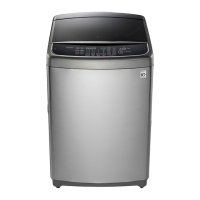
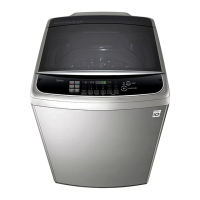
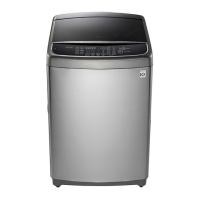
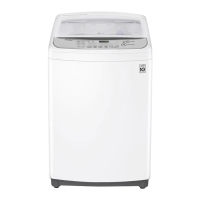
LG WTG1432VH - User Manual

LG WTG1432VH
62 pages
Print Icon
To Next Page IconTo Next Page
Loading...
WASHING MACHINE
SERVICE MANUAL
Before servicing the washer, Read the safety precautions in the manual.
CAUTION
MODEL : WTG1432VH/WTG1432WH

Questions and Answers

  • D
    denisesmithAug 7, 2025
    What to do if my LG Washer won't drain?
    • C
      cfordAug 7, 2025
      If your LG Washer isn't draining, there might be a few reasons. First, make sure the discharge hose is lowered and not bent or clogged. Clear any obstructions if necessary. Also, check the connectors to the discharge pump/drain valve and the blue 3PIN connector connected to the controller to ensure they are properly connected. If the discharge pump/ drain valve unit is defective, it should be replaced. Finally, a defective controller assembly can also cause this issue and should be replaced.
  • E
    Elizabeth NelsonAug 16, 2025
    Why is my LG Washer not spinning?
    • M
      Mariah WhiteAug 16, 2025
      If your LG Washer isn't spinning, it could be due to the laundry being unevenly distributed inside the inner tub. Make sure the laundry is distributed evenly. Another reason could be that the washer is installed on a slope. In this case, adjust the leg heights to level the washer.
  • L
    Laura MoralesAug 26, 2025
    How to fix LG WTG1432VH Washer water supply problem?
    • H
      hatfieldjuanAug 27, 2025
      If your LG Washer has a water supply problem, start by checking if the faucet is open and not frozen. Ensure that the tap water supply is not stopped. Inspect the filter at the top of the water supply valve for any blockages from foreign objects, and clean or replace it if needed. Verify that the connector connected to the water supply valve is properly connected and free from defects. Also, check the natural colored 4 pin connector connected to the controller for disconnections or contact defects. A problem in the load drive part in the controller or with the pressure switch pressure detection can also cause this issue. In such cases, the controller may need replacement, or the pressure switch should be checked.

Summary

1. SPECIFICATIONS

2. SAFETY PRECAUTIONS

3. INSTALLATION INSTRUCTIONS

3-1. HOW TO ADJUST LEVEL

Instructions for leveling the washing machine using adjustable legs and plates.

3-2. CONNECTING WATER SUPPLY HOSE

Steps for connecting the water supply hose to the tap and machine.

3-3. CONNECT THE DRAIN HOSE

Guide on how to properly connect the drain hose to the home's drain opening.

4. OPERATING INSTRUCTION

4-1. IDENTIFICATION OF PARTS

Labels and descriptions of the various parts of the washing machine.

4-2. BEFORE STARTING TO WASH

Guidelines on sorting, checking pockets, and pretreating clothes before washing.

4-3. FUNCTION OF EACH BUTTON

Explanation of the functions of each button on the control panel.

4-4. WASHING PROGRAMS

Details on various washing programs like Cotton Wash, Stain Care, Allergy Care, etc.

4-5. Other Functions

Instructions for special wash functions like Soak, Intensive Rinse, Tub Clean, Air Dry, Option Washing, Time Delay.

5. SPECIAL GUIDE FOR STAIN REMOVAL

6. PLACING AND LEVELING

7. SERVICE INFORMATION

7-1. WIRING DIAGRAM

Electrical wiring diagram for the washing machine.

7-2. DISASSEMBLY INSTRUCTION

Step-by-step guide for disassembling various parts of the washer.

7-3. How to use Test Mode

Instructions on how to enter and use the service test modes for diagnosis.

7-4. TROUBLESHOOTING BY COMMON WASHING PROBLEMS

Solutions for common washing issues like poor soil removal, stains, lint, etc.

7-5. TROUBLESHOOTING WITH ERROR CODE

Troubleshooting guide for common error codes displayed on the washer.

7-6. HOW TO DIAGNOSE AND REPAIR BY SYMPTOM

Diagnostic procedures and repair steps based on specific machine symptoms.

8. OTHER USEFUL FUNCTIONS

8-1. Child Lock Function

How to lock and unlock the control panel to prevent child interference.

8-2. Seeing Remaining Time

How to view the remaining time for each washing process.

9. USING TAG ON FUNCTION

9-1. Turning on the NFC function of the smart phone

Steps to enable NFC on a smartphone for appliance communication.

9-2. Tag On guide

How to position the smartphone to use the Tag On function with the appliance.

10. EXPLODED VIEW

10-1. THE EXPLODED VIEW OF TOP COVER ASSEMBL

Exploded diagram of the top cover assembly and its components.

10-2. THE EXPLODED VIEW OF OUT CASE ASSEMBL

Exploded diagram of the outer case assembly and its components.

10-3. THE EXPLODED VIEW OF TUB ASSEMBLY

Exploded diagram of the tub assembly and its components.

LG WTG1432VH Specifications

General IconGeneral
ModelWTG1432VH
TypeTop Load Washer
ColorDark Graphite
Motor TypeInverter Direct Drive
Smart FunctionYes
Dimensions (H x W x D)85 cm x 60 cm x 60 cm

Related product manuals