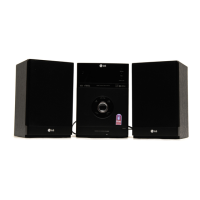
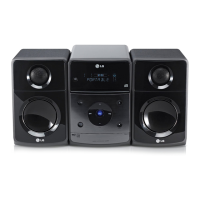
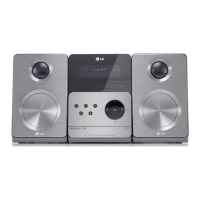
This document describes the LG Micro Hi-Fi System, model XA12 (XA12-A0, XAS12F), providing instructions for setup, operation, and maintenance.
General Description and Functions
The LG Micro Hi-Fi System is a compact audio device designed for playing various audio sources, including CDs, FM/AM radio, and external portable players. It offers features for sound customization, alarm clock functionality, and sleep timer.
Core Functions:
- CD Playback: Supports standard audio CDs and MP3/WMA discs.
- Radio Reception: Features an FM tuner with a range of 87.5-108.0 MHz (or 65-74 MHz) and an optional AM tuner with a range of 522-1620 kHz (or 520-1720 kHz). It includes Radio Data System (RDS) functionality for FM, displaying information like Programme Type (PTY), Radio Text (RT), Time Control (CT), and Programme Service name (PS).
- Portable Input: Allows connection of external portable devices (e.g., portable CD players, MP3 players) via a dedicated "PORTABLE IN" jack to play music through the system's speakers.
- Alarm Clock: Can be set to turn on CD playback or radio reception at a desired time, waking the user.
- Sleep Timer: Automatically turns off the player after a set duration (10 to 180 minutes).
- Sound Customization: Offers various sound modes (NORMAL, ROCK, POP, CLASSIC) via the EQ function and an eXtreme Dynamic Sound System (XDSS) for reinforcing treble, bass, and surround sound effects. An MP3-OPT feature optimizes compressible MP3 files for improved bass.
- Power Save Mode: An economic power save mode can be activated by pressing and holding the power button for 3 seconds.
Important Technical Specifications
General:
- Net Weight: 1.5 kg
- External Dimensions (WxHxD): 150 x 150 x 205 mm
Tuner:
- FM Tuning Range: 87.5-108.0 MHz or 65-74 MHz, 87.5-108.0 MHz
- AM Tuning Range (OPTIONAL): 522-1620 kHz or 520-1720 kHz
Amplifier:
- Output Power: 5 W + 5 W (T.H.D 10%)
- Frequency Response: 30-20000 Hz
- Signal-to-noise ratio: 75 dB
CD:
- Frequency Response: 40-20000 Hz
- Signal-to-noise ratio: 75 dB
- Dynamic Range: 75 dB
Speakers (XAS12F):
- Type: 1 Way 1 Speaker
- Impedance: 6 Ω
- Frequency Response: 100-17000 Hz
- Sound Pressure Level: 84 dB/W (1m)
- Rated Input Power: 5 W
- Max. Input Power: 10 W
- Net Dimensions (WxHxD): 150 x 150 x 150 mm
- Net Weight (1EA): 0.99 kg
MP3/WMA Disc Compatibility:
- Sampling Frequency: 8-48 kHz (MP3), 32-48 kHz (WMA)
- Bit Rate: 8-320 kbps (MP3), 48-320 kbps (WMA)
- CD-R Physical Format: ISO 9660 recommended.
- File Naming: File names should be 30 letters or less, incorporating ".mp3" or ".wma" extensions. Special characters like "/ : * ? " <>" are not supported.
- File Limit: Up to 999 files can be displayed on a disc.
Usage Features
Setup:
- Speaker Connection: Connect speaker cables to the player's terminals, ensuring correct polarity (+ and -). Press the plastic finger pads on the rear to open the connectors.
- AM Loop Aerial (Optional): Fit the AM loop aerial to its stand and connect it to the player.
- FM Aerial: Connect the FM aerial. Optimal reception is achieved when the loose ends are in a straight line and horizontal.
- Power Connection: Plug the power plug into a wall socket.
- Remote Control Battery: Insert AAA batteries into the remote control, matching the + and - indicators.
Operating the Player:
- Power On/Off: Use the (POWER) button.
- Function Selection: Use the FUNC. button to switch between FM, AM (OPTIONAL), CD, and PORTABLE functions.
- Volume Control: Adjust using the VOLUME knob.
- CD Operation: Open/close the CD door, insert a CD (label facing up), and use PLAY/PAUSE (►/II) and STOP (■) buttons for playback control.
- Radio Operation:
- Tuning: Use TUNING-/TUNING+ buttons on the player or TUN.-/TUN.+ on the remote.
- Preset Stations: Save up to 50 radio stations using PROGRAM/MEMO and select them using PRESET/FOLDER.
- Automatic Search: Press and hold TUNING-/TUNING+ for more than 0.5 seconds to scan automatically.
- RDS Information: Press RDS on the remote to view Programme Type (PTY), Radio Text (RT), Time Control (CT), and Programme Service name (PS). PTY SEARCH allows searching by program type.
- Portable Player Operation: Connect the portable device to the "PORTABLE IN" jack, select the PORTABLE function, and start playback on the external device.
- Clock Setting: Press and hold CLOCK for 2 seconds, then use the tuning buttons to set AM/PM or 24-hour display, hours, and minutes, confirming each step with SET.
- Alarm Clock Setting: Press and hold TIMER for 2 seconds. Select the desired function (TUNER or CD) using tuning buttons and SET. Set the ON TIME, OFF TIME, and desired volume, confirming each with SET. The clock icon indicates the alarm is set.
- Sleep Timer Setting: Press SLEEP on the remote control repeatedly to select a delay time (10 to 180 minutes).
- Sound Adjustment: Use EQ on the remote to select sound modes (NORMAL, ROCK, POP, CLASSIC). Press XDSS plus for eXtreme Dynamic Sound System or MP3 Info for MP3-OPT.
- CD Playback Modes:
- Repeat: Press REPEAT once for track repeat, twice for whole CD/folder repeat.
- Random Play: Not explicitly mentioned but implied by "Listen to your tracks in any order" feature allowing programming up to 20 tracks.
- Search: Hold ◄◄/►► on the player or ◄◄◄◄/►►►► on the remote during playback (Audio CDs only).
- Skip: Press ◄◄/►► on the player or ◄◄◄◄/►►►► on the remote to skip tracks.
- MP3/WMA File Navigation: Use PRESET/FOLDER on the remote to search for folders on MP3/WMA CDs. Press MP3 Info to view tag information (Title, Artist, Album, Time).
Maintenance Features
Safety Precautions:
- Electrical Safety: Do not remove the cover; refer servicing to qualified personnel. Avoid exposure to rain or moisture. Do not overload wall outlets or use damaged power cords. Protect the power cord from physical abuse.
- Ventilation: Do not block ventilation openings. Ensure proper ventilation if placed in a confined space like a bookcase.
- Water Exposure: Do not expose the apparatus to water (dripping or splashing) or place liquid-filled objects on it.
- Laser Safety: This product uses a laser system. Do not open the enclosure or stare into the laser beam to prevent hazardous radiation exposure.
Troubleshooting:
- No Power: Check if the power cord is securely plugged into the wall outlet.
- No Sound: Ensure external source equipment is turned on and speaker cables are connected correctly.
- CD Playback Issues:
- Insert a playable disc.
- Place the disc with the playback side down.
- Ensure the disc is placed correctly within the disc tray guide.
- Clean dirty discs.
- Remote Control Malfunction:
- Point the remote control at the unit's remote sensor.
- Operate within approximately 7 meters (23 ft).
- Remove any obstacles between the remote and the unit.
- Replace exhausted batteries with new ones.
Cleaning:
- While not explicitly detailed, general electronic device cleaning practices (e.g., wiping with a soft, dry cloth) would apply. For CD playback issues, cleaning the disc is recommended.
General Maintenance:
- The manual emphasizes reading the instruction booklet carefully before connecting, operating, or adjusting the product.
- Designs and specifications are subject to change without notice.


 To Next Page
 General