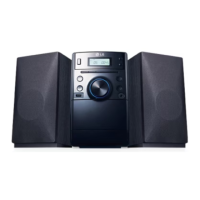
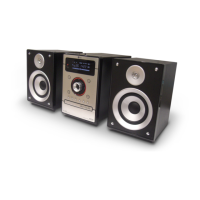
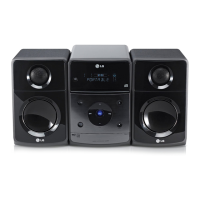
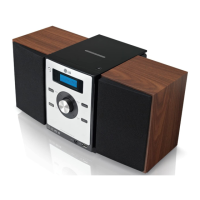
MICRO Hi-Fi SYSTEM ] USER GUIDE
7
Listening to the radio
Make sure both the FM and AM aerials are connected.
1. Select either FM or AM:
2. Select the radio station:
3. To ‘save’ a radio station:
A preset number will show in
the display.
4. To select a ‘saved’ station:
5. To confirm press:
Up to 50 radio stations can be
saved.
ON PLAYER ON REMOTE
TUNER/BAND
- TUNING +
PROGRAM
MEMORY
- PRESET +
PROGRAM
MEMORY
FUNCTION
TUN.- / TUN.+
PROGRAM/MEMO
PRESET/FOLDER
PROGRAM/MEMO
Listen to cassette tapes
1. Open the tape door:
2. Insert the tape:
3. Close the tape door:
4. Select the TAPE function:
5. Start the tape playing:
6. To stop a tape playing:
ON PLAYER ON REMOTE
xx
Z
FUNCTION
B
xx
Z
FUNCTION
Listen to cassette tapes - more you can do
To Play Fast backward or Forward
After pressing bb/BB during playback, or stop, press B at a point you
want.
Listening to the radio - more you can do
Look for radio stations automatically
Press - TUNING +
(
o
r
TUN.- /TUN.+
)
for more than 0.5 second. The tuner
will scan automatically and stop when it finds a radio station.
Delete all the saved stations
Press and hold PROGRAM MEMORY
or
PROGRAM/MEMO for two sec-
onds. “CLEAR” shows. Press STOP CLEAR (or
xx
) to erase all the saved
stations.
Choose a ‘preset number’ for a radio station
Select a station you want by pressing - TUNING + or TUN.- /TUN.+.
Press
PROGRAM MEMORY
or
PROGRAM/MEMO, the station flashes.
Press - PRESET + or PRESET/FOLDER to select the preset number you
want. Press PROGRAM MEMORY
or
PROGRAM/MEMO to save it.
Improve poor FM reception
Press MODE/RIF
on the front panel
. This will change the tuner from stereo
to mono and usually improve the reception.
See information about your radio stations - OPTIONAL
The FM tuner is supplied with the Radio Data System (RDS) facility. This
shows the letters RDS on the display, plus information about the radio sta-
tion being listened to. Press RDS
on the front panel
several times to view
the information.
PTY - Programme Type, such as News, Sport, Jazz Music.
RT - Radio Text, the name of the radio station.
CT - Time Control, the time at the location of the radio station.
PS - Programme Service name, the name of channel.
You can search the radio stations by programme type by pressing
- PRESET +. The display will show the last PTY in use. Press - PRESET +
one or more times to select your preferred programme type. Press and
hold - TUNING +. The tuner will search automatically. When a station is
found the search will stop.


 To Next Page