25
OPERATION
ENGLISH
Extra Dry
Select this option for better drying results. This
option adds extra drying time to the cycle and
raises the heating rinse temperature.
• When the rinse aid is empty, this option is
selected automatically.
Delay Start
This feature delays the start of a selected cycle.
Each time the
Delay Start
button is pressed, the
delay time increases by an hour. The delay time can
be set from 1 to 12 hours, in one-hour increments.
• To cancel this feature, turn the power off.
• To change the cycle and cycle option, open the
door and then select another cycle and cycle
option. The countdown will continue.
Control Lock
This feature helps prevent settings from being
changed during a cycle. Selecting this feature locks
all of the buttons, except for the
Power
button, on
the control panel. This feature does not lock the
door.
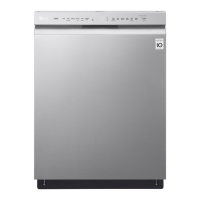
• On models with the external display, while a
cycle is running, press and hold
Half Load
and
Energy Saver
simultaneously for 3 seconds to
activate or deactivate this feature. On models
with a concealed display, open the door during
operation and follow the same instruction.
• When this feature is activated, the display code
CL
will show on the display.
• To start a new cycle, deactivate this feature.
• This feature can be set at any time by turning on
the appliance.
SignaLight™
This feature may vary depending on the model
purchased.
SignaLight™ shows the status of the appliance,
whether it has encountered any problems,
whether it is operating normally, or whether it is
ready to wash dishes.
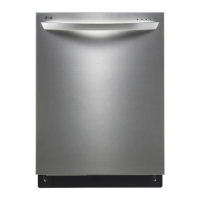
• Depending on the model, the lamp may be
located either on the front of the appliance or
the top of the door.
Red (left)
The red lamp flashes when the appliance
encounters an error. For more information about
the error, see the
Error Code
part of the
TROUBLESHOOTING
section.
White (middle)
The white lamp flashes when you select an option
cycle or when a cycle has been paused.
• The white lamp lights up when a cycle is running.
Green (right)
The green lamp lights up when a cycle is finished.
When the door is opened, the lamp turns off.
Turn the power on, and then press and hold the
Hi-
Temp.
button for 3 seconds until
ON
shows on the
display.
• The default setting is on
OFF
. When
OFF
shows
on the display, the green lamp stays on for 90
seconds after the cycle has finished.
• You can set the lamp setting to
ON
on the display
so that the dishwasher keeps the green lamp on
until the door is opened manually. (and the
Auto
Open Dry
feature is set to OFF).



 To Next Page