37
SMART FUNCTIONS
ENGLISH
1
Press the
POWER
button to turn on the
appliance.
• Do not press any other buttons.
2
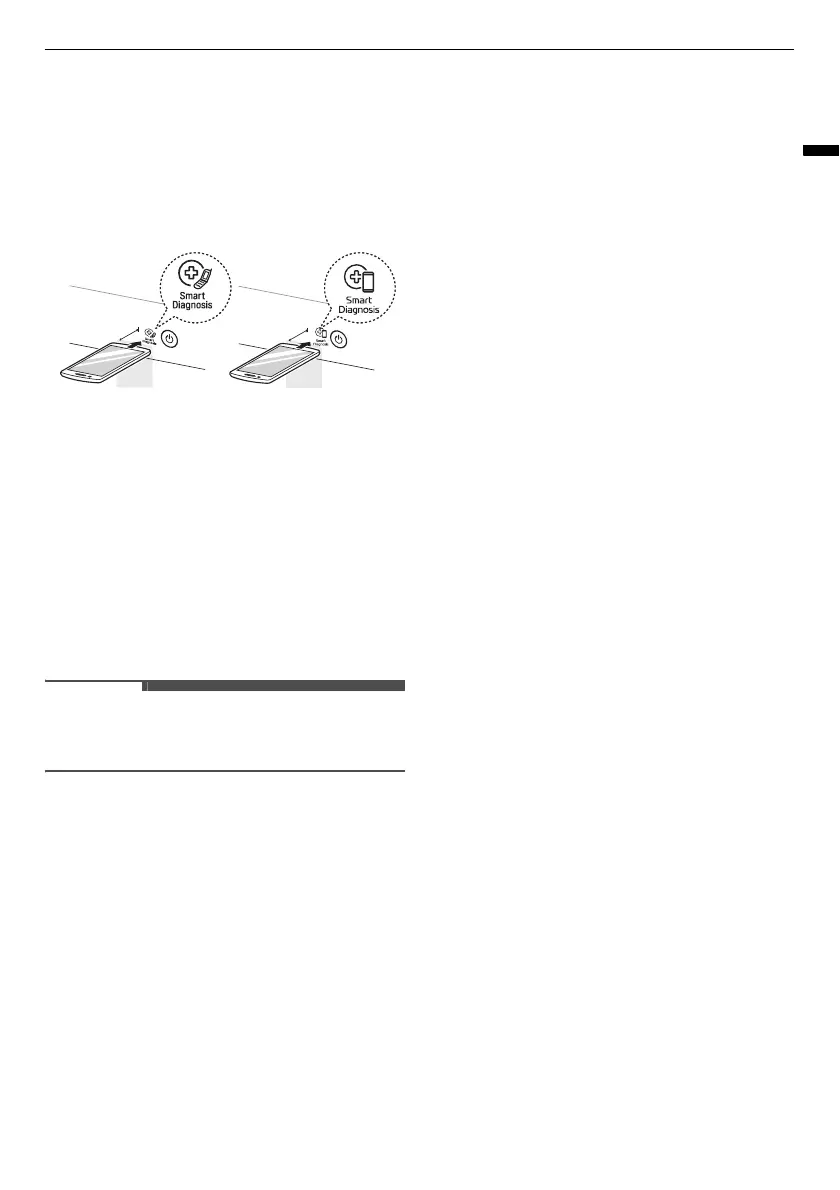
Place the mouthpiece of your smartphone
close to the
c
or
d
logo.
3
Press and hold the
Download Cycle
button for
3 seconds or longer while holding the
smartphone mouthpiece to the logo until the
data transfer is complete.
• Keep the smartphone in place until the data
transfer has finished. Time remaining for
data transfer is displayed.
4
After the data transfer is complete, the
diagnosis will be displayed in the application.
• For best results, do not move the smartphone
while the tones are being transmitted.



 To Next Page