5
Exploring the Product
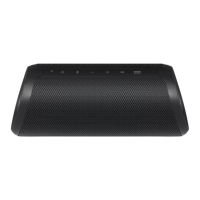
Top
h
b c da e f g
a
Battery LED
Please check the battery charging level and battery status. ([ See “Checking Battery Status” on page
9.)
• Press and hold the Power
button for 2 seconds to check the battery level while the power or the
speaker is on.
b
Power
Turns the speaker on or off.
Power LED
Indicates the power status.
c
Bluetooth
You can change the Bluetooth settings.
• Connecting an additional smartphone: Press and hold the button for 2 seconds. ([ See “Connecting
Two Bluetooth Devices to the Speaker” on page 14.)
• Changing from AUX to Bluetooth: Press the button.
• Resetting Bluetooth: Press and hold the button for 7 seconds. ([ See “Resetting Bluetooth” on
page 27.)
Bluetooth LED
Indicates the Bluetooth connection status.
•
: Blinks in white / Ready for Bluetooth device connection.
•
: Turns on in white / Connected to a Bluetooth device.
d
Volume
This adjusts the speaker volume.
Exploring the Product


 To Next Page
 Loading...