YOUR SPEAKER IS READY! SET YOUR MUSIC FREE
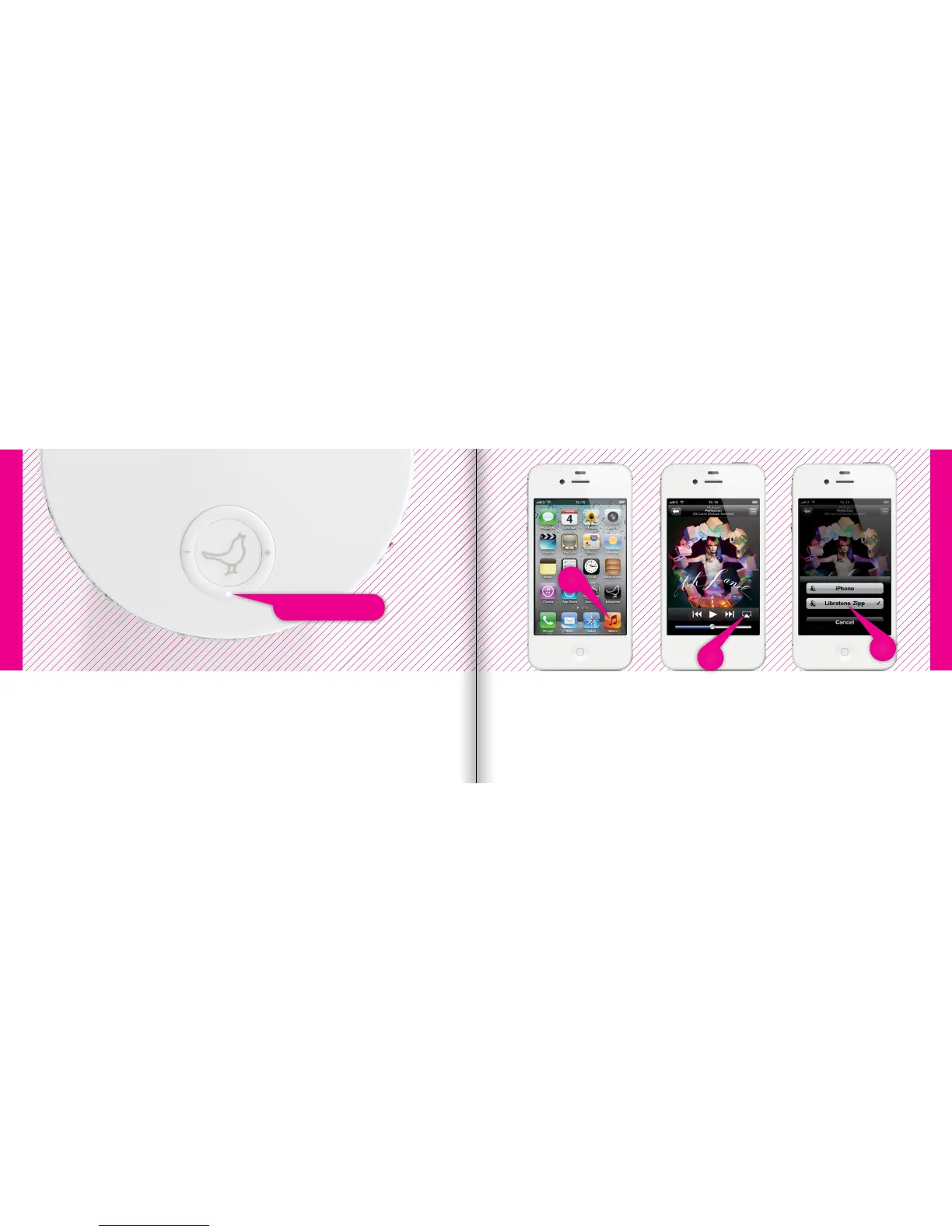
• Select “Music” on your iPhone, iPad or iPod touch.
• Select “AirPlay” icon.
• Choose your speaker.
• Select “Play” and set your music free.
If the “Status Indicator” is breathing WHITE you’re alright! And you’re ready for AirPlay.
If it’s not, go to page 14 and start over or visit: www.libratone.com/faq for support.
1
2
3
Status Indicator
iPhone, iPad or iPod touch - Wi-Fi
iPhone, iPad or iPod touch - Wi-Fi
18 19



 To Next Page