Home
LIBRATONE
Speakers
ZIPP
Page 12 (Libratone App for iOS Devices)
LIBRATONE ZIPP - Libratone App for iOS Devices; App Integration and Device Power On
19 pages
Manual
Save Page as PDF
To Next Page
To Next Page
To Previous Page
To Previous Page
Loading...
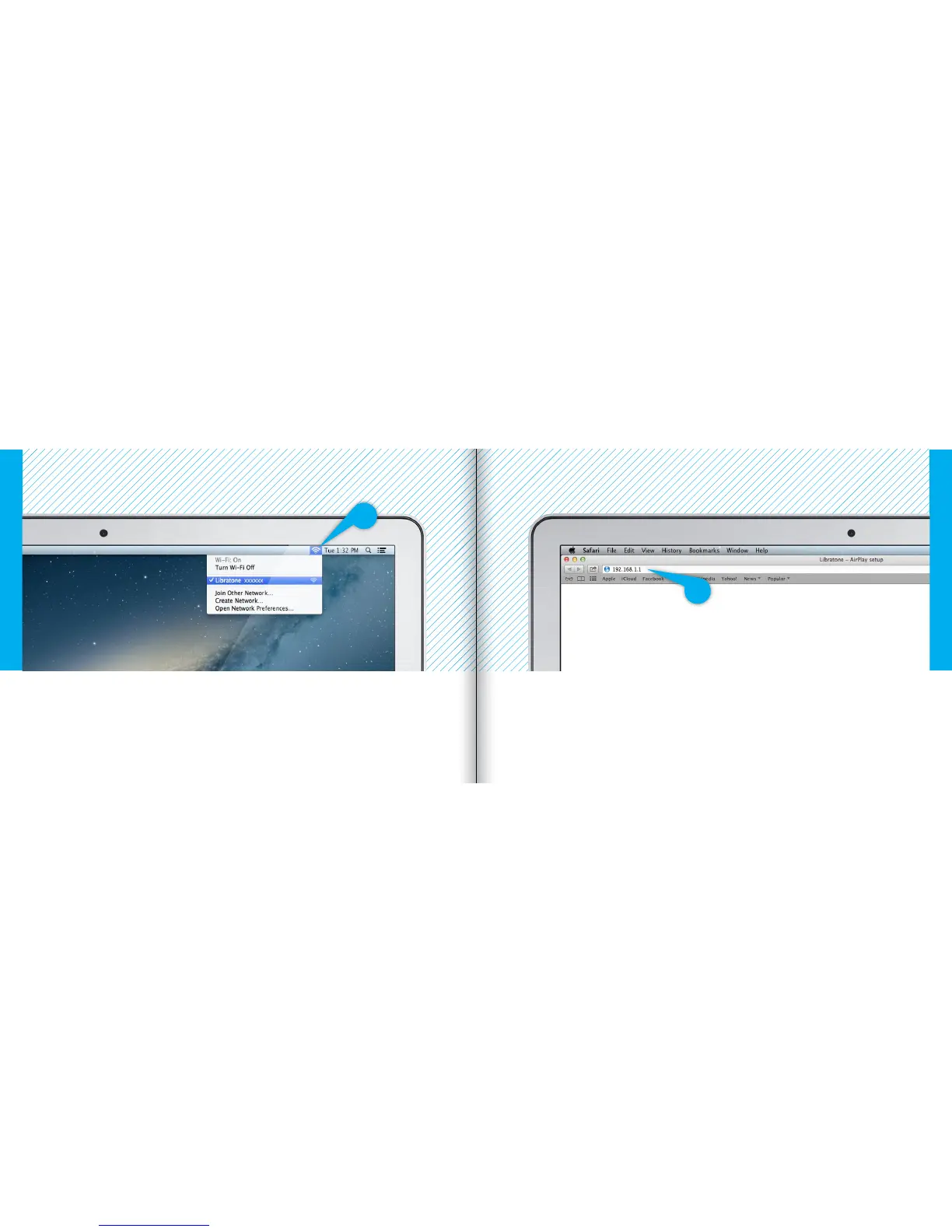
FIND Y
OUR LIBRA
T
ONE ZIPP NETW
ORK
•
Open
“Wi-Fi”
connections on y
our Mac.
•
Choose the
“Libratone”
netw
ork.
ENTER Y
OUR SPEAKER SETUP P
A
GE
•
Open
“Safari”
on y
our Mac.
•
T
ype
192.
168.
1.
1
in the brow
ser and press
“ENTER”
.
Mac
- Wi-Fi
Mac
- Wi-Fi
22
23
11
13
Table of Contents
Main Page
Contents
2
Music at Home
3
Music on the Go
3
Introduction
4
Battery Indicator
4
Logo Button
4
Status Indicator
4
Setup Airplay with Usb Cable
5
Set Your Music Free
5
Music on the Go - Playdirect
6
Libratone App
7
Turn on Your Libratone Zipp
7
Put Your Speaker in Setup Mode
8
Find Your Speaker
8
Setup Your Libratone Zipp
9
Re-Connect to Your Home Network
9
Find Your Libratone Zipp Network
12
Setup Your Speaker
13
Connect to Your Home Network
13
Setup Airplay - Pc
15
Factory Reset
16
Battery Charging
16
Cover Change
17
Troubleshooting
17
Warranty
17
Technology
18
Wireless
18
Inputs
18
Amplifier
18
Other manuals for LIBRATONE ZIPP
User Manual
4 pages
Manual
8 pages
Related product manuals
LIBRATONE ZIPP MINI
8 pages
LIBRATONE ZIPP WIFI / BT 4.0
18 pages
LIBRATONE LOOP
19 pages
LIBRATONE Live
19 pages
LIBRATONE TOO
12 pages
LIBRATONE beat
26 pages



 To Next Page