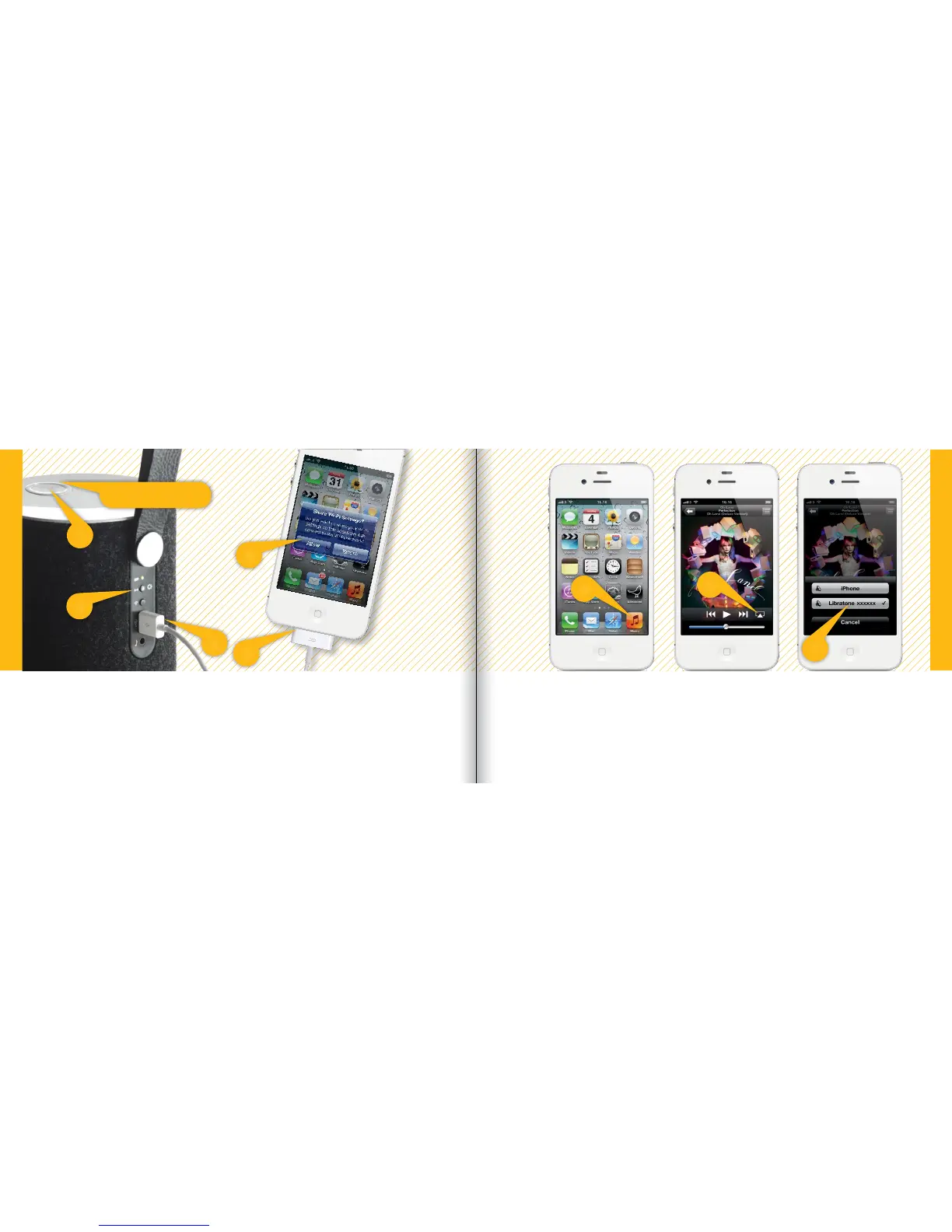
SETUP AIRPLAY WITH USB CABLE
• Select “Music” on your iPhone, iPad or iPod touch and press the “AirPlay” icon.
• Choose your speaker.
• Select “Play” and set your music free.
2
2
4
3
1
5
6
7
• Press the Libratone “Logo Button” to turn it on.
• Connect your iOS device (iOS 5 or later) and Libratone Zipp with a USB cable.
• Press and hold the “PlayDirect” button until “Share Wi-Fi Settings” pops up.
• Press “Allow” on your device and wait for Libratone Zipp to reboot.
Status Indicator
Quick AirPlay Setup - Wi-Fi
Quick AirPlay Setup - Wi-Fi
SET YOUR MUSIC FREE
8 9



 To Next Page