YOUR SPEAKER IS READY!
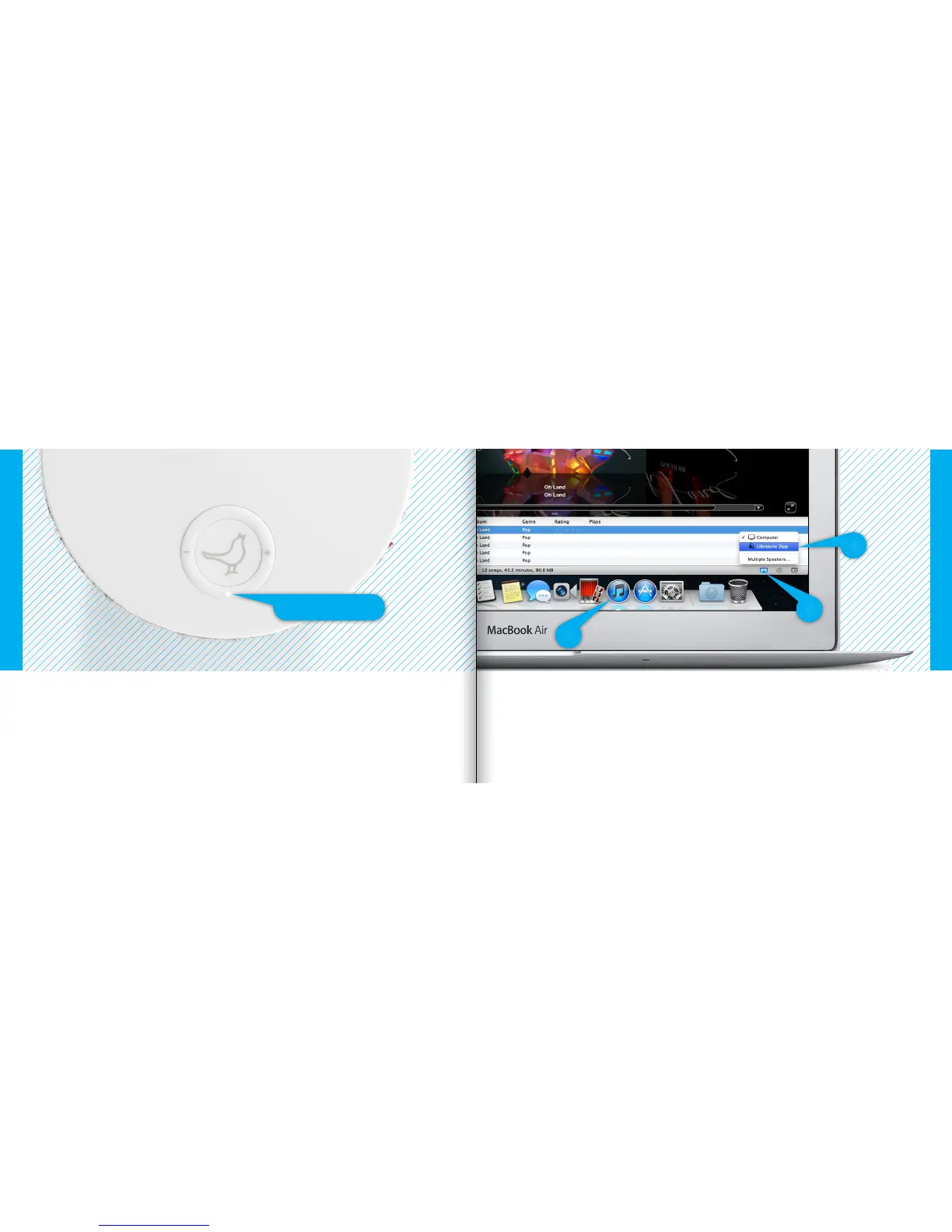
If the “Status Indicator” is breathing WHITE you’re alright! And you’re ready for AirPlay.
If it’s not, go to Page 21 and start over or visit: www.libratone.com/faq for support.
SET YOUR MUSIC FREE
• Open “iTunes” on your Mac.
• Click “AirPlay” icon in the lower right corner and choose your speaker.
Now you’re ready to play music.
2
3
1
Status Indicator
Mac - Wi-Fi
Mac - Wi-Fi
26 27



 To Next Page