Monitor Tab
When you select the monitor tab, you are presented with Connected
Device: and Connected Device Status: on the top of the left pane. The
Folder list is at the bottom of the pane under Device Information:.
The first page you will see every time you open a new Web connection to
the card is the Power Flow folder in the monitor tab. After your browser
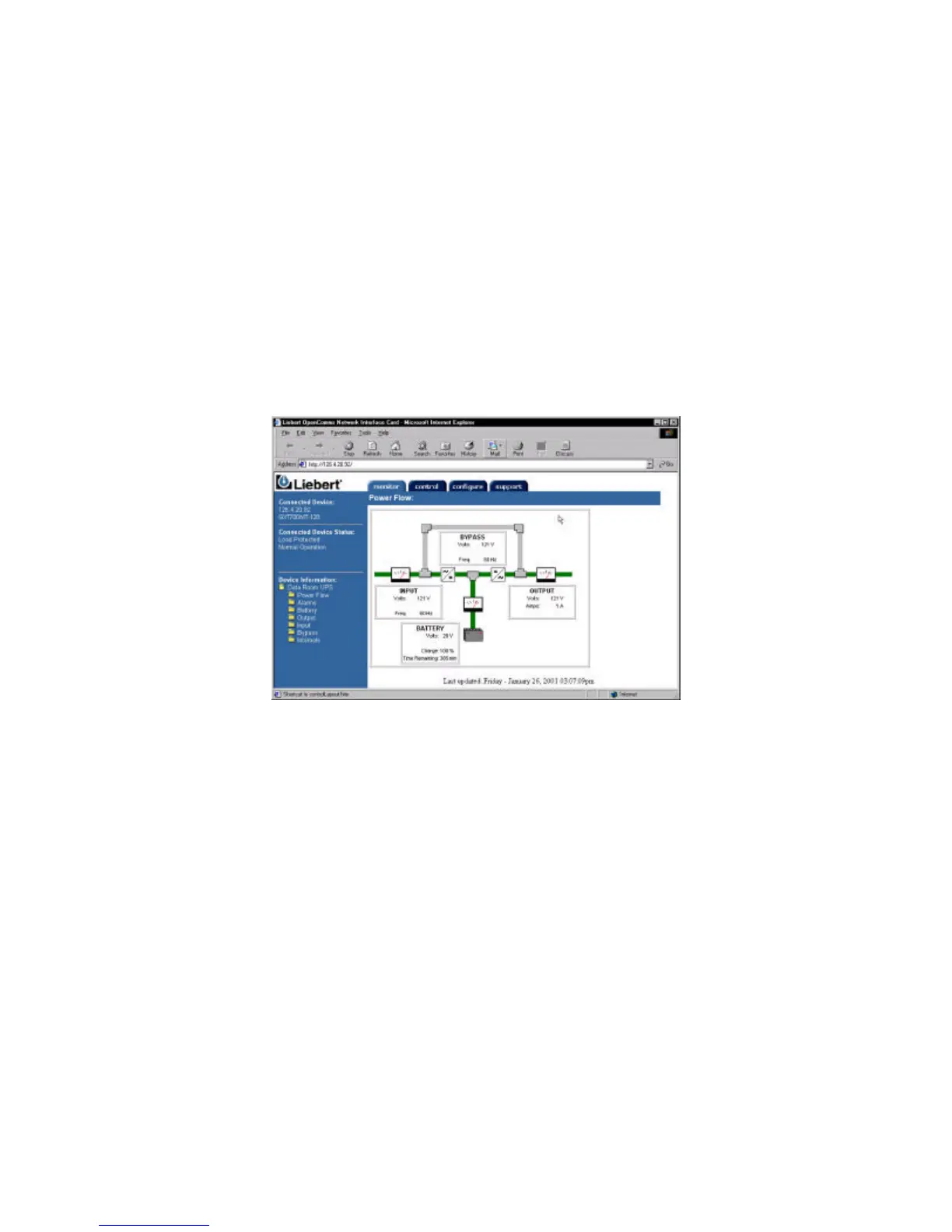
connects, you will see a screen very similar to below:
From the monitor Tab, you are able to view the parametric data of the
UPS.
The Power Flow folder provides a graphical representation of the current
state of the UPS along with useful information about Input, Output, and
Battery voltages as well as Battery runtime information.
The Alarm folder provides a list or any present UPS alarms.



 To Next Page