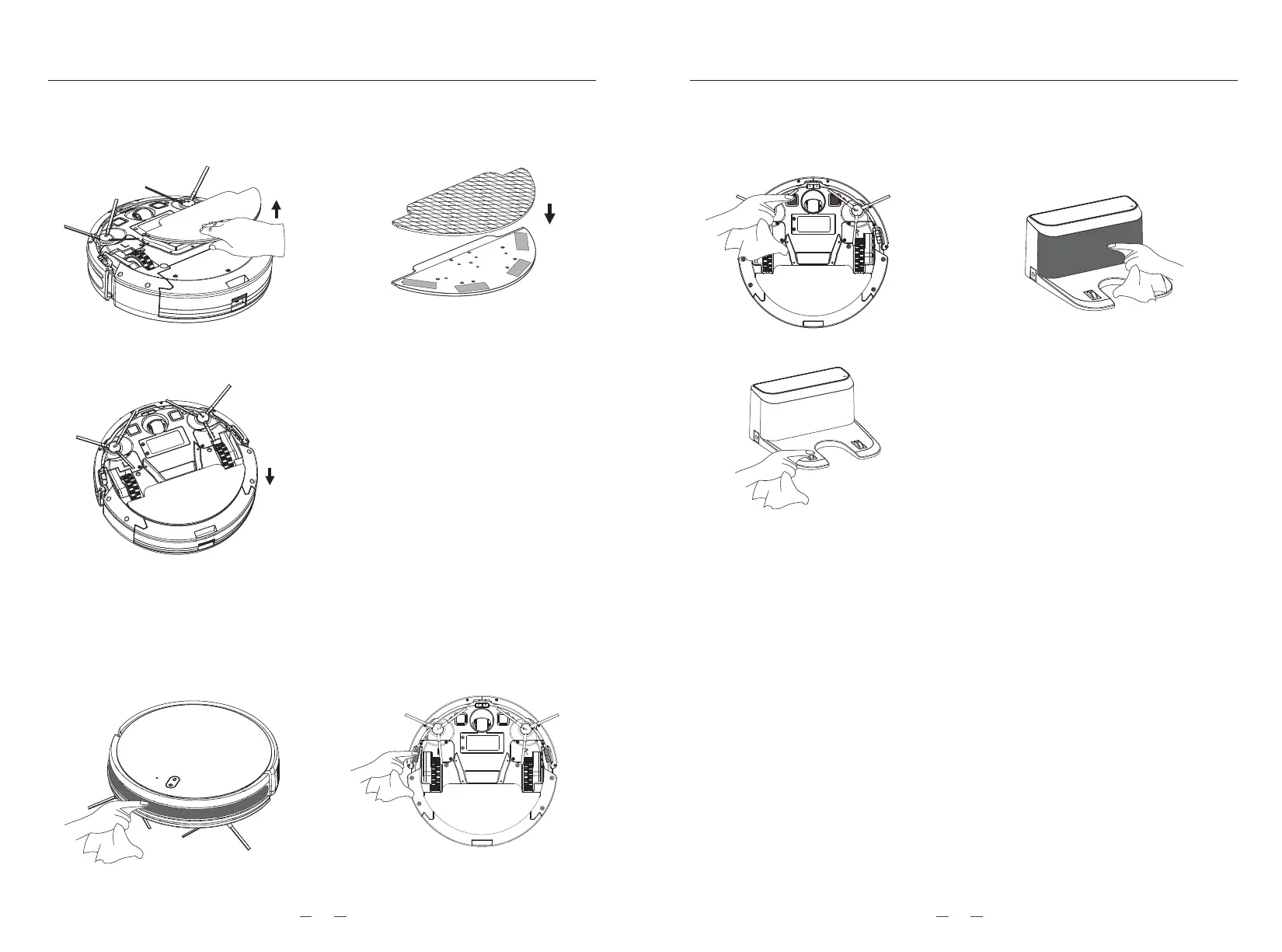
4. Mop board cleaning (Once a week is recommended)
4.1. Remove the mop board vertically
from the device.
4.3. Install the mop board to the device.
4.2. Fasten a new (clean) mop to the
mop plate.
5. Equipment signal area maintenance (Cleaning it once a month
recommended)
5.1. Maintaining the front anti-colli-
sion sensor with a soft dry cloth.
5.2. Maintaining the TOF sensor with
a soft dry cloth.
Notice:
* Please do not use the mopping function on
carpets.
* In order to clean well, please clean the mop
in time.
* Replace the mop according to the actual
usage, so as to maintain the machine in
normal effect
* Mop as consumer product,please
purchase it in official website.
6. Battery maintenance
6.1. Equipped with a built-in rechargeable lithium battery pack, in order to
maintain battery performance, keeping the robot in charging status,
which is good for longer life of battery and does not over-loss electricity.
6.2. If it is not in use for a long time, please full charge and turn off to be
stored.
6.3. Charging at least every 3 months, avoiding the battery to cause over
hang damage.
6.4. Must use original power adapter when charging.
6.5. Lithium batteries is full charged randomly for ready to use. No need to
be charged with whole 12 hours.
7. Firmware upgrade
The firmware upgrade by mobile app, Entering the firmware upgrade function,
upgraded according to the prompt step by step after detecting the new firmware,
the power should be more than 50%, it is recommended to place the device on
the charging station to upgrade.
5.3. Clean the charging contact
area with a soft dry cloth
5.4. Clean the signal transmission area,
maintenance with a soft dry cloth.
MAINTAININGMAINTAINING
2019



 To Next Page