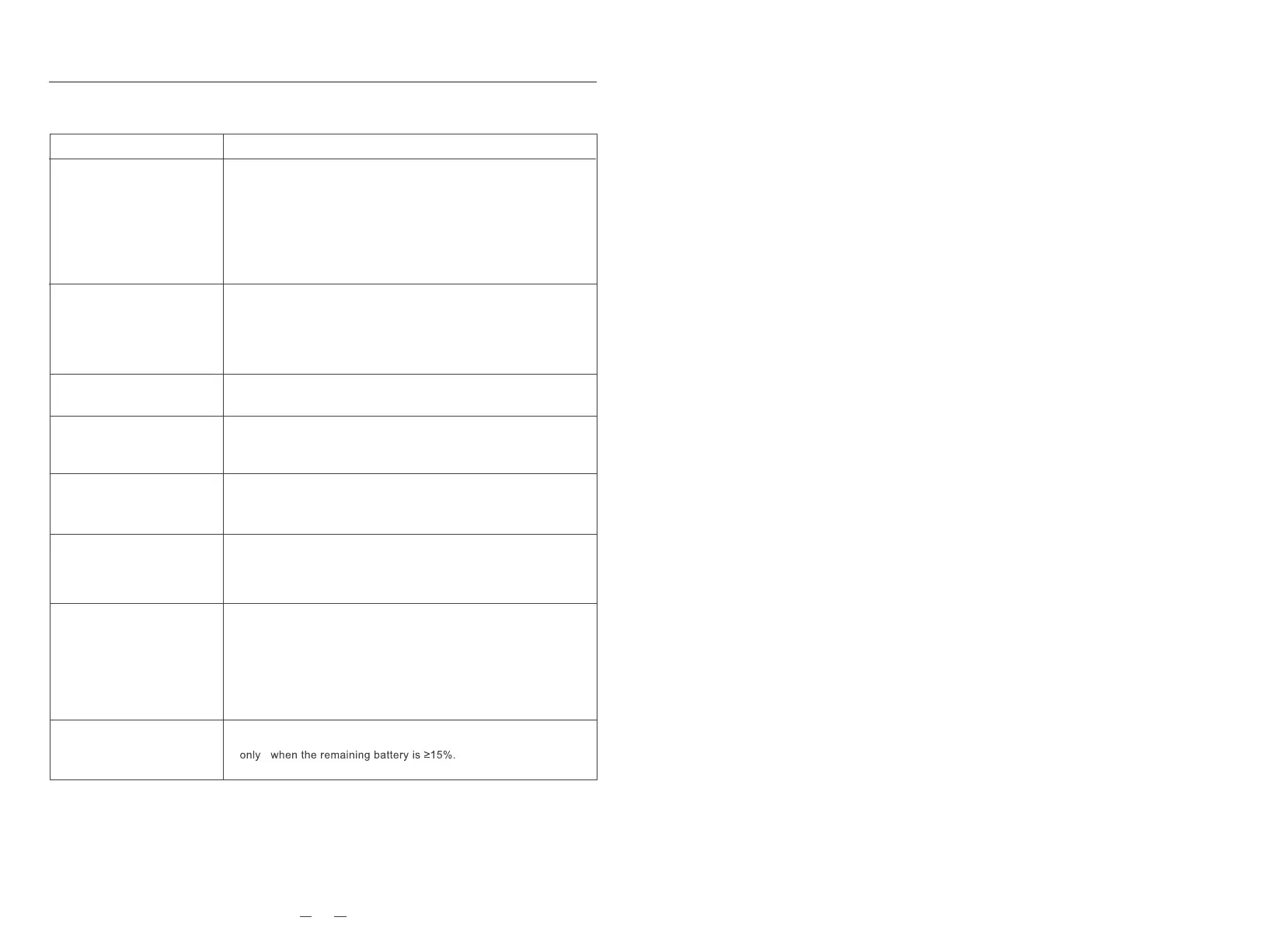
Solution
*When the battery is low, place the device on the charging base,
align it with the contact point, and the device will start up automati-
cally.
*If the ambient temperature is lower than 0°C, use it in an
environment of 0 to 40°C.
*Check whether the plug of the device power adapter is properly
connected and the power supply of the socket is normal.
* Bad contact, please clean the dirt on the charging contact point, or
unplug the side brush.
* The device is too far away from the charging base. Please try
placing the main engine near the charging base.
The main brush, side brush or wheel may be entangled with foreign
objects, please clean it after stopping the machine.
If the battery is insufficient, the scheduled cleaning will be started
*The filter is clogged, please clean or replace it.
*The roller brush is entangled by foreign objects, please clean the
roller brush.
*The WIFI signal is not good, please make sure that the device is in
a good WIFI (2.4G frequency band, does not support 5G) signal
coverage area.
*Please reset WIFI and download the latest mobile APP to try to
connect again.
*Check if your password is entered incorrectly.
Shut down and restart.
The problem
Unable to boot
Unable to charge
Abnormal running
Scheduled cleaning failed
Decreased cleaning
ability or dust drop
Unable to connect to WIFI
Unable to back to recharge
Abnormal
noise when cleaning
The dust box is full, please clean the dust box.
Troubleshooting
TROUBLESHOOTING
21



 To Previous Page