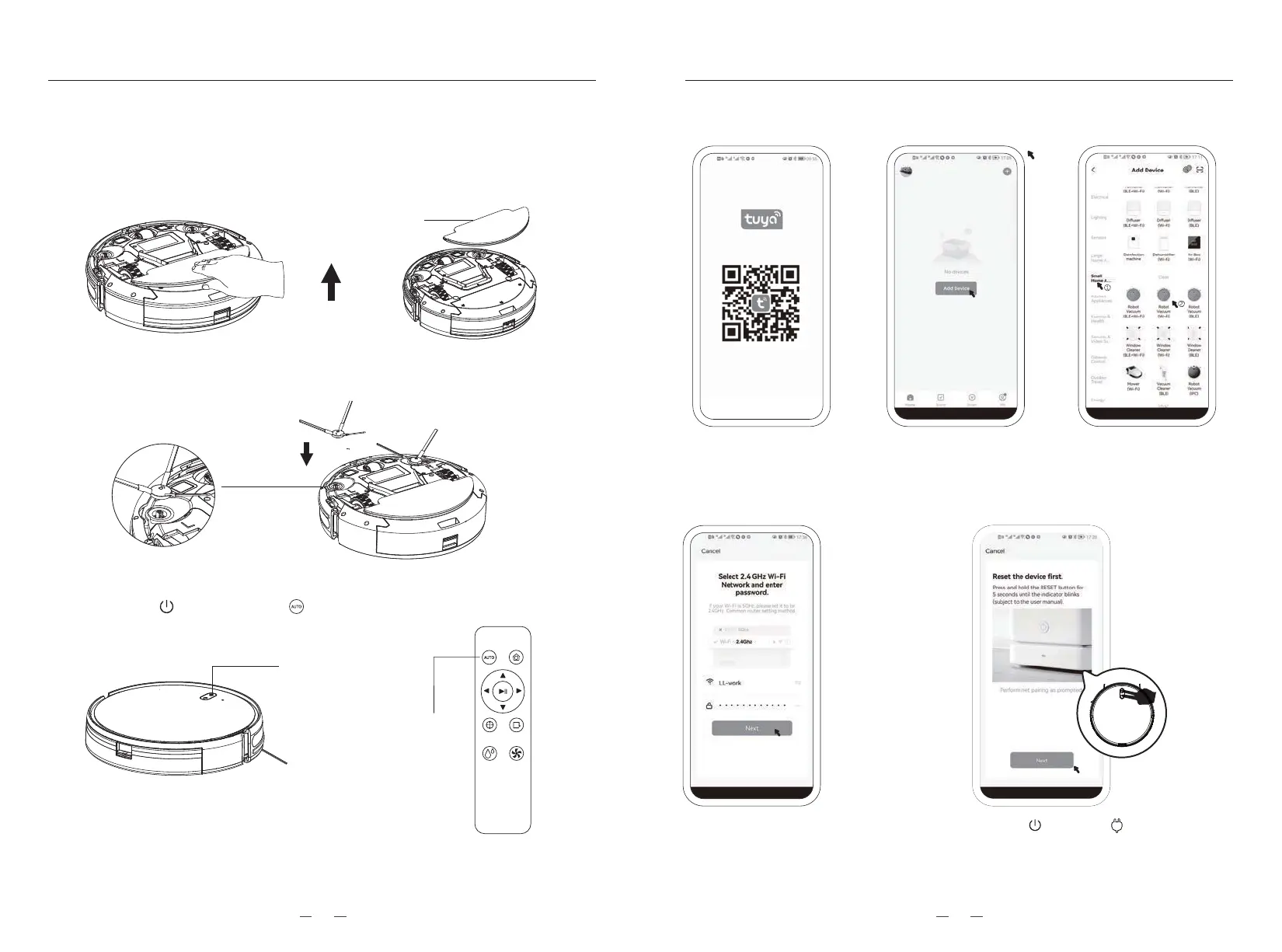
APP Connection
4. APP download, installation and registration.
4.1.
Search the "Tuya" app
in the APP store or
scan the QR code above
to download and install it.
4.2. After registration and
login, click the "+" sign
in the upper right corner,
or click the "Add Device" .
4.4. Enter the WiFi
password to login.
Click the "next".
4.5. Press and hold the " " key and " " key at the same
time for at least 3 seconds, then hear a beep, and the
WiFi indicator turns to flash, Then click the "next.
4.3. Select "Small
Household A…"
-"Robot Vacuum(Wi_Fi)"
3UVSUJ[RK
Short press
to start
Short press
to start
3、Use of cleaning function
3.1. The mop module be installed when the robot vacuum leaves factory, Please remove
the mop module before using only the vacuum function. Use your finger to clasp the
middle of the mop module and remove the mop module. Store the mop module in a
place out of reach of children, take it out and install it on the device when the
mopping function need to be used.
3.2. Take out the side brushes, install them in correct position corresponding “L/R”,And
press down vertically once hear the sound “Da” that means install successfully.
3.3. Turn the device upside down on the floor after the side brushes installed, and short
pressthe “ ” or the press the “ ” button to start the cleaning function.
METHOD OF USAGE METHOD OF USAGE
1009



 To Next Page