21
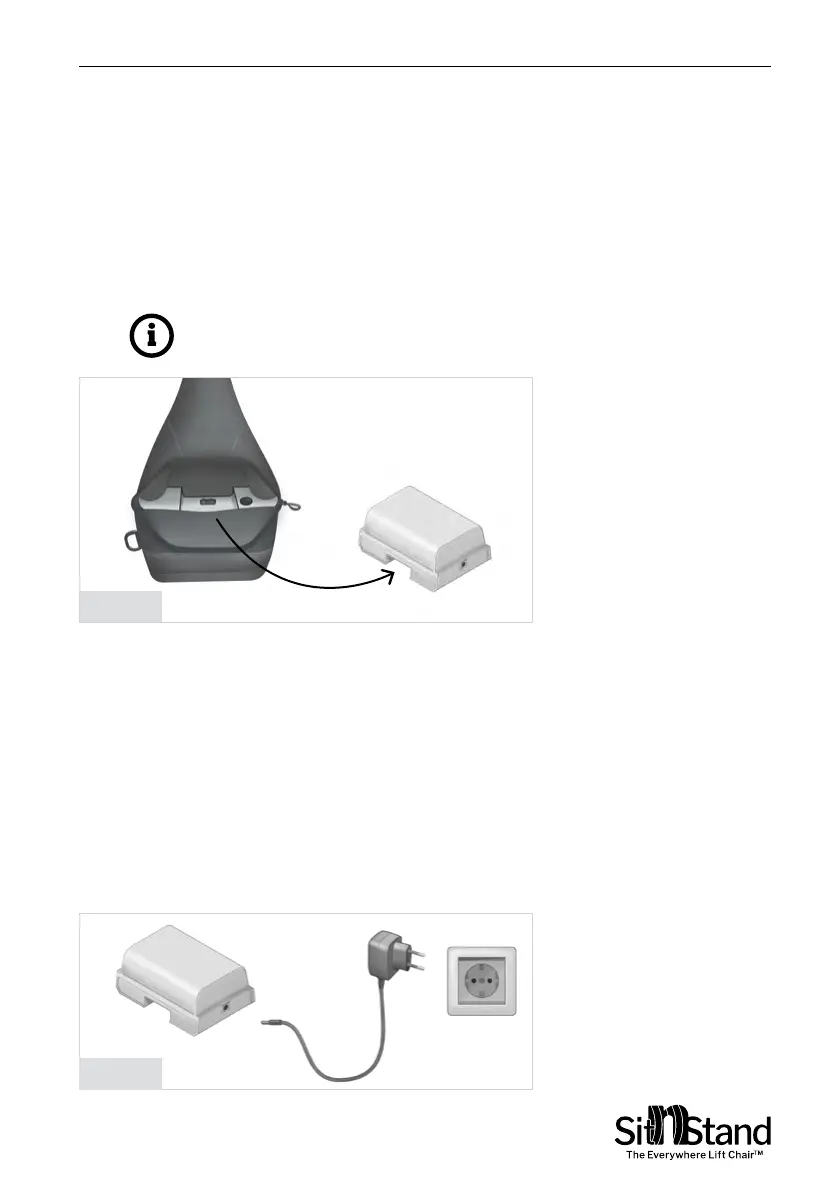
Replacing the Battery – Figure 8
When the Charge Battery indicator turns Orange, battery should be
charged.
Open the zipper covering the air supply unit and remove battery by
sliding it towards you as illustrated in Figure 8.
The battery is connected by a magnet to the air supply unit.
User Manual | Using the Sitnstand
Figure 8
Figure 9
Charging the Battery- Figure 9
1. Plug the battery charger into an electric wall socket.
2.
Connect the battery charger connector to the battery charging
socket.
3. When the Red light on the charger changes to Green, the battery
is fully charged.
4. When the Red light is on, the battery is not fully charged.
NOTE: Don't remove the battery while The SitnStand compact
is at "Working Mode" (see controller indicator modes)


 To Next Page